First circuits, first code
Light an LED, read a button, build your first interactive gadget. No prior electronics or coding needed — start with the absolute basics and finish Level 1 already shipping small projects.
Required materials & componentsclick to expand
Core kit
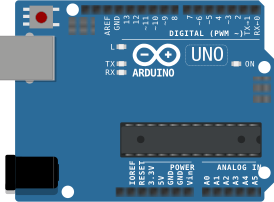 Arduino UNO R3 board× 1
- USB-A → USB-B cable× 1 — for programming + power
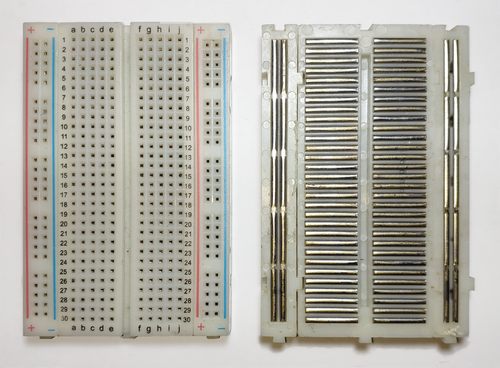 Half- or full-size breadboard× 1
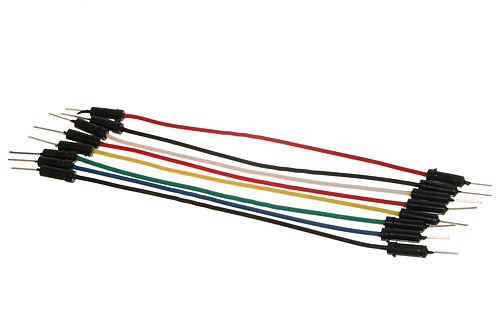 Jumper wires (M-M)× 40 — mixed colours
Lights & sound
 LEDs — red, yellow, green× 10
 RGB LED (common cathode)× 1
 Piezo buzzer (passive)× 1
Inputs
 Tactile push buttons (12 mm)× 4
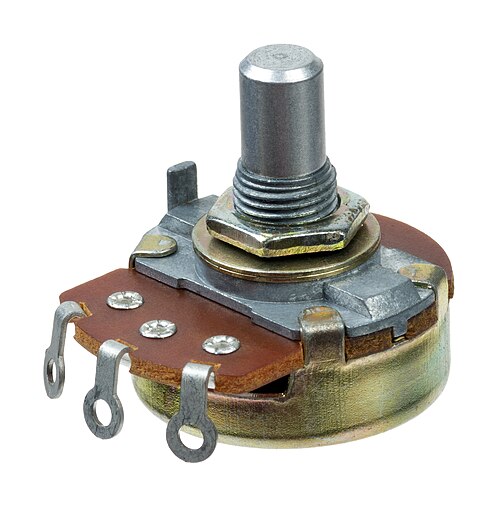 Rotary potentiometer (10 kΩ)× 1
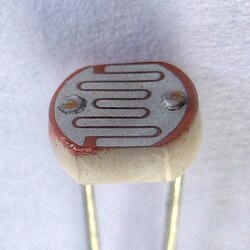 LDR / photoresistor× 1
 Tilt switch (SW-520D)× 1
Resistors
 220 Ω× 10 — LED current limiters
 1 kΩ× 5
 10 kΩ× 5 — pull-down / divider
Nice to have
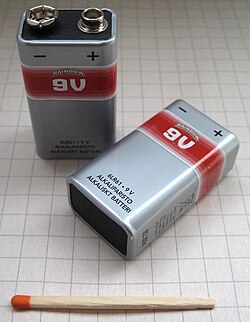 9 V battery + clip-to-barrel adapter — for standalone power
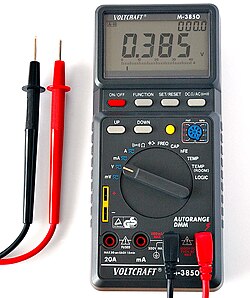 Digital multimeter — for the colour-code & voltage-divider lessons
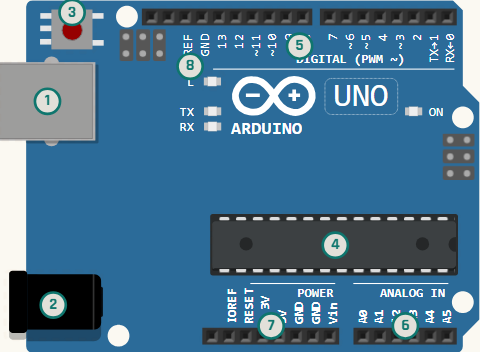 ARD-L01-01
What Is Arduino?
Tour the UNO board, learn what microcontrollers do and why they matter.
ARD-L01-02Install the IDE & Blink
Set up the Arduino IDE, plug in the board, upload your very first sketch.
ARD-L01-03Anatomy of a Sketch
Understand setup() and loop() and the lifecycle of every program.
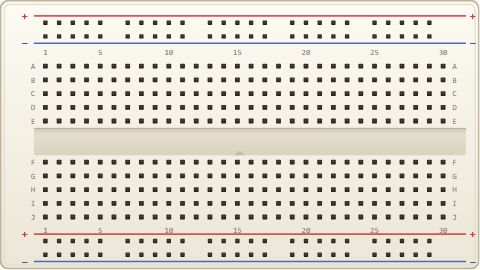 ARD-L01-04
Breadboard Literacy
How rails and rows connect, polarity habits and safe handling of parts.
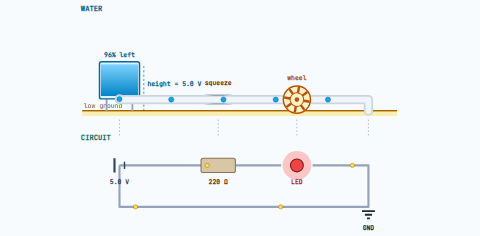 ARD-L01-05
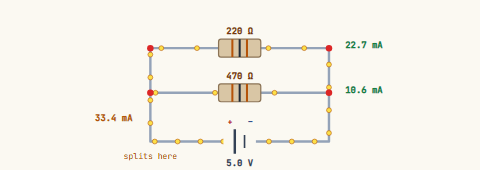
Ohm's Law for Kids
Voltage, current and resistance explained with everyday analogies.
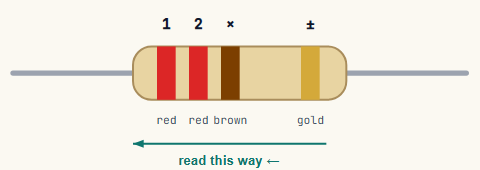 ARD-L01-06
Reading Resistor Colour Codes
Decode 4-band resistors with a chart and a multimeter check.
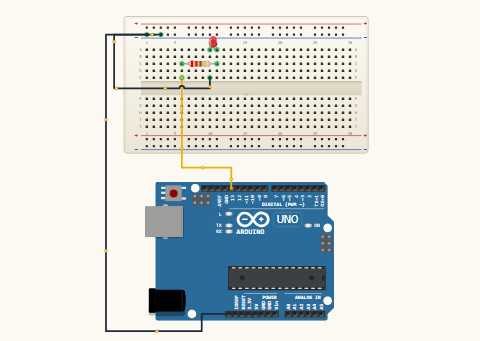 ARD-L01-07
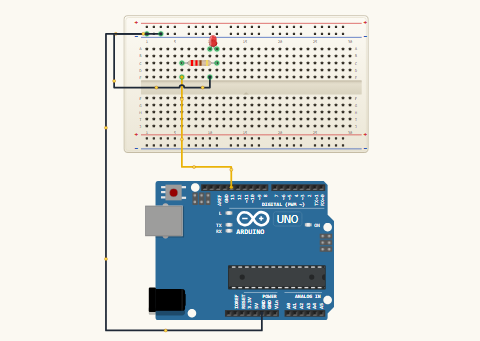
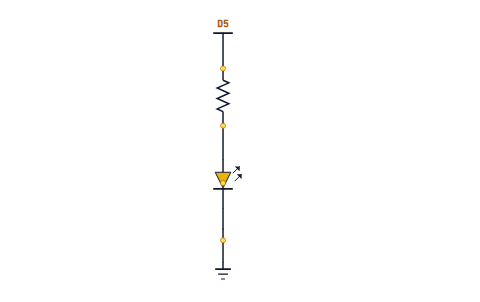
Your First External LED
Wire an LED with a current-limiting resistor on a breadboard.
 ARD-L01-08
digitalWrite & HIGH/LOW
Turn any pin on and off and watch a real circuit respond.
ARD-L01-09Variables in Arduino
Store pin numbers and values in int and const int.
 ARD-L01-10
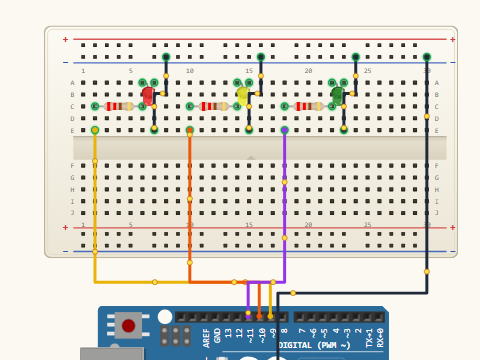
Multiple LEDs at Once
Wire three LEDs and blink them in sequence.
ARD-L01-11The for Loop
Iterate through pins Knight-Rider style without copy-pasting code.
ARD-L01-12Functions
Write a reusable flash() helper to keep the sketch tidy.
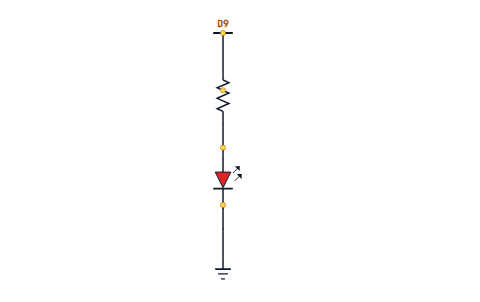
 ARD-L01-13
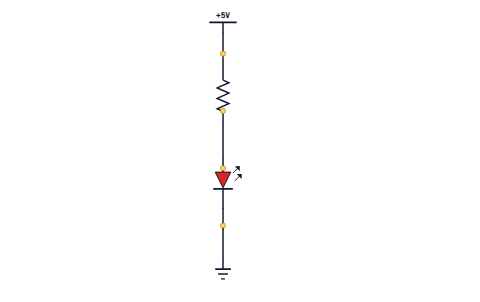
Reading Circuit Diagrams
Schematic symbols for LEDs, resistors, ground and power — the engineer's view of a circuit.
 ARD-L01-14
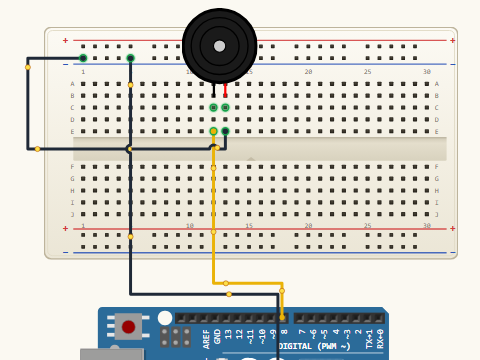
Buzzers and tone()
Make sound with a piezo and pick musical notes by frequency.
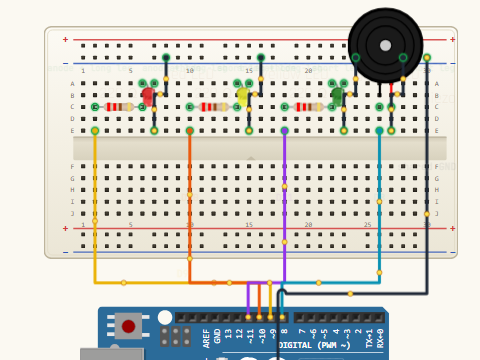 ARD-L01-15
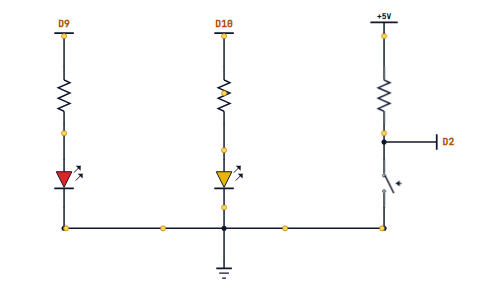
Musical Doorbell
Combine LEDs and a buzzer into a button-triggered jingle.
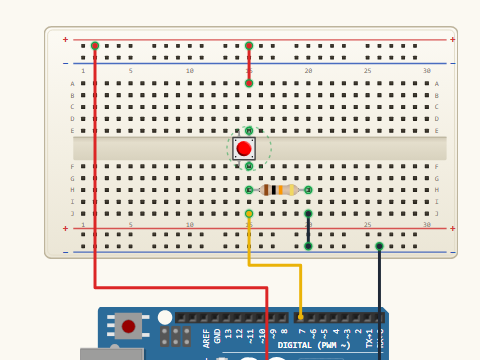 ARD-L01-16
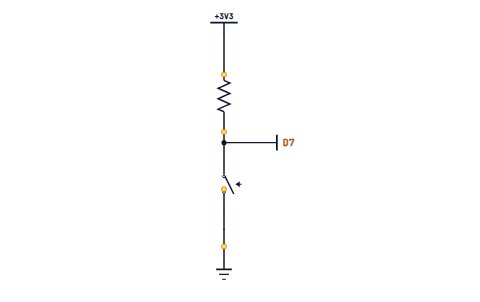
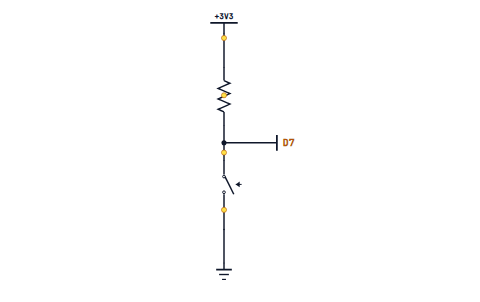
Push Buttons & digitalRead
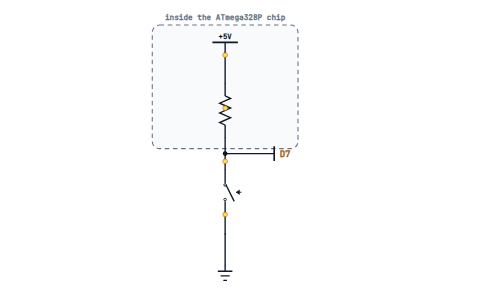
Detect presses with a pull-down resistor and read the pin state.
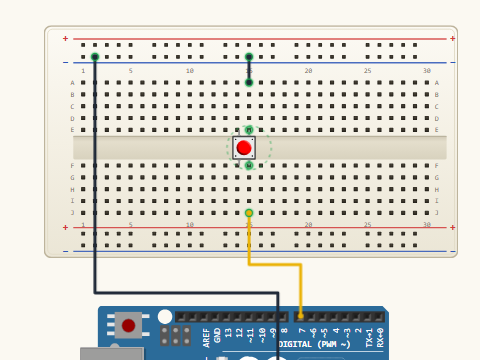 ARD-L01-17
INPUT_PULLUP
Use the internal pull-up resistor to remove a wire from your circuit.
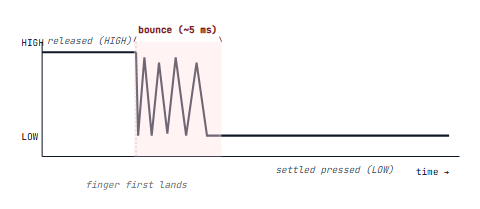 ARD-L01-18
Debouncing a Button
Stop one press registering as two with a short delay filter.
 ARD-L01-19
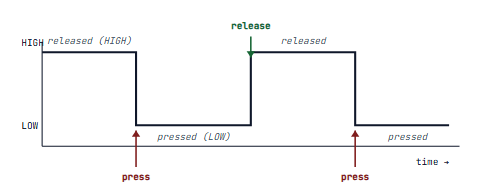
State Change Detection
Count presses on the rising edge instead of while held.
 ARD-L01-20
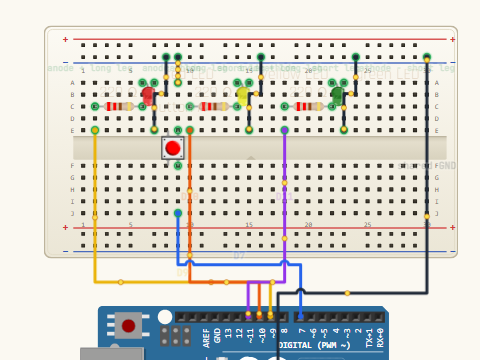
if / else
Branch your program based on input from the world.
 ARD-L01-21
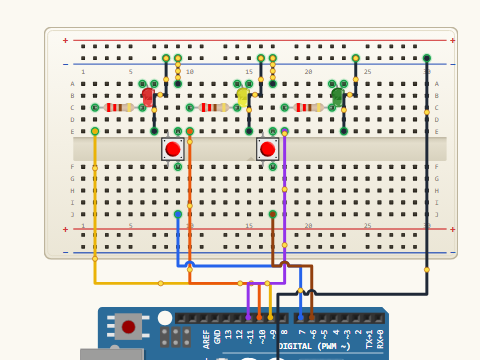
Combining Two Buttons
Use AND and OR boolean logic for real-world rules.
 ARD-L01-22
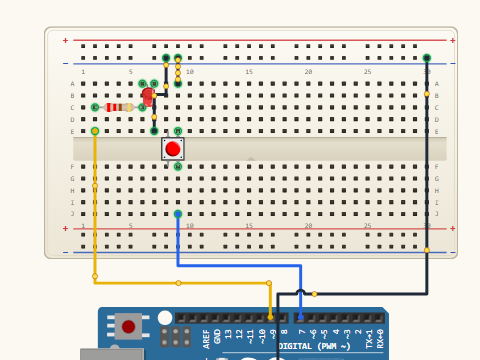
Reaction Timer Game
Measure how fast you slap the button after the LED lights.
 ARD-L01-23
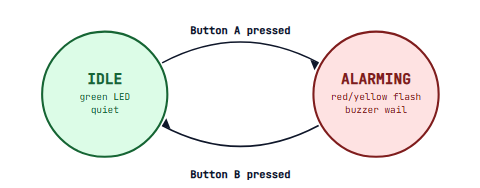
Simple Burglar Alarm
Tilt or button switch triggers a buzzer + flashing LED.
 ARD-L01-24
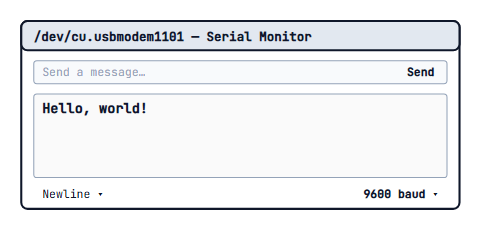
Serial.begin & println
Send your first message from the Arduino to your computer.
 ARD-L01-25
Debugging With Prints
Trace what your sketch is doing line by line.
 ARD-L01-26
Reading From Serial
Type characters into the Serial Monitor and react in code.
ARD-L01-27ASCII Basics
Why the number 65 is also the letter A — characters as numbers.
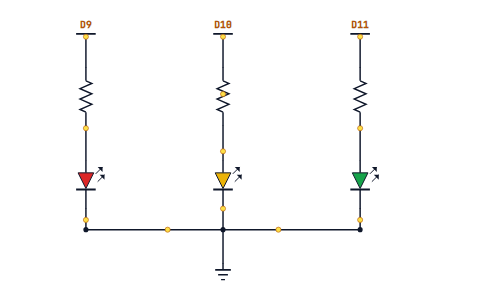 ARD-L01-28
switch / case
Branch cleanly on a command character without piles of ifs.
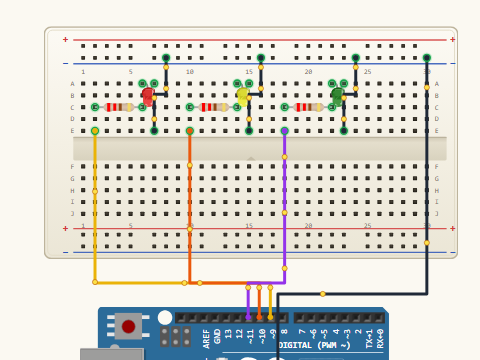 ARD-L01-29
Serial Light Show
Type commands to drive a custom LED animation.
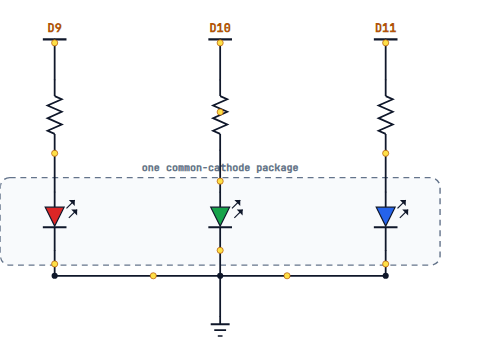 ARD-L01-30
RGB LED Wiring
Common cathode vs common anode and how to read the pinout.
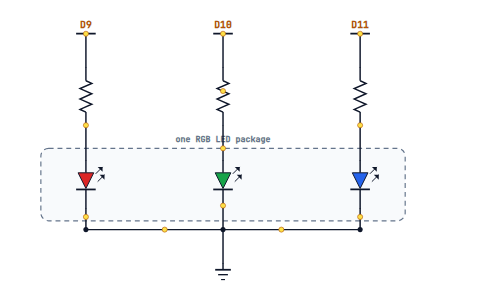 ARD-L01-31
Mixing Colours
Combine red, green and blue channels for any visible colour.
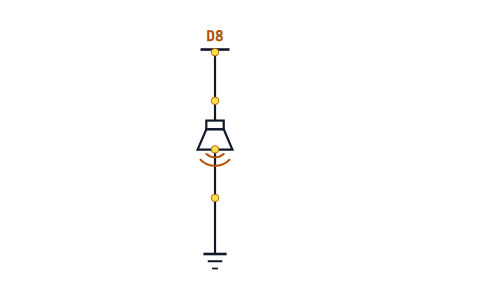 ARD-L01-32
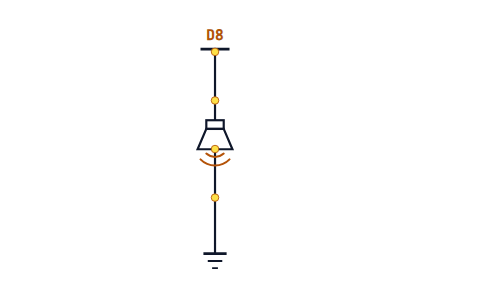
Tone and Frequency
From hertz to musical notes — what a piezo is really doing.
 ARD-L01-33
Note Arrays
Store a melody as a list and play it back automatically.
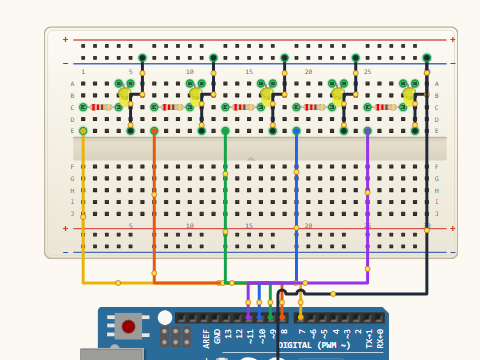 ARD-L01-34
Multi-LED Patterns
Choreograph five LEDs into ripple, chase and sparkle effects.
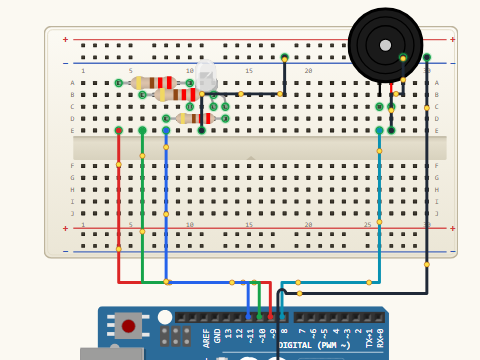 ARD-L01-35
Mood Lamp + Theme Tune
RGB colour cycle with a personalised startup jingle.
 ARD-L01-36
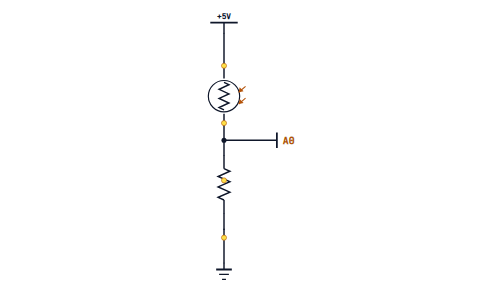
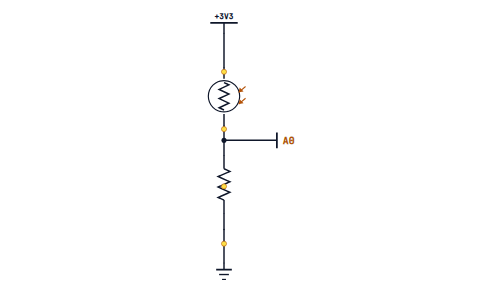
Light-Dependent Resistors
Read brightness with analogRead() on the LDR voltage divider.
Analog vs Digital Pins
What the difference really means — pin states vs measured voltages.
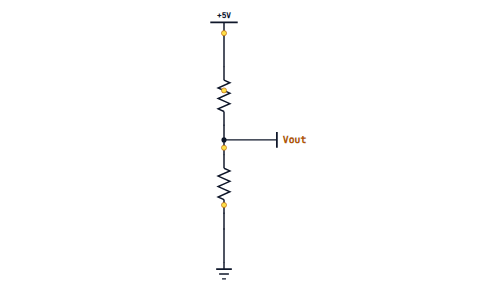 ARD-L01-38
Voltage Dividers Explained
Why every variable resistor sensor needs a partner resistor.
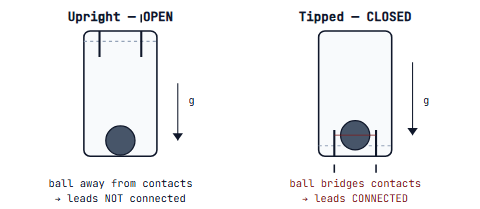 ARD-L01-39
Tilt Switches
Detect orientation changes — your first motion sensor.
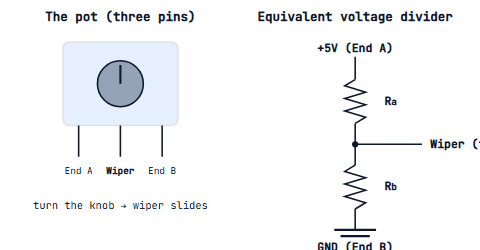 ARD-L01-40
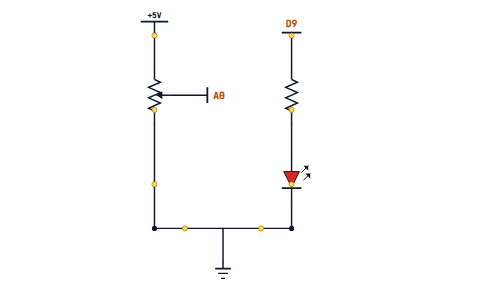
The Potentiometer
A user-controlled dial that gives you 0–1023 in code.
 ARD-L01-41
The map() Function
Scale a sensor reading to LED brightness or servo angle.
 ARD-L01-42
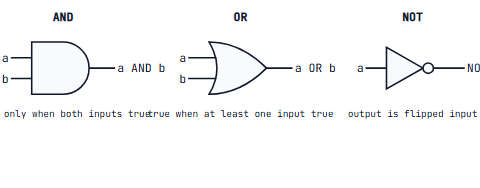
Boolean Logic Gates
AND, OR and NOT as physical truth and as code.
 ARD-L01-43
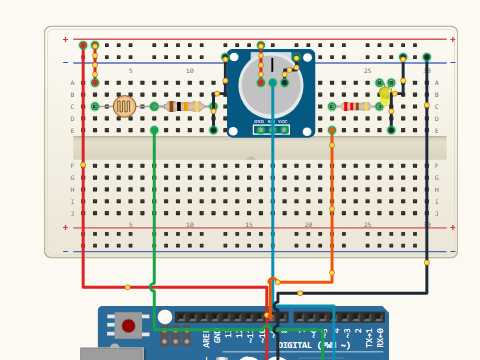
Auto Night Light
LED that turns on when the room is dark — your first sensor product.
 ARD-L01-44
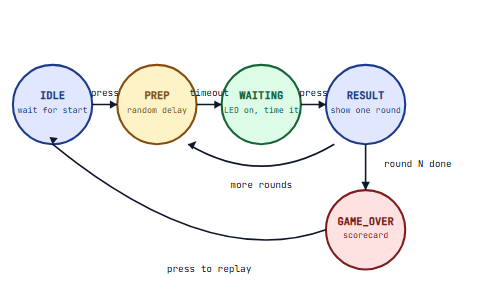
Reaction-Time Arcade
Polished reaction game with score and replay button.
 ARD-L01-45
Morse Code Blinker
Encode SOS and your name into Morse light pulses.
 ARD-L01-46
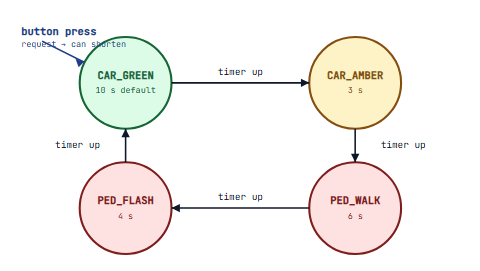
Traffic Light + Crossing
Pedestrian-button state machine — a real-world finite state machine.
ARD-L01-47Planning on Paper
Pseudocode and rough wiring sketches before you touch the breadboard.
ARD-L01-48Level 1 Recap & Cert Vocab
Vocabulary, key sketches and the first slice of the certification exam map.
Sensors, displays, smarter timing
PWM, analog signals, ultrasonic distance, LCDs and your first data logger. By the end of Level 2 you can build a weather station and a digital combination lock.
Required materials & componentsclick to expand
Carries over from Level 1
- Everything in the L1 kit — UNO, breadboard, jumpers, LEDs, buttons, resistors, buzzer, pot, LDR
Environmental sensors
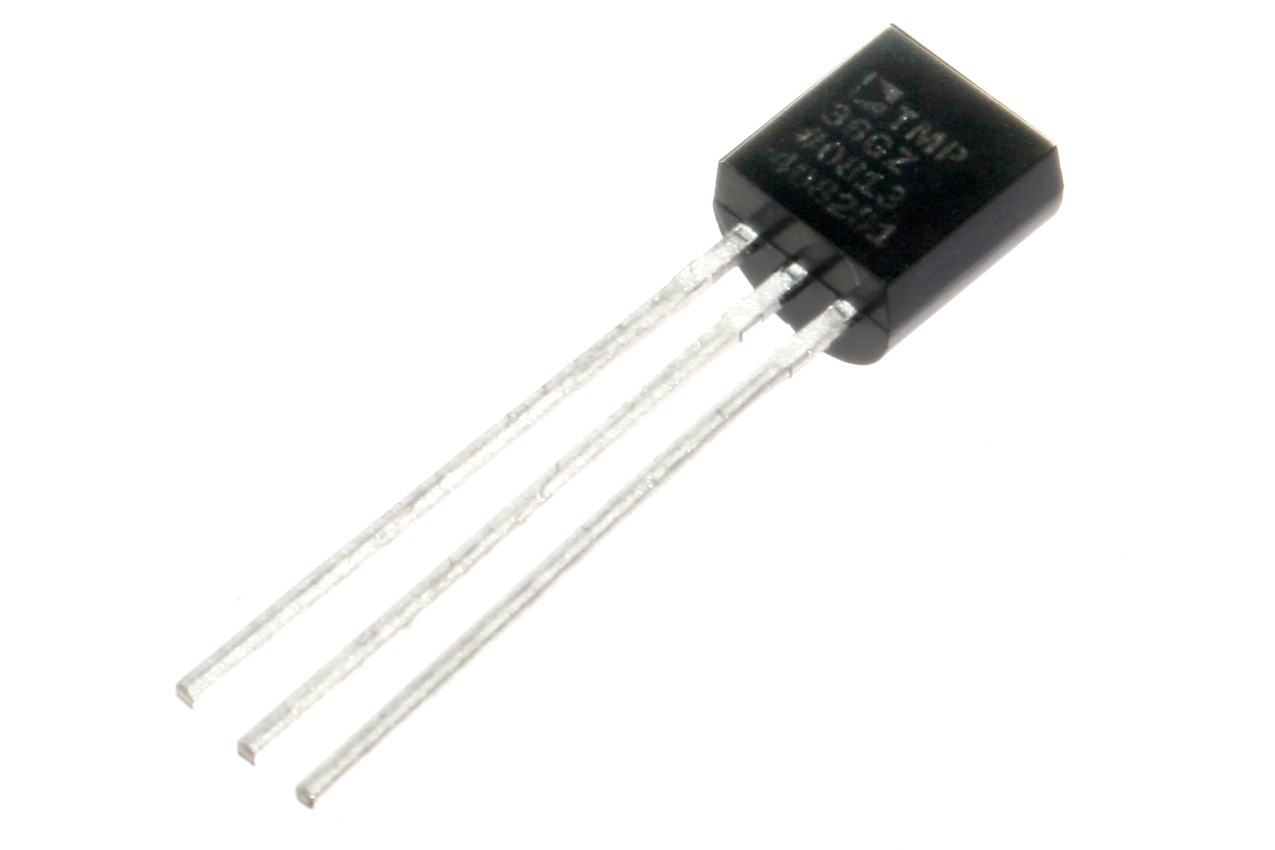 TMP36 temperature sensor× 1
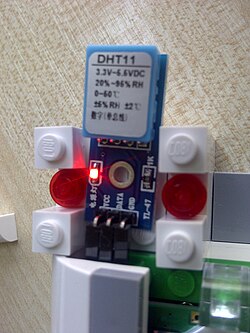 DHT11 humidity + temperature module× 1
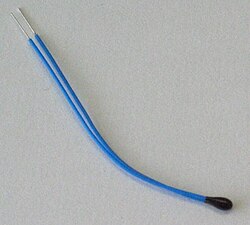 NTC thermistor (10 kΩ)× 1
- Soil moisture probe× 1 — resistive or capacitive
- Rain drop sensor module× 1
Distance & motion
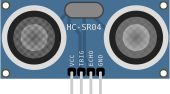 HC-SR04 ultrasonic distance sensor× 1
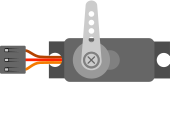 SG90 micro servo× 1 — for the smart bin / parking demos
Display & storage
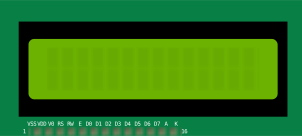 16×2 LCD + I²C backpack (PCF8574)× 1
 MicroSD card module (SPI)× 1
 MicroSD card, ≥ 8 GB× 1 — FAT32 formatted
Extra resistors
 4.7 kΩ× 5 — DHT11 / thermistor partners
 100 kΩ× 2 — voltage divider experiments
Level 1 Recap Quiz
Diagnostic check — what's still solid and what needs another look.
ARD-L02-02analogWrite & PWM
What pulse-width modulation is and why it fakes analog from digital.
ARD-L02-03Duty Cycle Maths
Calculate average voltage from duty cycle and frequency.
 ARD-L02-04
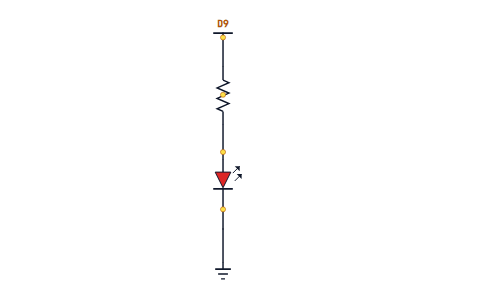
Smoothly Fading an LED
A for-loop fade up and back down — your first animation.
 ARD-L02-05
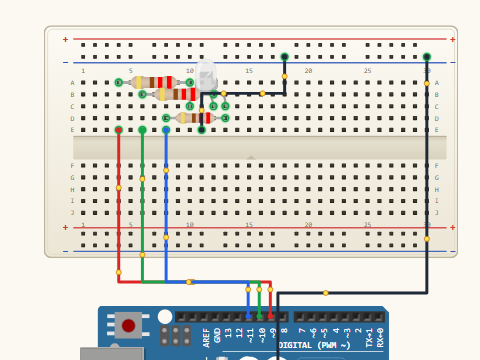
Crossfading RGB
Cycle smoothly through every colour an RGB LED can make.
 ARD-L02-06
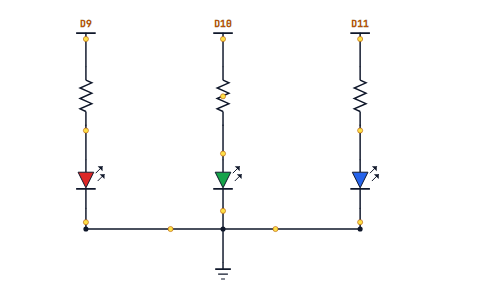
Breathing Mood Lamp
Slow PWM ramp that looks like a lamp inhaling and exhaling.
 ARD-L02-07
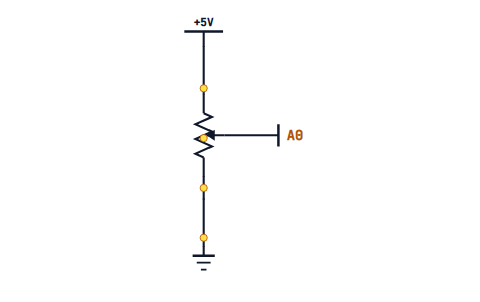
The 10-Bit ADC
Why analogRead() returns 0–1023 and what that actually means.
 ARD-L02-08
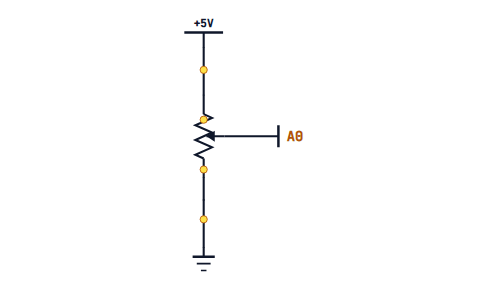
Smoothing Noisy Readings
Running-average filter to calm down a jittery sensor.
 ARD-L02-09
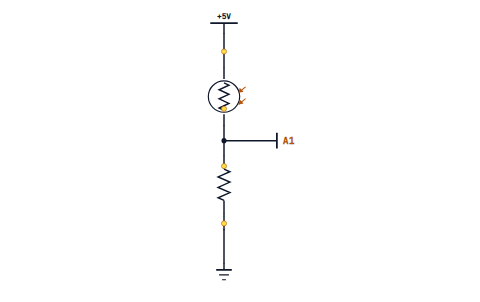
Calibration in setup()
Auto-detect a sensor's min and max during the first five seconds.
 ARD-L02-10
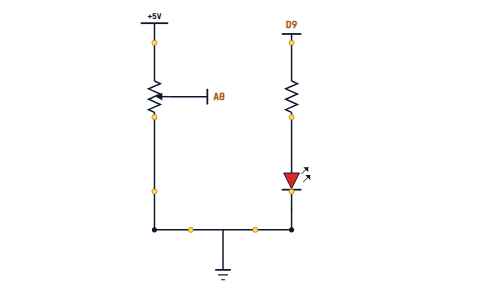
map() and constrain()
Convert any sensor range to any output range, safely clipped.
 ARD-L02-11
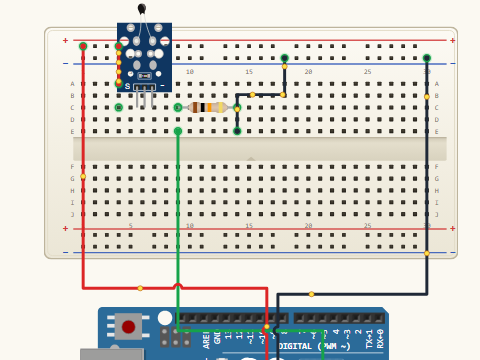
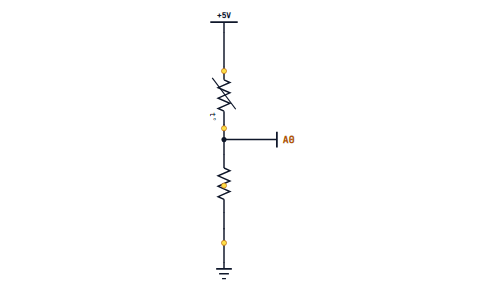
The Thermistor
Read temperature with a divider and the Steinhart-Hart equation.
 ARD-L02-12
Personal Thermometer
Print °C to the Serial Monitor and react to a fever-threshold.
 ARD-L02-13
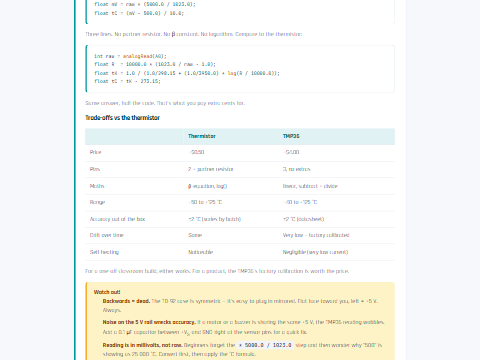
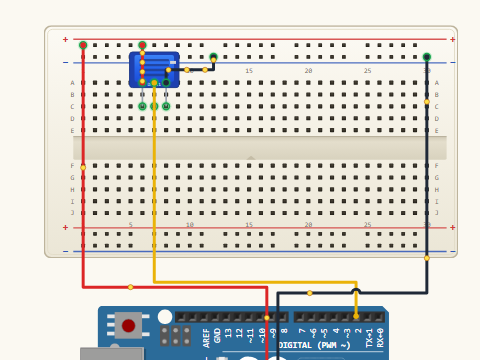
TMP36 Temperature Sensor
Linear voltage-to-temperature, no library required.
 ARD-L02-14
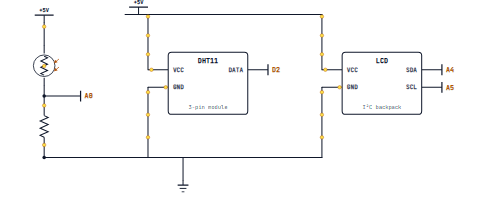
DHT11 Humidity Sensor
Install your first third-party library and read humidity.
 ARD-L02-15
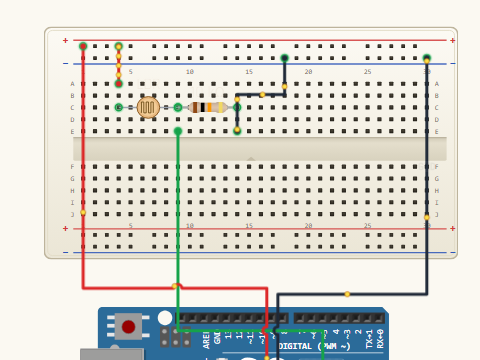
Photoresistor Light Meter
Build a lux-style readout with calibration.
 ARD-L02-16
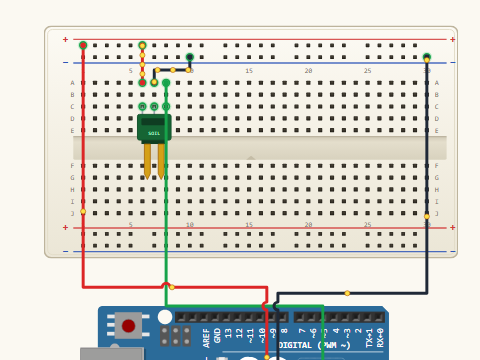
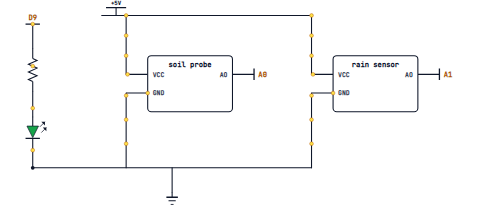
Soil Moisture Probe
Analog reading in dry, damp and wet soil.
 ARD-L02-17
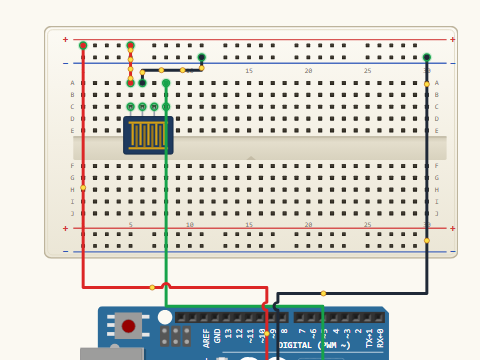
Rain Drop Sensor
Threshold-based alerts — when does "wet" become "rain"?
 ARD-L02-18
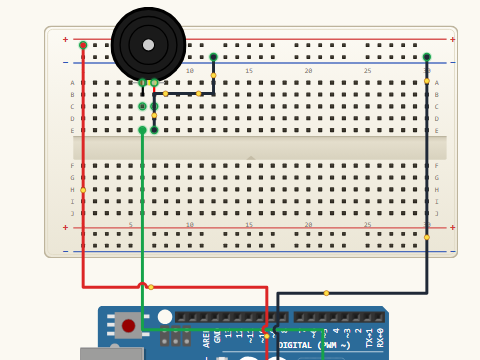
Piezo Knock Sensor
Detect taps and vibration without a dedicated chip.
 ARD-L02-19
Combining Two Sensors
When to use AND vs OR — building robust conditions.
 ARD-L02-20
Weather Station v1
Temperature + humidity streamed to the Serial Monitor.
 ARD-L02-21
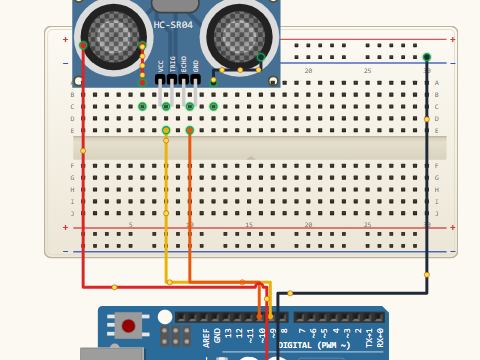
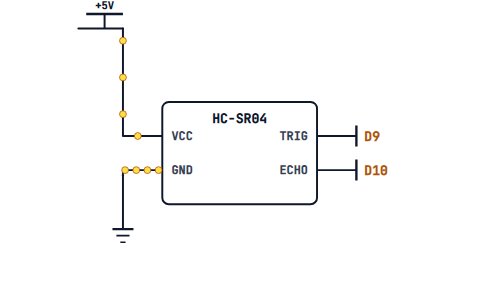
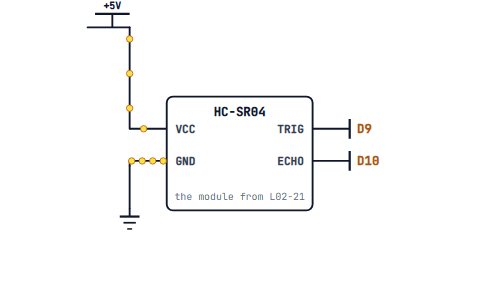
HC-SR04 Physics
Echo timing, the speed of sound and what really happens at the sensor.
 ARD-L02-22
pulseIn() Explained
Measure pulse width in microseconds without blocking forever.
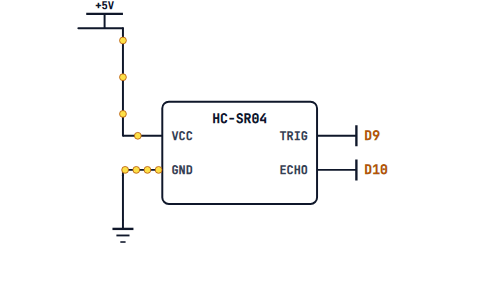 ARD-L02-23
Distance Calculation
Convert microseconds to centimetres in your own code.
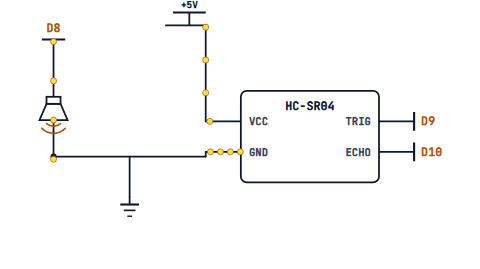 ARD-L02-24
Range-Based Alarm
Buzzer that beeps faster as something approaches.
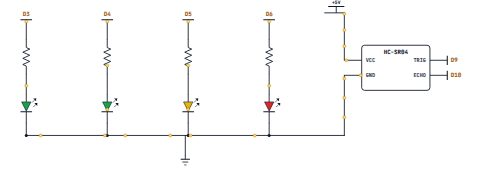 ARD-L02-25
Parking Sensor Demo
Green/amber/red LEDs for three distance zones.
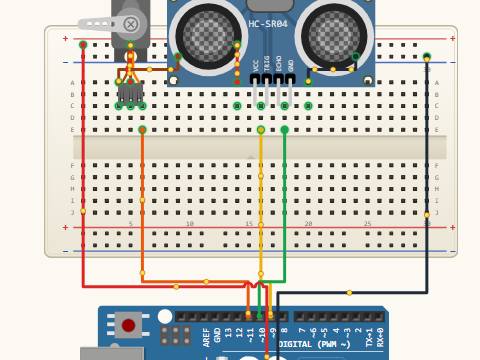 ARD-L02-26
Smart Bin Lid
Servo-driven lid that opens when your hand is detected.
 ARD-L02-27
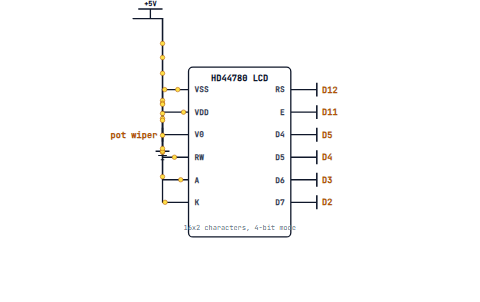
The HD44780 Character LCD
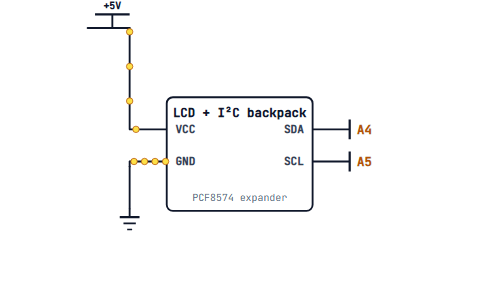
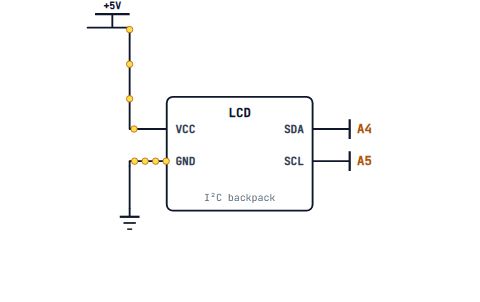
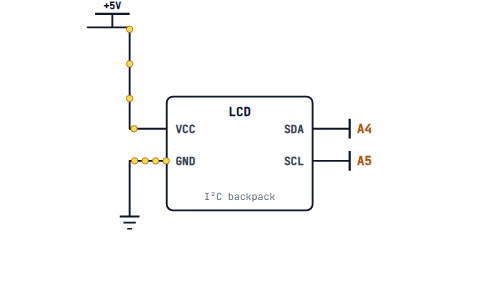
16x2 wiring with or without an I2C backpack.
 ARD-L02-28
LiquidCrystal Library
Your first "Hello, world!" on a real screen.
 ARD-L02-29
Cursor Control and clear()
Update the screen without ghosting old text.
 ARD-L02-30
Custom Characters
Design your own 5x8 pixel icons and symbols.
 ARD-L02-31
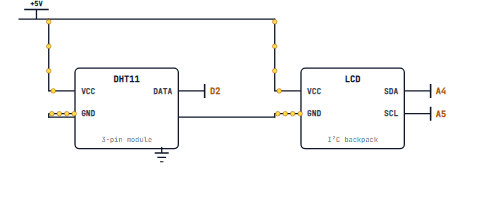
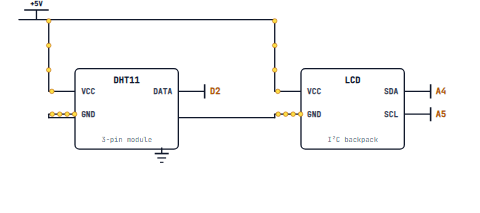
Sensor Data on LCD
Format numbers neatly with fixed widths and decimal places.
 ARD-L02-32
Digital Thermometer With LCD
No more Serial Monitor — a standalone temperature display.
 ARD-L02-33
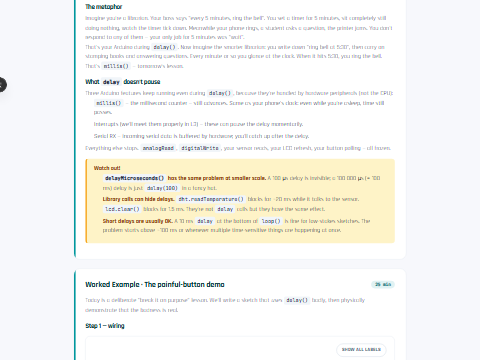
Why delay() Is a Problem
What "blocking" means and the bugs it causes.
ARD-L02-34millis() Introduction
Track elapsed time without freezing your sketch.
 ARD-L02-35
Blink Without Delay
The canonical Arduino example, dissected line by line.
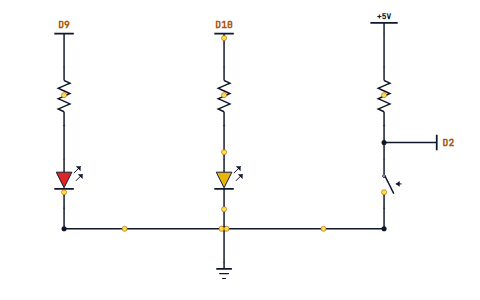 ARD-L02-36
Doing Two Things at Once
Run two independent LED timers from one loop().
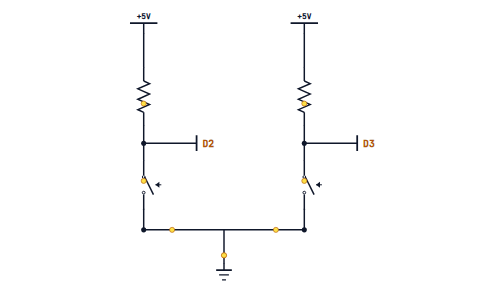 ARD-L02-37
Debouncing With millis()
Cleaner button code without sprinkled delay()s.
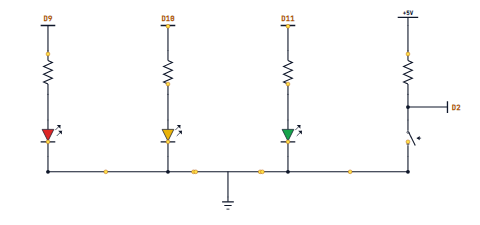 ARD-L02-38
Multi-LED Choreography
Three patterns at three speeds running in parallel.
EEPROM Basics
Survive a power cycle — write a byte that lives forever.
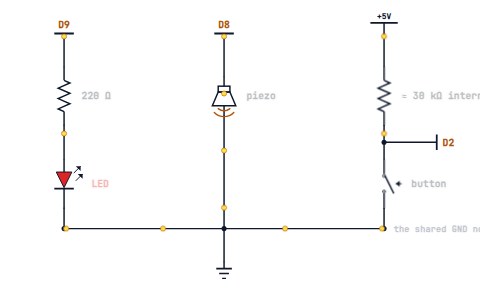 ARD-L02-40
Saving a High Score
Persist a game score across resets in EEPROM.
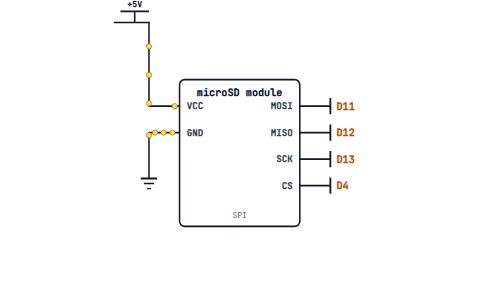 ARD-L02-41
SD Cards With SPI
Wire and mount an SD module using the SD library.
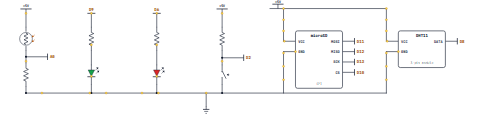 ARD-L02-42
Sensor Data Logger
Write timestamped readings to a real .csv file.
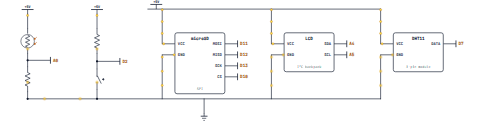 ARD-L02-43
Weather Station v2
LCD readout + multi-sensor capture + SD logging.
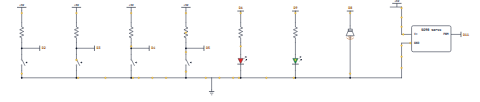 ARD-L02-44
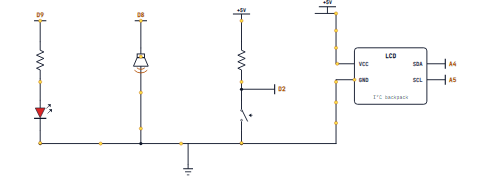
Digital Combination Lock
Keypad of buttons unlocks a servo-driven latch.
 ARD-L02-45
Reaction-Tester Arcade
The L1 game with an LCD scoreboard and EEPROM high score.
 ARD-L02-46
Schematic Reading II
Following multi-IC diagrams with libraries and modules.
ARD-L02-47Debugging Strategies
Print, isolate, simplify — the systematic way to find a bug.
ARD-L02-48Level 2 Recap & Cert Vocab
Quiz, glossary and targeted certification-exam review.
Motors, protocols, wireless
Drive servos, DC and stepper motors, talk over I²C and SPI, then move your projects onto the network with Bluetooth and WiFi. Finish Level 3 with a remote-controlled robot.
Required materials & componentsclick to expand
Carries over from Levels 1 + 2
- Everything from the L1 and L2 kits — UNO, breadboard, sensors, LCD, SD module, etc.
Motors & motion
- SG90 micro servos× 2 — for the pan-tilt + needle builds
- L298N motor driver module× 1
- DC hobby motors (3–6 V) + wheels× 2
- Caster wheel + 2WD robot chassis kit× 1
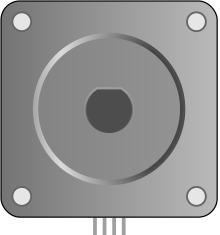 28BYJ-48 stepper motor + ULN2003 driver board× 1
Displays & protocols
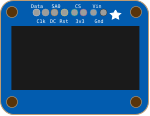 SSD1306 0.96″ OLED (I²C)× 1
- 74HC595 shift register IC× 1
 LED bar graph (or 8 LEDs + resistors)× 1
Wireless
- HC-05 Bluetooth Classic module× 1
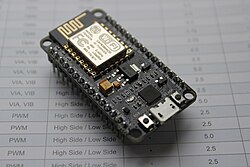 NodeMCU ESP8266 (or ESP32 DevKit)× 1 — for the WiFi cluster
Power for the robot
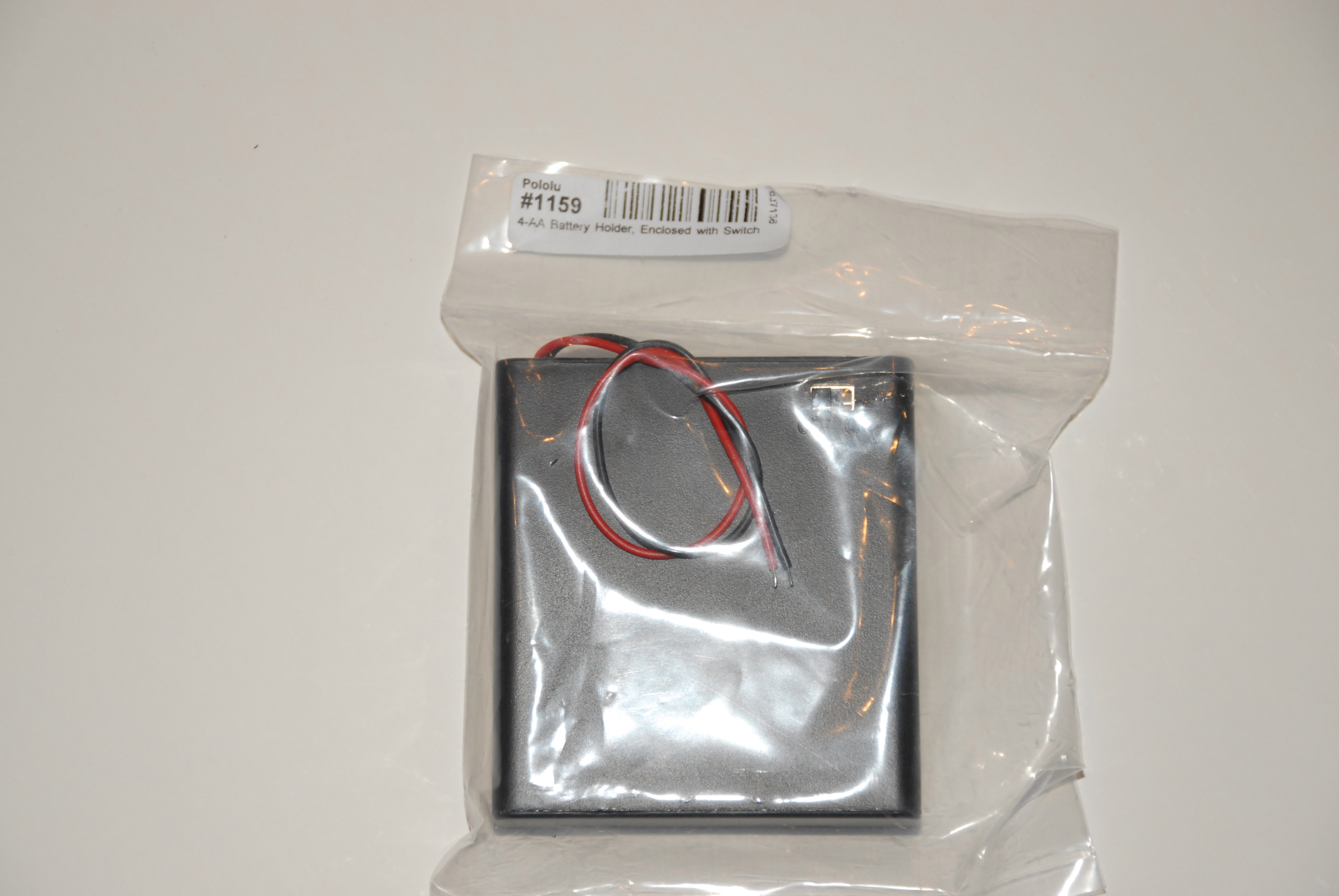 4 × AA battery holder + AA cells× 1 set — drives the L298N motor rail
- Logic-level shifter (3.3 V ↔ 5 V)× 1 — ESP boards talking to 5 V parts
 ARD-L03-01
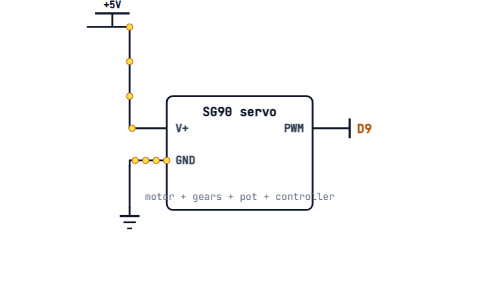
Hobby Servos Explained
Pulse-position control and the three-wire interface.
 ARD-L03-02
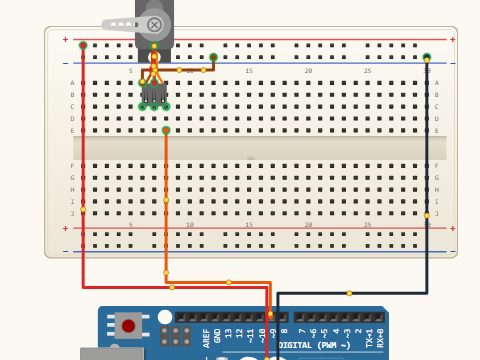
The Servo Library
attach(), write() and how it abstracts the timing for you.
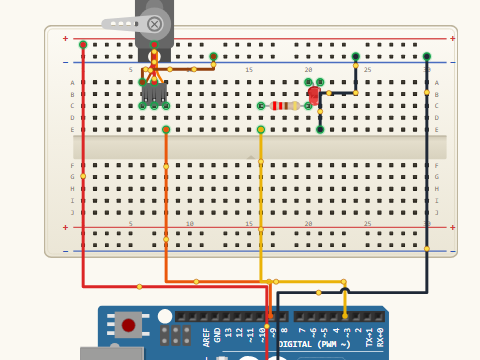 ARD-L03-03
Sweeping a Servo
Animate from 0° to 180° smoothly and back again.
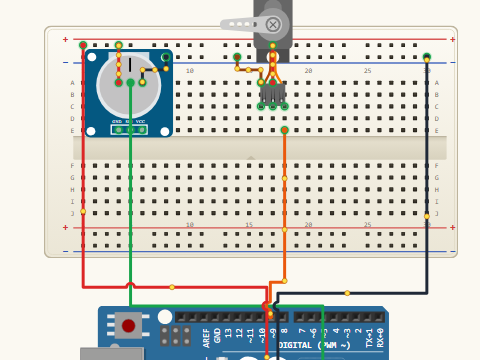 ARD-L03-04
Indicator Needle
Servo as an analog dial pointer for a sensor reading.
 ARD-L03-05
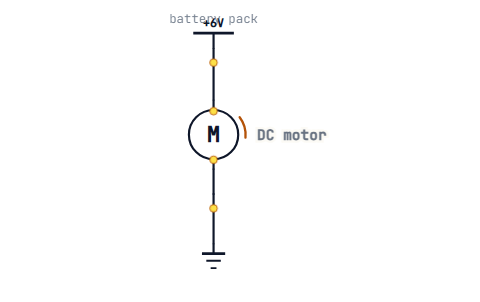
DC Motor Basics
Why a microcontroller pin alone cannot spin a motor.
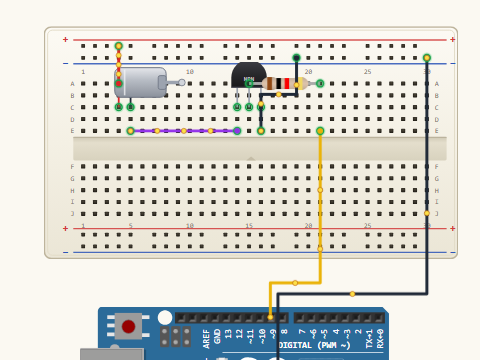 ARD-L03-06
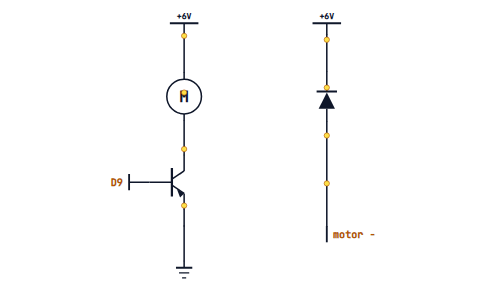
Transistor as a Switch
One-direction motor control with a BJT or MOSFET.
 ARD-L03-07
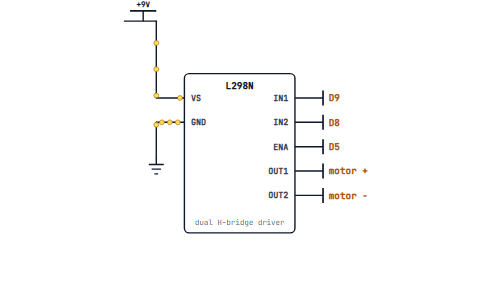
Flyback Diodes
How a tiny diode stops a motor frying your Arduino.
 ARD-L03-08
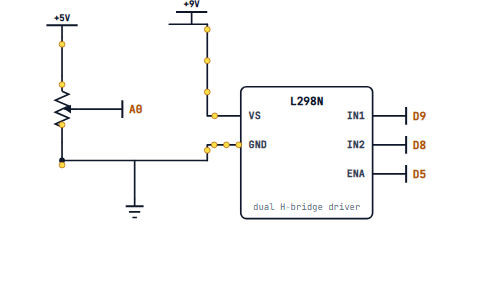
The L298N H-Bridge
Forward, reverse, stop and brake from four pins.
 ARD-L03-09
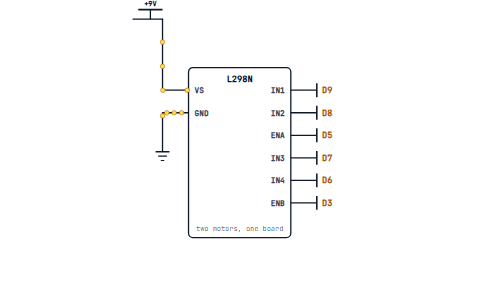
PWM Speed Control
Throttle a motor with analogWrite() on the enable pin.
 ARD-L03-10
Two-Wheel Test Bed
Button-driven manual robot — the chassis you'll automate later.
Stepper Anatomy
Unipolar vs bipolar coils and how steps actually happen.
 ARD-L03-12
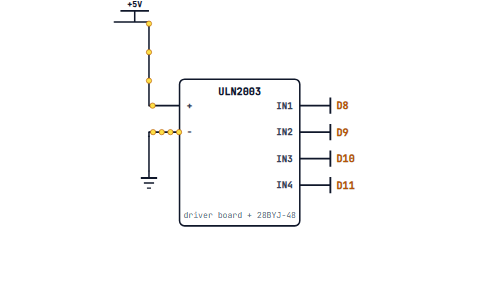
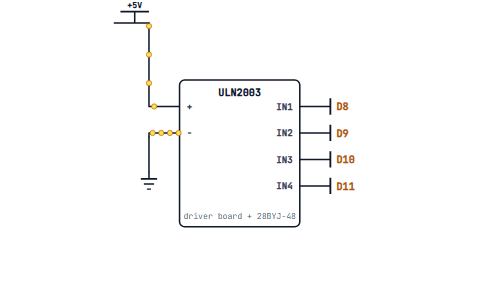
28BYJ-48 + ULN2003
The classroom stepper kit, wired and tested.
 ARD-L03-13
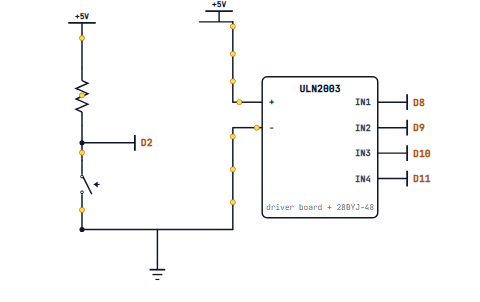
The Stepper Library
Steps per revolution, RPM and direction.
 ARD-L03-14
Rotating Display Platform
A motorised stand that spins your phone or a model on cue.
UART Deep Dive
Frames, baud rates and the most common serial pitfalls.
 ARD-L03-16
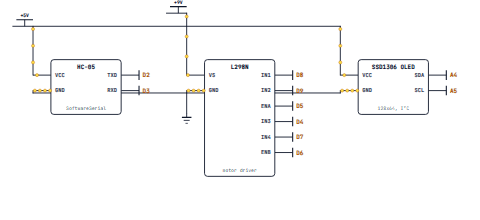
SoftwareSerial
Spare-pin serial when the hardware port is busy.
 ARD-L03-17
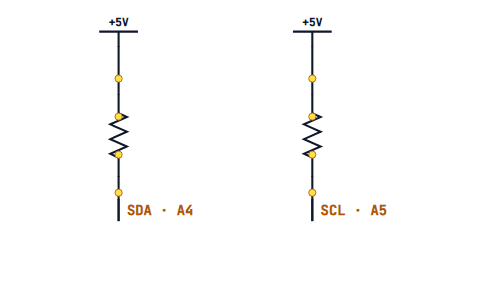
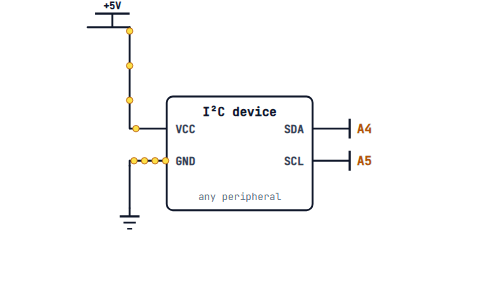
I²C Protocol Concepts
Master, slave, addresses and how two wires carry many devices.
 ARD-L03-18
The Wire Library
Scan for I²C devices and read their addresses.
 ARD-L03-19
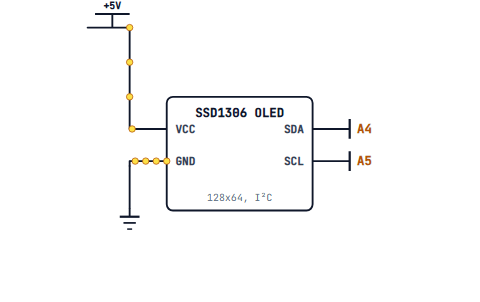
SSD1306 OLED on I²C
Crisp 128x64 graphics with just two data wires.
 ARD-L03-20
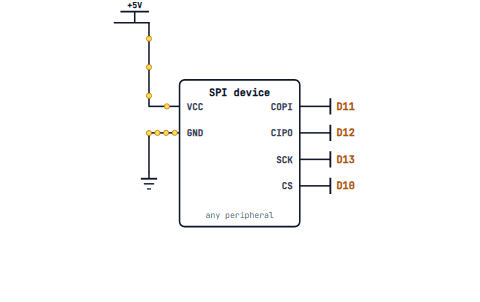
SPI Protocol Concepts
Clock, MISO, MOSI, SS — why SPI is faster than I²C.
 ARD-L03-21
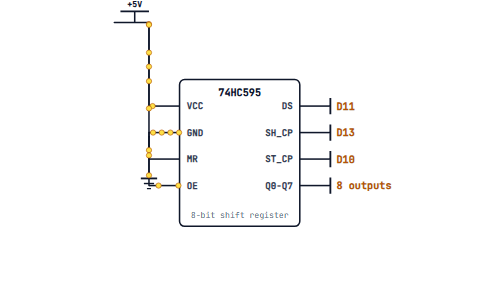
SPI Shift Registers
Drive eight LEDs from three pins with a 74HC595.
 ARD-L03-22
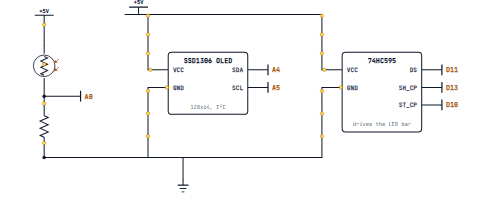
Multi-Display Dashboard
OLED stats and a shift-register LED bargraph on one board.
 ARD-L03-23
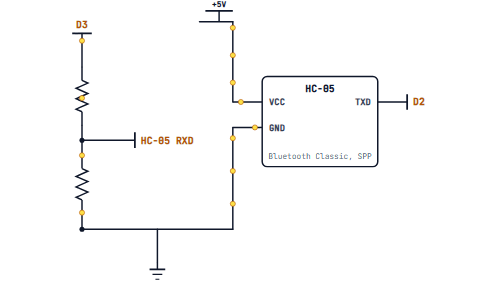
HC-05 Bluetooth Classic
Pair your phone and stream characters over serial.
 ARD-L03-24
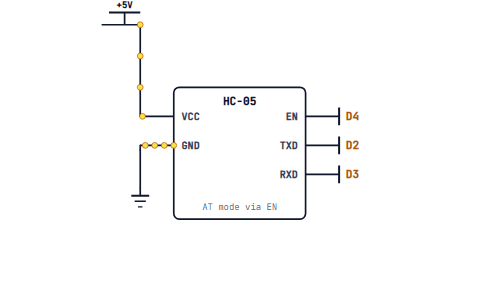
AT Commands
Rename your module, set the PIN, change the baud rate.
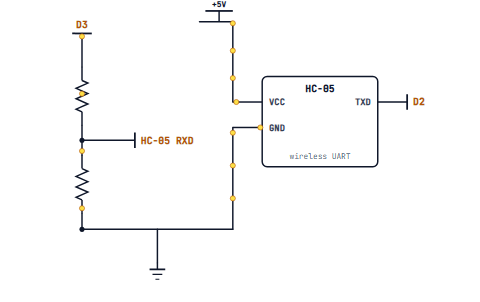 ARD-L03-25
Bluetooth Commands
Forward / reverse / stop your robot from a phone app.
ARD-L03-26ArduinoBLE Basics
The modern BLE stack on Nano 33 BLE and friends.
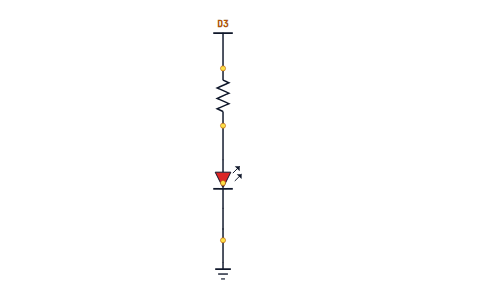 ARD-L03-27
A BLE Characteristic
Phone-controlled LED brightness through a custom service.
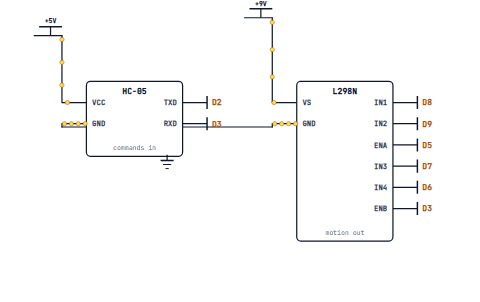 ARD-L03-28
Bluetooth-Controlled Car
L298N motors + HC-05 + phone app — your first real robot.
WiFi: ESP8266 vs ESP32
Choosing a board for connected projects.
ARD-L03-30Connecting to a Network
SSID, password, signal strength and reconnection logic.
ARD-L03-31HTTP Client
Fetch a real webpage from your Arduino sketch.
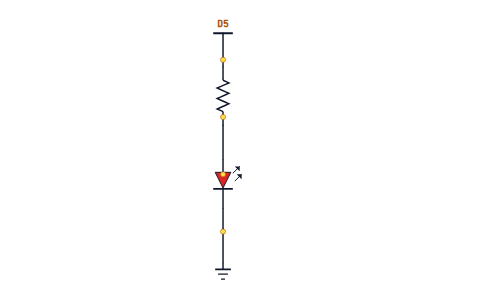 ARD-L03-32
A Tiny Web Server
Your Arduino as a website on your home network.
 ARD-L03-33
Sensor Data Over WiFi
Push live readings to a browser tab.
 ARD-L03-34
WiFi-Controlled Lamp
Toggle a light from any phone on the network.
NTP Time Sync
Get the real time from the internet — no RTC required.
 ARD-L03-36
Webhooks 101
Trigger external services with a simple POST.
 ARD-L03-37
IFTTT and Discord
Push notifications from your circuit to your phone for free.
 ARD-L03-38
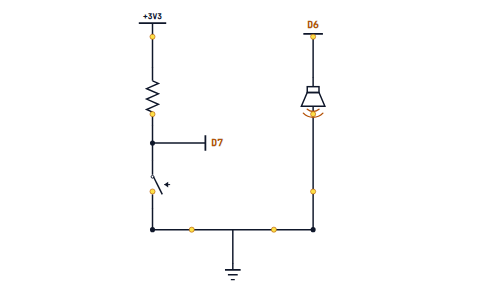
Doorbell That DMs You
Button press fires a phone notification anywhere in the world.
Arrays and Lookups
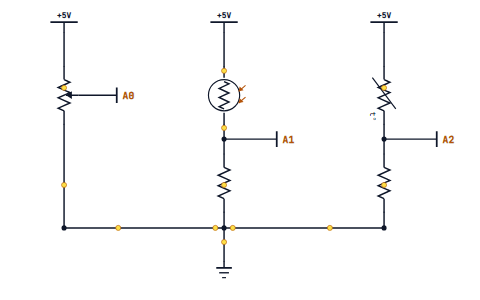
Replace big if-trees with tidy tables.
 ARD-L03-40
Structs for Grouped Data
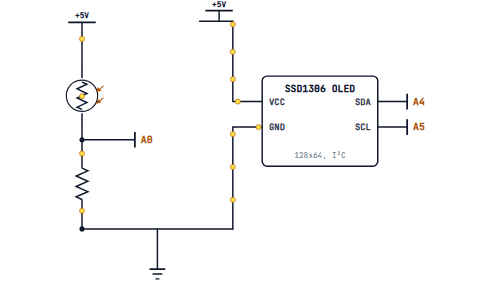
Bundle sensor readings into one record.
 ARD-L03-41
Classes in Arduino
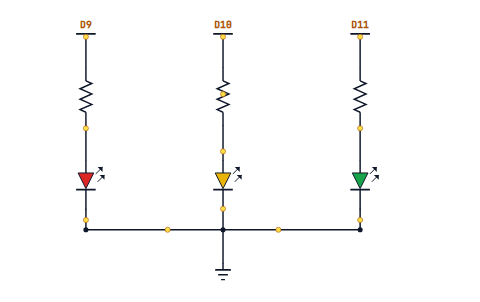
Encapsulate sensor logic into objects you can reuse.
 ARD-L03-42
Write a Blinker Class
Non-blocking blink as a reusable, self-contained object.
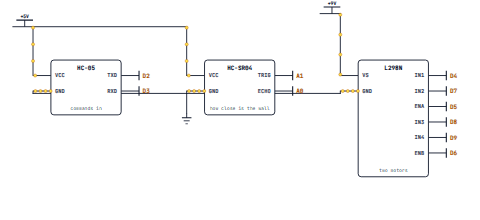 ARD-L03-43
Bluetooth Robot Car v2
Full integration with PWM speed, app UI and obstacle stop.
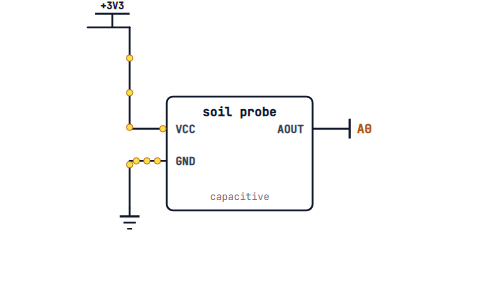 ARD-L03-44
WiFi Smart-Plant Monitor
Moisture sensor + web dashboard + email alerts.
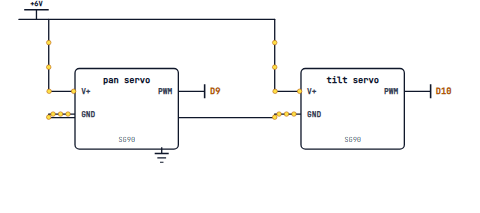 ARD-L03-45
Pan-Tilt Camera Mount
Two servos + joystick (or phone) for remote framing.
ARD-L03-46Power Budgeting
mAh, voltage rails, regulators and how to size a battery.
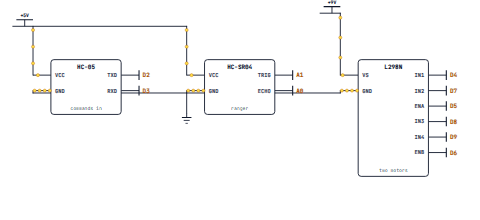 ARD-L03-47
Schematic Reading III
Following a motor-driver + WiFi shield schematic end to end.
ARD-L03-48Level 3 Recap & Cert Vocab
Quiz, glossary and the protocol-heavy slice of the cert exam.
IoT, robotics, edge AI, exam day
The final level: cloud dashboards, MQTT, LoRa, robotics with PID, embedded ML, then a structured run-up to the Arduino Certification exam with a mock test on the last day.
Required materials & componentsclick to expand
Carries over from Levels 1–3
- Everything from earlier-level kits — the robot chassis, OLED, ESP board, motor driver all reappear
New boards
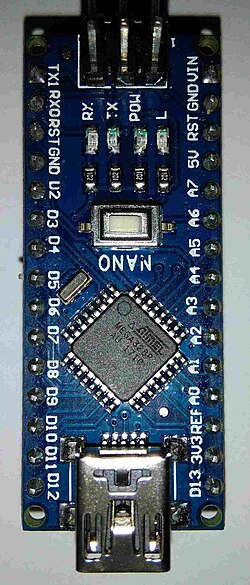 Arduino Nano 33 BLE Sense× 1 — needed for the Edge AI / gesture lessons
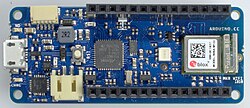 Arduino MKR WiFi 1010 or ESP32 board× 1 — for the IoT Cloud + MQTT lessons
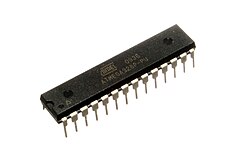 ATmega328P (DIP) + 16 MHz crystal + 2 × 22 pF caps× 1 set — for the standalone-chip build
Long-range & industrial
- LoRa modules (RFM95W breakouts or Heltec WiFi-LoRa boards)× 2 — one at each end
- NEO-6M GPS module + active antenna× 1
- MAX485 / RS-485 transceiver module× 1
Robotics & sensing
- IR reflectance array (TCRT5000 × 3 or QTR-3RC)× 1 — for the line follower
- TT-style gearmotors with encoders× 2
 MPU-6050 6-axis IMU (I²C)× 1
Power & low-power
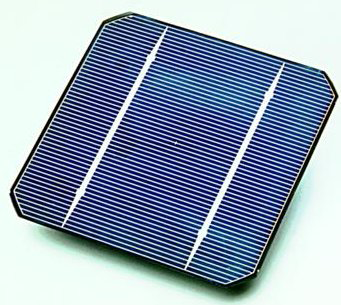 5 V / 1 W solar panel× 1
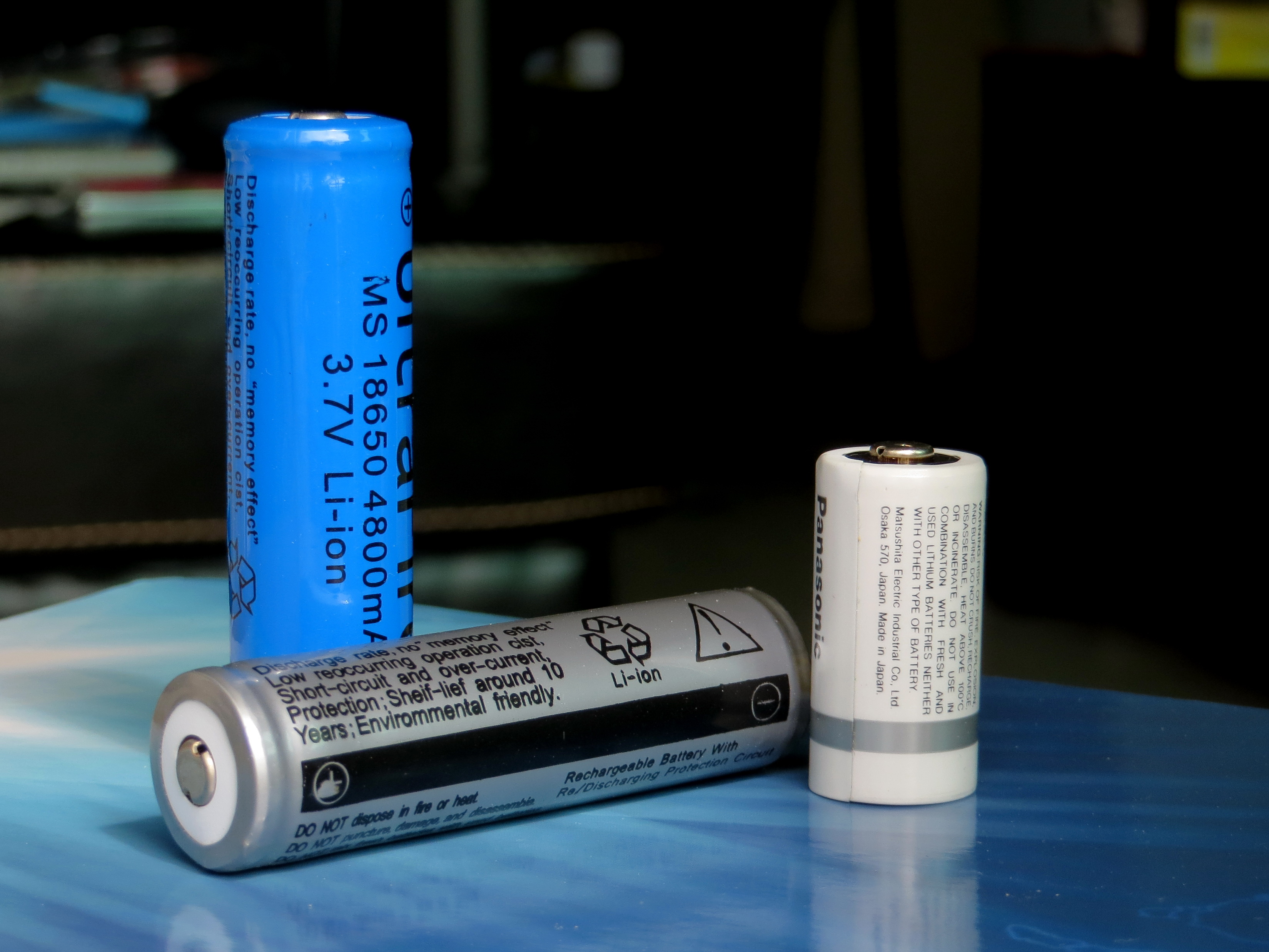 TP4056 LiPo charger module + 18650 cell + holder× 1 set
- Digital multimeter with mA range× 1 — essential for the power-budgeting lesson
The Arduino Family
UNO, Mega, Nano, MKR, Nano 33 BLE, Portenta — what's actually different.
ARD-L04-02Choosing the Right Board
Pins, memory, radios, voltage — picking for the job.
ARD-L04-03Migrating Sketches
Why code that ran on UNO crashes on Nano 33 — and how to fix it.
ARD-L04-04Pin Mapping Limitations
Which pins do PWM, interrupts, true analog and 5V tolerance.
ARD-L04-05Bootloaders and ISP
Arduino as ISP — flash one Arduino with another.
ARD-L04-06Standalone ATmega328
Move your circuit off the UNO and onto a bare chip on breadboard.
What Is IoT Cloud?
Things, properties, devices and dashboards explained.
ARD-L04-08Setting Up a Thing
Variables in your sketch that auto-sync to the cloud.
ARD-L04-09Cloud Dashboards
Widgets, live charts and historical data.
ARD-L04-10Cloud-Controlled LED
Toggle a pin from anywhere on Earth.
ARD-L04-11Sharing a Dashboard
Permissions, tokens and read-only public views.
ARD-L04-12IoT Room Monitor
Live temperature, humidity and light dashboard for your room.
MQTT Concepts
Brokers, topics, retained messages and quality of service.
ARD-L04-14PubSubClient Library
Publish a temperature reading to a real broker.
ARD-L04-15Subscribing to Topics
Receive commands and react in code.
ARD-L04-16Home Assistant Sensor Node
A real smart-home device that anyone in the house can see.
LoRa Fundamentals
Why long range is possible at very low power.
ARD-L04-18LoRa Point-to-Point
Two boards talking from opposite ends of the street.
ARD-L04-19LoRaWAN and TTN
The Things Network — real public LoRa infrastructure.
ARD-L04-20Modbus and RS-485
Industrial control language used in real factories.
ARD-L04-21CAN Bus Basics
How every modern car's sensors talk to each other.
ARD-L04-22GPS + LoRa Tracker
Live position telemetry over kilometres of range.
Open vs Closed Loop
The big idea behind every controlled system.
ARD-L04-24The PID Algorithm
Proportional, integral, derivative — explained without scary maths.
ARD-L04-25Line-Following Sensors
IR reflectance and a simple bang-bang controller.
ARD-L04-26Tuning a Line Follower
From wobble to glide by tuning Kp, Ki, Kd.
ARD-L04-27Encoder Motors
Count revolutions for true speed and position control.
ARD-L04-28The MPU6050 IMU
Accelerometer + gyroscope over I²C on your robot.
ARD-L04-29Sensor Fusion Basics
Complementary filter — angle from a noisy gyro and tilty accel.
ARD-L04-30Self-Balancing Robot v1
PID + IMU + encoder motors — the iconic Arduino build.
What Is Edge AI?
On-device inference vs cloud — and why it matters.
ARD-L04-32ML Fundamentals
Features, labels, training and inference for hardware kids.
ARD-L04-33Capturing Training Data
Stream sensor data to your laptop and label it.
ARD-L04-34TensorFlow Lite Micro
Run a tiny neural network on a Nano 33 BLE.
ARD-L04-35Gesture Recognition
Train on accelerometer waveforms — wave, punch, flick.
ARD-L04-36Magic-Wand Gesture Trigger
Wave a wand to fire your favourite circuit.
Sleep Modes
Standby, power-down, watchdog wake-up.
ARD-L04-38Battery Selection
LiPo, AA, coin cells — picking for an mAh budget.
ARD-L04-39Low-Power Sensor Node
Wake, sample, transmit, sleep — the field-device pattern.
ARD-L04-40Solar-Powered Field Sensor
A node that runs for weeks on a small solar panel.
Anatomy of a Library
.h, .cpp, keywords.txt, library.properties.
Your Own Header File
API design for clarity — what to expose, what to hide.
ARD-L04-43Publishing to Library Manager
Versioning, examples and a real README.
ARD-L04-44Package Your Driver
Turn a Level 3 sensor wrapper into a distributable library.
Exam Format & Domains
36 questions, 75 minutes, 8 domains — what to expect.
ARD-L04-46Domains 1–4 Walkthrough
Electricity, programming syntax, components, IDE — sample questions.
ARD-L04-47Domains 5–8 Walkthrough
PWM, schematics, programming logic, boards — sample questions.
ARD-L04-48Mock Exam + Study Plan
20-question rehearsal, scoring rubric and a personal revision plan.