Syllabus & Goals 3 min
Cambridge 2.1 · Types and methods of data transmission Paper 1 · Computer Systems
By the end of this lesson you can:
- Describe serial and parallel transmission, and compare them (including skew).
- Describe simplex, half-duplex and full-duplex transmission with an example of each.
- Explain how the Universal Serial Bus (USB) works, and give its benefits and drawbacks.
Textbook: Chapter 2, §2.1.2–2.1.3 (pp. 49–53) — data transmission and USB.
Recap / Warm-Up 5 min
Last lesson, data was split into packets and routed across a network. Today zooms in on a single link: how the bits actually travel down a wire.
Quick starter
Name the three parts of a data packet, and say which part holds the sequence number.
Reveal the answer
Header, payload and trailer. The sequence number is in the header.
Key Concept 14 min
Whenever data is transmitted, three questions must be settled. A communication protocol usually settles them:
- Direction — one way only, or both ways?
- Method — how many bits are sent at the same time?
- Synchronisation — how do we make sure the bits arrive in the right order?
1 · Serial and parallel transmission
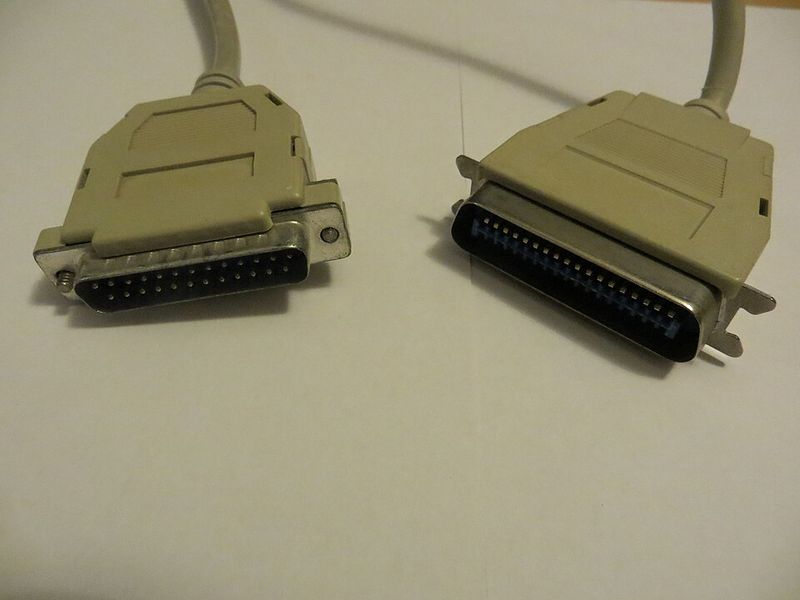
Serial transmission sends data one bit at a time down a single wire / channel. Parallel transmission sends several bits (usually a byte) at the same time, down several wires — one bit per wire.
| Serial | Parallel |
|---|---|
| Less risk of external interference (fewer wires) | Faster rate of data transmission |
| More reliable over long distances | Works well over short distances (e.g. paths on a circuit board) |
| Bits cannot be skewed | Bits can arrive out of synchronisation (skewed) |
| Used when the amount of data is small (slower) | Preferred when speed matters / data is time-sensitive |
| Cheaper — fewer wires and less hardware | Parallel ports need more hardware, so cost more |
| Examples: USB, telephone lines | Example: the internal circuits of a computer |
2 · Direction: simplex, half-duplex and full-duplex
Simplex
Data flows one way only. A computer sends pages to a printer; a TV broadcast only arrives at your set.
Half-duplex
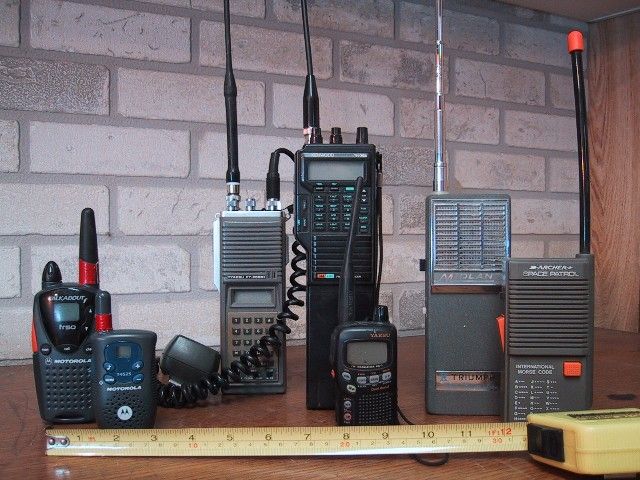
Data flows both ways, but not at the same time. On a walkie-talkie you press to talk, then release to listen.
Full-duplex
Data flows both ways at the same time. A broadband connection downloads a video while you upload a message.
3 · The Universal Serial Bus (USB)
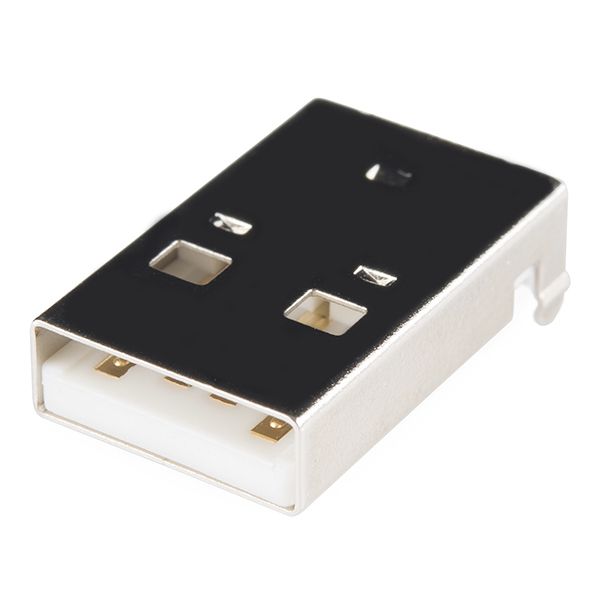
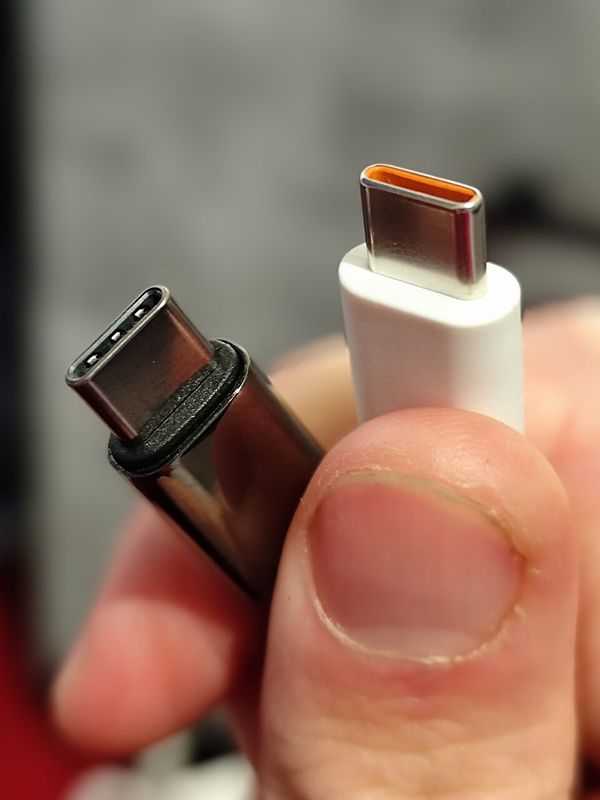
USB is a form of serial transmission. It is now the most common input/output port on computers, and a standard way to connect devices. USB allows both half-duplex and full-duplex transmission.
When a device is plugged into a USB port:
USB benefits
- Devices are detected automatically and drivers loaded automatically.
- Connectors fit only one way, so wrong connections cannot be made.
- It is an industry standard, so lots of support is available.
- Supports different data rates (from 1.5 Mbps to 5 Gbps).
- No external power needed — the cable supplies +5 V.
- The USB protocol asks for data to be re-sent if errors are found, giving error-free transmission.
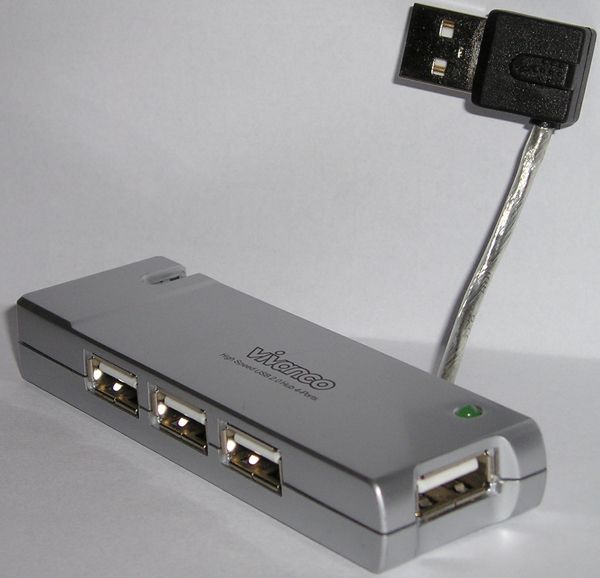
- Easy to add more ports using a USB hub; backward compatible.
USB drawbacks
- Standard USB cable length is at most 5 m; hubs are needed to go further.
- Very early standards (V1) may not be supported by the newest computers.
- Even USB 3 / USB 4 is slow compared with, for example, Ethernet. (USB 2 maxes out at 480 Mbps.)
Worked Example 12 min
(a) Name the transmission from its description
Every description needs two labels: a method and a direction. Decide each separately.
| Description | Bits at once → | Direction → | Answer |
|---|---|---|---|
| One bit at a time, one direction only | 1 bit → serial | one way → simplex | Serial simplex |
| 8 bits at a time, one direction only | 8 bits → parallel | one way → simplex | Parallel simplex |
| 16 bits at a time, both directions simultaneously | 16 bits → parallel | both, same time → full-duplex | Parallel full-duplex |
| One bit at a time, both directions, taking turns | 1 bit → serial | both, not together → half-duplex | Serial half-duplex |
(b) Choose a method for a real link
Question (based on Cambridge O Level 2210, Paper 12, Oct/Nov 2017): Rory sends data to a file server about 100 metres away. The data must be accurate. He must read from and write to the server at the same time. Choose the most suitable transmission and explain your choice.
- Pick the method from the distance: 100 m is long. Parallel bits would skew. So choose serial.skew grows with cable length; parallel is only good over short runs.
- Check accuracy: serial bits travel one after another on one wire, so they always arrive in order.this links the choice to the scenario's "must be accurate".
- Pick the direction from the reading/writing need: both directions at the same time means full-duplex.half-duplex would make Rory wait between reading and writing.
- Write the answer: serial, full-duplex. Then give reasons for each part."explain" marks go to linked reasons, not to the labels alone.
How marks are earned (tick [2] + explain [4]): serial (1) · duplex (1) · serial is more reliable over 100 m / long distance (1) · no skew, so data arrives synchronised and accurate (1) · data can travel in both directions (1) · at the same time, so reading and writing happen together (1).
Try It Yourself 12 min
Goal: give the transmission type (method + direction) for: (i) 16 bits at a time, one direction only; (ii) one bit at a time, both directions at once.
Goal: the chip inside a computer that moves data between the CPU and memory sends many bits at once. State whether it uses serial or parallel, and explain why that choice suits the distance involved.
Goal: a school wants to connect a printer 30 m away. A technician suggests an old parallel cable because "parallel is faster". Write a reply explaining why this is a poor choice, and what should be used instead.
Hint
Think about what happens to eight bits over 30 m, and which standard cable has only two data wires. Mention the 5 m limit and how it can be overcome.
📝 Exam Practice 10 min
Describe half-duplex data transmission. Give an example of its use.
Mark scheme
- Data can be sent in both directions, but not at the same time (1).
- Example: a walkie-talkie / two-way radio (1).
Explain why serial transmission is used for long cables, but parallel transmission is used inside a computer.
Mark scheme
- Serial sends one bit at a time on a single wire, so bits arrive in order / are not skewed (1).
- So serial is reliable over long distances / has less interference / is cheaper (1).
- Parallel sends several bits at once on several wires, so it is faster (1).
- Inside a computer distances are very short, so skew is not a problem and speed is essential (1).
A student connects a new printer to a computer using a USB port. Explain two benefits of using a USB connection.
Mark scheme
Two benefits, each with its expansion (2 marks per benefit), e.g.:
- The device is detected automatically (1)… the correct driver is loaded automatically, so no manual set-up (1).
- Connectors only fit one way (1)… so incorrect connections cannot be made (1).
- It is an industry standard (1)… so most devices / computers support it and help is available (1).
- The cable supplies power (+5 V) (1)… so no separate power supply is needed for small devices (1).
- Backward compatible (1)… so older USB devices still work (1).
A computer uses an integrated circuit that sends multiple bits at the same time. State whether the circuit uses serial or parallel transmission.
Mark scheme
- Parallel (1).
Recap & Key Terms 3 min
Serial = one bit at a time on one wire (reliable, long distance). Parallel = several bits at once on several wires (fast, short distance, risk of skew). Direction is simplex, half-duplex or full-duplex. USB is serial, auto-detects devices and carries power.
- Serial data transmission
- Sending data down one channel / wire, one bit at a time.
- Parallel data transmission
- Sending data down several channels / wires, several bits (usually one byte) at a time.
- Skewed data
- Data that arrives at the destination with the bits no longer synchronised.
- Simplex
- Data can be sent in one direction only.
- Half-duplex
- Data can be sent in both directions, but not at the same time.
- Full-duplex
- Data can be sent in both directions at the same time (simultaneously).
- Universal Serial Bus (USB)
- A form of serial data transmission that is the industry standard for connecting devices to a computer via a USB port.
Homework 1 min
Task (≤ 15 min): a smartwatch syncs with a phone. Data must flow both ways at the same time, one bit at a time, over a short wireless link. (a) Name the transmission type. [2] (b) Give one drawback of USB and one way to overcome it. [2]
Model answer
- (a) Serial (1), full-duplex (1).
- (b) A standard USB cable is limited to about 5 m (1); use a USB hub to extend the length (1).
- Or: early USB (V1) devices may not be supported (1); use a newer device or an adaptor (1).