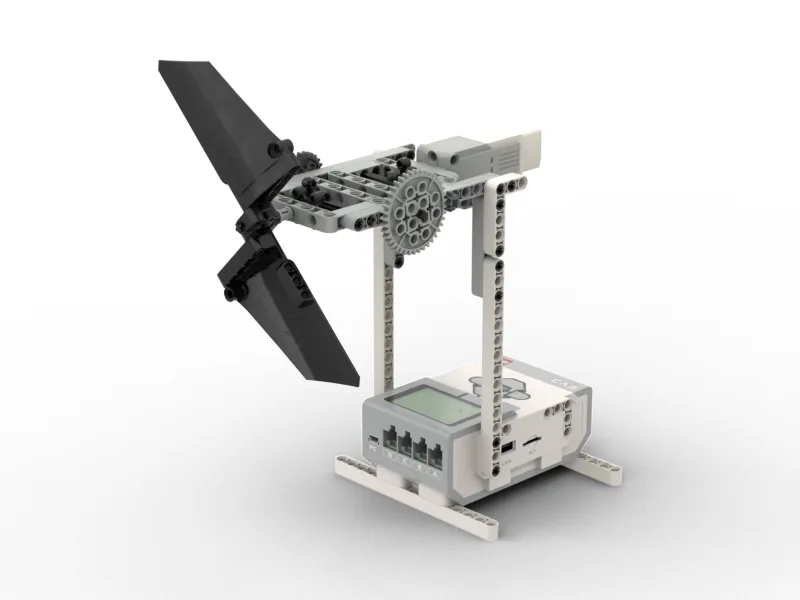
Today you build 5 min

Hello! Do you like windy days?
Today we build a real fan!
This is the EV3 Fan. It has blades.
The blades spin round and round.
They push the air. You can feel the wind!
Where do we see it? 5 min
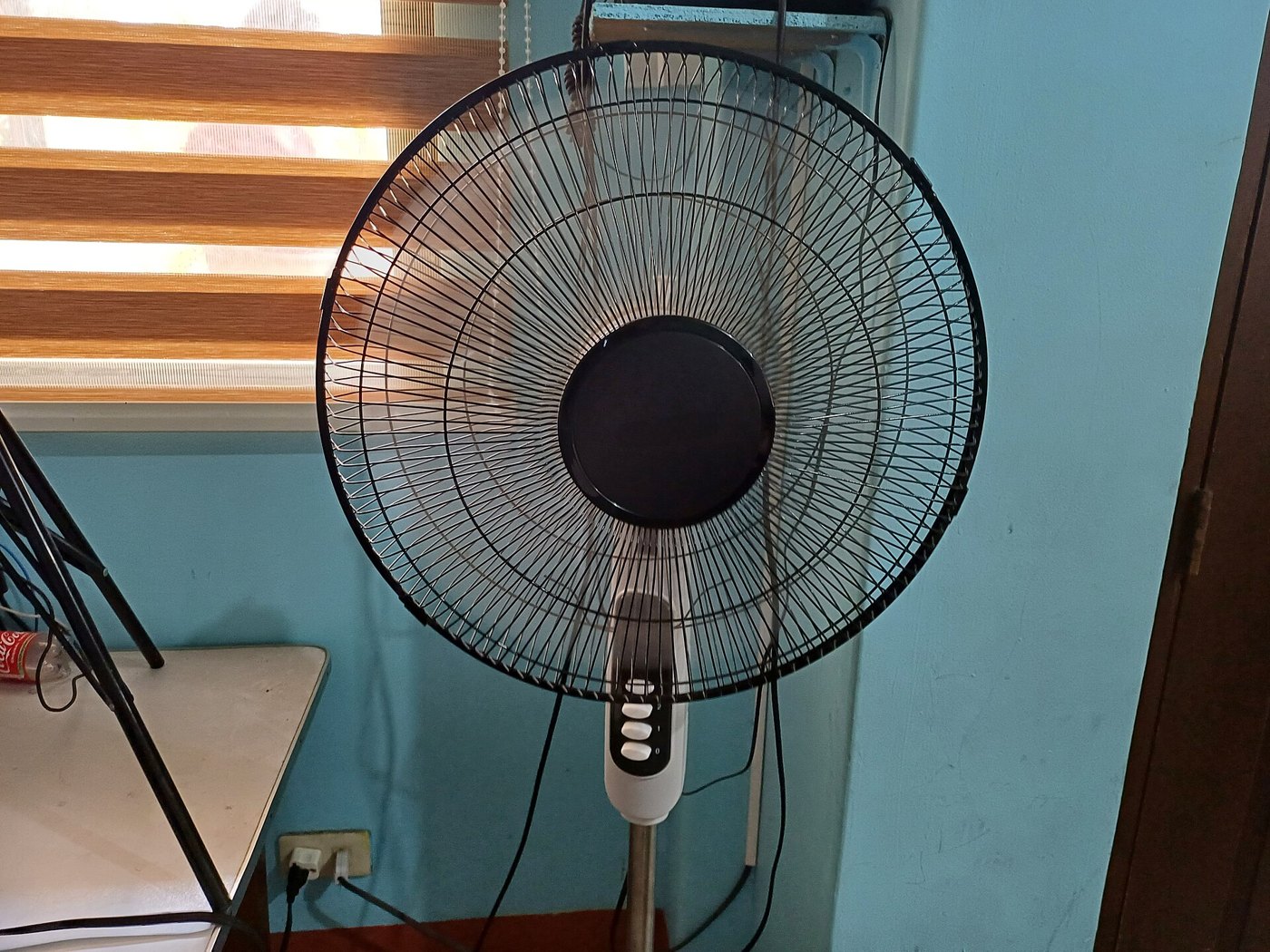
Fans are in homes and schools.
You switch it on. It spins. Cool air!
The Folding Fan waved. This fan spins!
Building tips in the build
- Look at one picture at a time.
- Find the gears. They have teeth.
- Push the parts together. Click!
- Turn the blades by hand. Do they spin freely?
- Stuck? That is OK. Ask your teacher.
Windmill break! 5 min
Stand up. You are a windmill!
- Put your arms out wide.
- Make big slow circles with your arms.
- Faster! The wind is strong!
- Slower. The wind is stopping.
- Arms down. Sit down. Well done!
Meet the parts 5 min
- The small motorIt turns the gears.
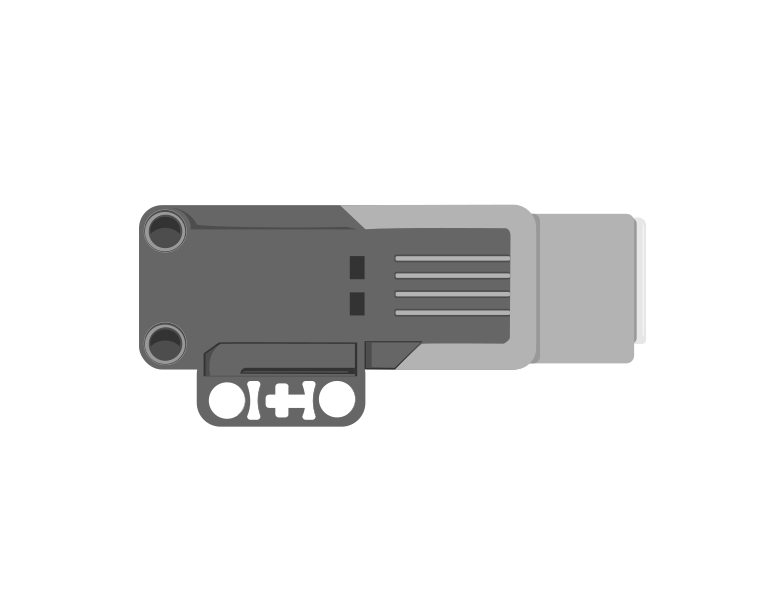
- The gearsWheels with teeth. They spin the blades.
- The bladesThey spin round. They push the air.
Plug it in 5 min
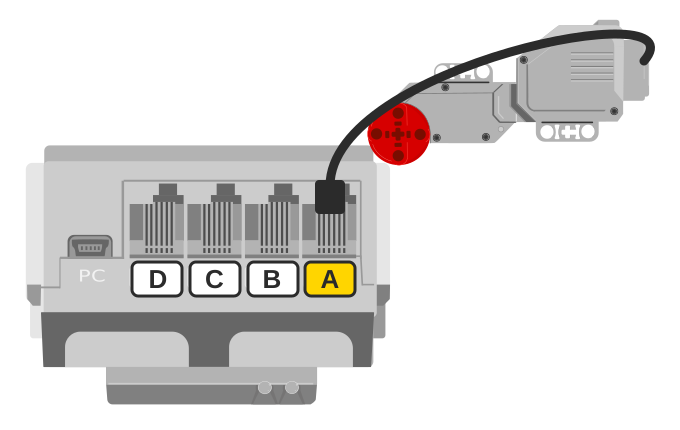
- Plug the motor cable into A. Click!
- Pull it a tiny bit. Does it stay?
Talk to the Brick 5 min
- Press the middle button. The Brick turns on.
- Wait for the screen.
- Your teacher joins the Brick to the computer.
- Can you see a motor on A?
For grown-ups: how to connectUSB or Bluetooth, and what to do when it will not connect.Show meHide
Two routes, and either is fine. USB is the reliable one and the one to fall back on when a room’s Bluetooth is busy; Bluetooth leaves the robot free to move, which some models need.
How to connect the BrickUSB and Bluetooth, step by step, with a photograph of every screen. Open it if you have not done this before — or if pairing is not working.Show meHide
USB — the reliable one
- Switch the Brick on with the dark grey centre button.
- Cable into the Brick’s PC port — the small square socket beside the numbered ports, not one of the numbered ones.
- Other end into the computer.
Bluetooth — name it first
Do these in order. Naming the Brick after you go looking for it in the list is how groups end up driving each other’s robots.
- Name your Brick. On the Brick: Settings (the spanner) → Brick Name. Type something nobody else will pick, then press the tick. Every Brick is called
EV3until somebody changes it. - Turn Bluetooth on. Settings → Bluetooth. Tick Bluetooth and Visibility. Leave iPhone/iPad/iPod unticked.
- Connect from EV3 Classroom. Click the Brick icon at the top of the programming area, find your Brick by name, and click Connect.
- Say yes on the Brick. It asks “Connect?” with the computer’s name — choose the tick, then accept the passkey, which is already 1234.
EV3.The two failures, every class, every time. The Brick has gone to sleep while you were building — press the centre button to wake it. Or you have paired with the group at the next table, which is why the name matters.
The long version, including Port View and how to read the port tiles, is in the Brick & Bluetooth guide.
Switch it on! 15 min
Do we count a fan’s turns? No! Too many.
We count seconds instead.
when program starts :: events hat
[A v] run [clockwise v] for (5) [seconds v] :: motors
- Add a motor block under the start block.
- Click the little arrow by rotations.
- Pick seconds.
- Type 5.
- Press play. Count to five!
Your challenges 5 min
⭐ Challenge 1: Ten seconds
Make the fan spin for ten seconds.
⭐⭐ Challenge 2: Paper test
Hold a strip of paper near the fan. Does it move?
⭐⭐⭐ Challenge 3: The other way
Pick counterclockwise. Where does the wind go now?
Tidy up 5 min
- Turn the Brick off.
- Keep your EV3 Fan in one piece. You need it next time!
- Put spare parts back in the box.
Well done! What a cool breeze!
Teacher note
Timing (90 min): photo and talk 5, real world 5, build 35, break 5, parts 5, ports 5, connect 5, switch it on 15, challenges 5, tidy 5.
The motor is a Medium Motor on port A: the last step of the manual says so in words. The new idea is the seconds unit: a fan is left on for a time, not for a number of turns. Seconds are safe here because the blades spin freely; Junior did not use them on the gate or the fan arm, which have end stops.
Safety: the blades spin fast. Fingers stay out, and hair is tied back. Challenge 3 may blow the air the other way, or not; let the children find out with the paper strip.
Words met today: seconds, blades.