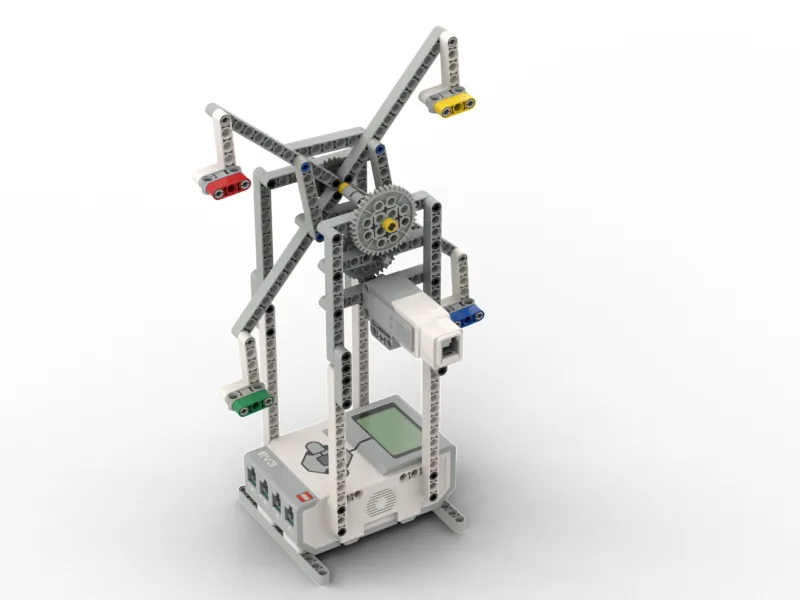
Today you build 5 min

Hi! It is AdvasBot.
Today we build a big wheel ride!
This is the Ferris Wheel.
It goes round and round. Slowly!
The seats go up high. Then down low.
Where do we see it? 5 min
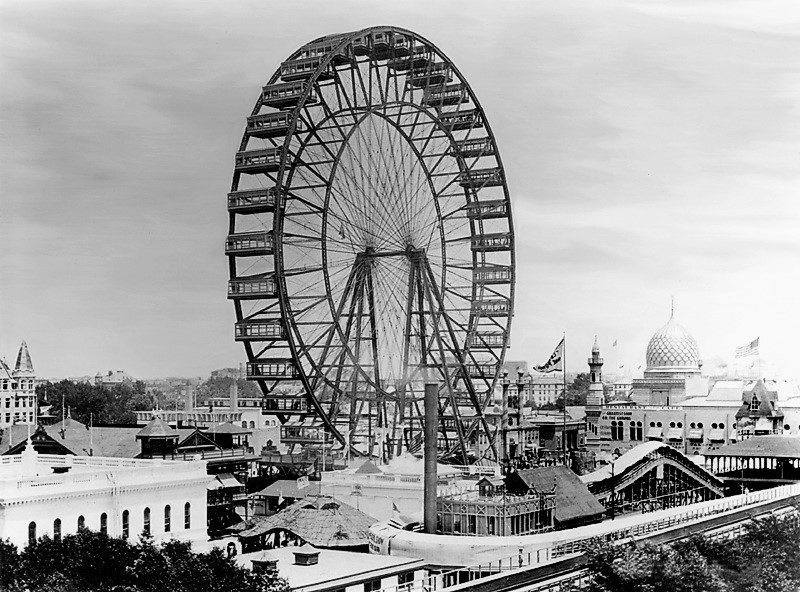
This was the first big wheel.
Lots of people rode it at once.
Now cities all over the world have one.
Building tips in the build
- Look at one picture at a time.
- The Brick is the bottom. It holds it up.
- Build the seats the same. Count them!
- Turn the wheel by hand. Does it go round?
- Stuck? That is OK. Ask your teacher.
Big wheel break! 5 min
Stand up. Be a big wheel!
- Crouch down low. You are at the bottom.
- Stand up slowly. Going up…
- Reach up high. You are at the top!
- Go down slowly. Back to the bottom.
- Sit down. Well done!
Meet the parts 5 min
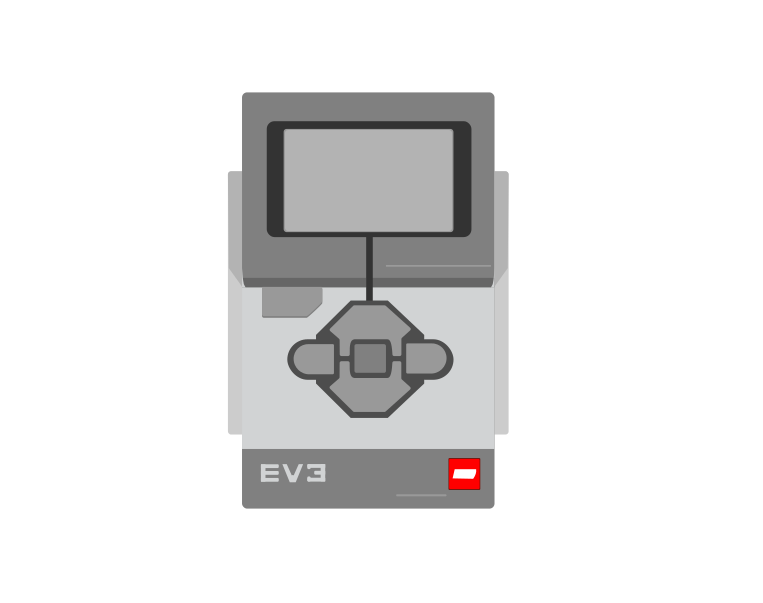
- The BrickThe brain. Today it is the bottom too!
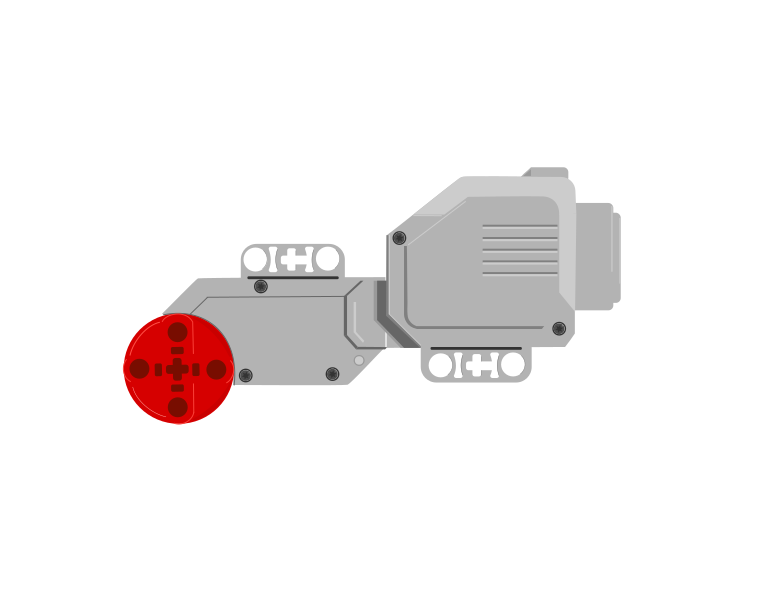
- The big motorIt is strong. It turns the whole wheel.
- The seatsThey hang down. People sit in them.
A small gear turns a big gear.
So the wheel goes slowly. But it is strong!
Plug it in 5 min
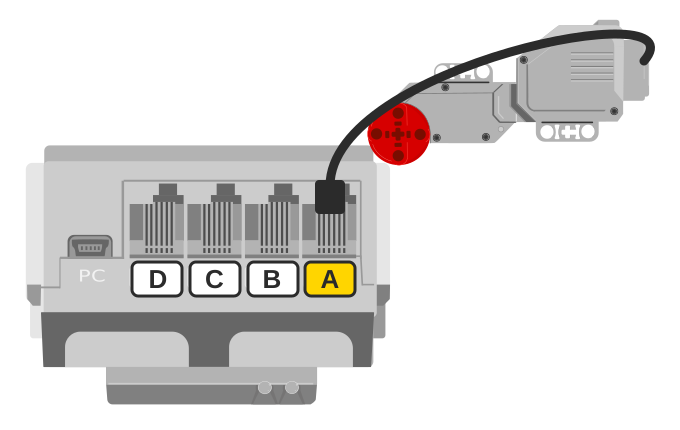
- Find port A.
- Plug the motor cable in. Click!
- Pull it a tiny bit. Does it stay?
Talk to the Brick 5 min
- Turn the Brick on.
- Your teacher joins it to the computer.
- Is there a motor on A?
For grown-ups: how to connectUSB or Bluetooth, and what to do when it will not connect.Show meHide
Two routes, and either is fine. USB is the reliable one and the one to fall back on when a room’s Bluetooth is busy; Bluetooth leaves the robot free to move, which some models need.
How to connect the BrickUSB and Bluetooth, step by step, with a photograph of every screen. Open it if you have not done this before — or if pairing is not working.Show meHide
USB — the reliable one
- Switch the Brick on with the dark grey centre button.
- Cable into the Brick’s PC port — the small square socket beside the numbered ports, not one of the numbered ones.
- Other end into the computer.
Bluetooth — name it first
Do these in order. Naming the Brick after you go looking for it in the list is how groups end up driving each other’s robots.
- Name your Brick. On the Brick: Settings (the spanner) → Brick Name. Type something nobody else will pick, then press the tick. Every Brick is called
EV3until somebody changes it. - Turn Bluetooth on. Settings → Bluetooth. Tick Bluetooth and Visibility. Leave iPhone/iPad/iPod unticked.
- Connect from EV3 Classroom. Click the Brick icon at the top of the programming area, find your Brick by name, and click Connect.
- Say yes on the Brick. It asks “Connect?” with the computer’s name — choose the tick, then accept the passkey, which is already 1234.
EV3.The two failures, every class, every time. The Brick has gone to sleep while you were building — press the centre button to wake it. Or you have paired with the group at the next table, which is why the name matters.
The long version, including Port View and how to read the port tiles, is in the Brick & Bluetooth guide.
Give it a ride! 15 min
A ride must be slow and gentle. Use a small speed.
when program starts :: events hat
[A v] set speed to (25) % :: motors
[A v] start motor [clockwise v] :: motors
wait (10) seconds
[A v] stop motor :: motors
- Put set speed under the start block. Type 25.
- Put start motor under it.
- Put wait under it. Type 10.
- Put stop motor at the bottom.
- Press play. Enjoy the ride!
Your challenges 10 min
⭐ Challenge 1: Other way round
Make the wheel go round the other way.
⭐⭐ Challenge 2: A long ride
Make the ride longer. Which number do you change?
⭐⭐⭐ Challenge 3: One full turn
Put a sticker on one seat. Make that seat go round once. Then stop.
Tidy up 5 min
- Turn the Brick off.
- Keep your Ferris Wheel in one piece. You need it next time!
- Put spare parts back in the box.
Well done! What a lovely ride!
Teacher note
Timing (90 min): photo and talk 5, real world 5, build 35, break 5, parts 5, ports 5, connect 5, first ride 15, challenges 10, tidy 5.
One Large Motor on port A (step 17 of the manual). The Brick is the base of the tower, so the cable is short; check it is not rubbing the wheel. The wheel is geared down (a small gear on the motor drives a 40-tooth gear), which is why it is slow and strong. “Small gear turns big gear: slow but strong” is all the gearing this age needs.
The program is start, wait, stop from lesson 14, at a ride speed. Challenge 2 is the wait number; challenge 3 is found by trying (the time for one full turn depends on the build), so any wait that brings the sticker round once is right.
Words met today: Ferris wheel, seat, small gear, big gear.