Challenge 1
When touch sensor is press it will trigger a sound and when touch sensor is released it will trigger another sound different from the press sound
Fullscreen it while you build — you can pause and scrub with the player's own controls.
Quick Learn — the model, the instructions, the program and the challenges. The theory is in Full Lesson.
EV3 Robotics›Level 1 · Beginner›Lesson 34
Level 1 · Lesson 34 · EV3-L01-3460 minutes · Ages 9–16 · Model: Fencing · No motor
The Fencing model: a long, light sword with a Touch Sensor at its tip. Touch something with the point and the Brick knows about it instantly.
There is no motor in this build. Not one. The Brick and a single Touch Sensor is the entire electronic parts list, and nothing on the model moves under its own power.
Lesson 14’s Elastic Car was all mechanism and no electronics. This is the exact opposite: all sensing, no movement. It is a machine whose only job is to notice, and then say so — which makes it the right place to learn a new way of saying things.
Competitive fencing has been electric since the 1930s. Each blade carries a switch in its tip, wired back to a scoring box, and a hit registers as a light and a tone before any judge could possibly have seen it.
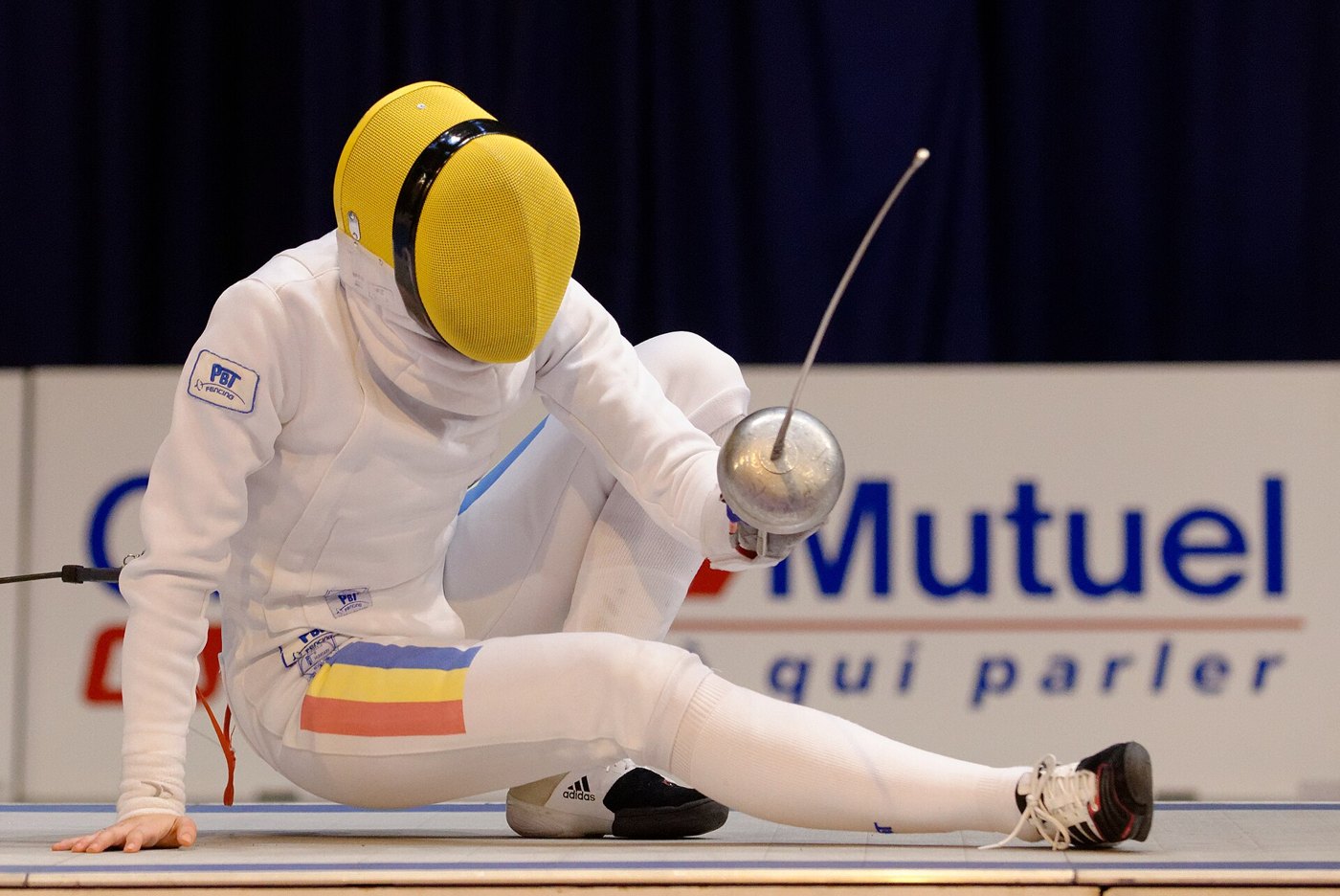
A fencing hit takes a few thousandths of a second. Two fencers can both land one so close together that no human being could say which came first — and in épée, if they are within a twenty-fifth of a second, both score.
That is not a judgement a person can make. So the sport gave the job to a switch: a button in the tip that closes when it is pressed against something. Not clever, not precise about where — just very, very fast.
Before the electric box, hits were called by four judges standing round the piste, and arguments were part of the sport. The switch did not make fencing faster. It made it agreed.
And notice what the box actually does when it detects a hit: it makes a tone. Not a recorded voice, not a tune — a single clear note that carries across a noisy hall and means exactly one thing.
A machine that senses something has to be able to say so instantly, and in a way nobody can mistake.
Every sound in this course so far has been a recording picked from a dropdown. The Brick can also make a tone from a number — and a number is something you can change.
| Block | What it plays |
|---|---|
play sound [Information / Blip 1 v] until done :: sound | A recorded file. Always exactly the same, and you pick from the list you are given. |
play beep (60) for (0.2) seconds :: sound | A tone you describe: which note, and for how long. Both are numbers. |
start playing beep (60) :: sound | The same tone, but the program carries straight on — the blocking difference from Lesson 15, applied to beeps. |
The first number is the note. Bigger means higher. The exact numbers are worth knowing roughly rather than exactly:
| Number | Sounds like |
|---|---|
| 40 | Low. A thud you feel more than hear across a room. |
| 60 | Middle. The default, and a safe choice. |
| 72 | Bright and clear. An octave above middle — this is roughly where alarms and scoring boxes live, because it cuts through noise. |
| 90 | Piercing. Use sparingly and warn the room. |
There is no plain “beep” block and no “play note” block. A tone in EV3 Classroom is always a note number and a length, together. If you go looking for something simpler you will not find it.
Here is why this matters for a scoring machine. A recorded file says one thing. A number lets one machine say several things — a high note for a hit on target, a low one for off target, a different one again for the end of the bout — all from the same block with a different number in it.
A sound file is a thing you chose. A beep is a thing you can calculate. That is the whole difference, and it is why beeps scale and files do not.
The Brick has a small speaker. It can play one of the built-in sound files, or beep a note you choose. Sound is what makes a machine feel finished — and it is also a way for the robot to tell you something without you having to look at it.
| Block | What it does |
|---|---|
play sound [Communication / Hello v] until done :: sound | Plays the sound and waits for it to finish before the next block runs. |
start sound [Communication / Hello v] :: sound | Starts the sound and moves straight on to the next block, so the sound plays while the robot keeps working. |
play beep (60) for (0.5) seconds :: sound | Plays a single note for a set time — useful for short alerts. The number is a note, not a volume: bigger means higher. |
set volume to (100) % :: sound | Sets how loud everything after it will be. Worth putting at the top of a program — the Brick remembers the last volume it was given, even from somebody else’s program. |
stop all sounds :: sound | Cuts off anything that is still playing, including a long sound started earlier. |
These two blocks play the very same file. The difference is what the rest of the program does while it plays — so it cannot be heard on its own, only seen. Here are both, each lifting a barrier.
play sound until done
start sound
Watch the barriers, not the clock. On the left the warning finishes before anything moves; on the right it sounds while the barrier lifts.
The bars underneath are when the speaker was on and when the motor was turning. On the left they never overlap: the program is stuck at the sound block until the file has finished, and only then does the barrier lift. On the right they overlap almost completely, and the whole job is done in half the time.
Real machines warn before they move, not after: a lift chimes before the doors close, a reversing lorry beeps while it rolls back, a level crossing sounds before the barrier drops. Getting the order right is the difference between a warning and an apology.
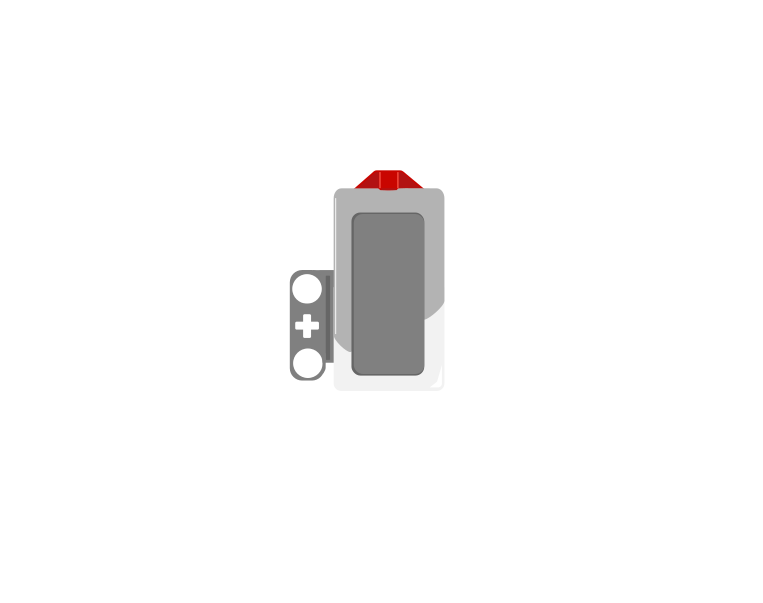
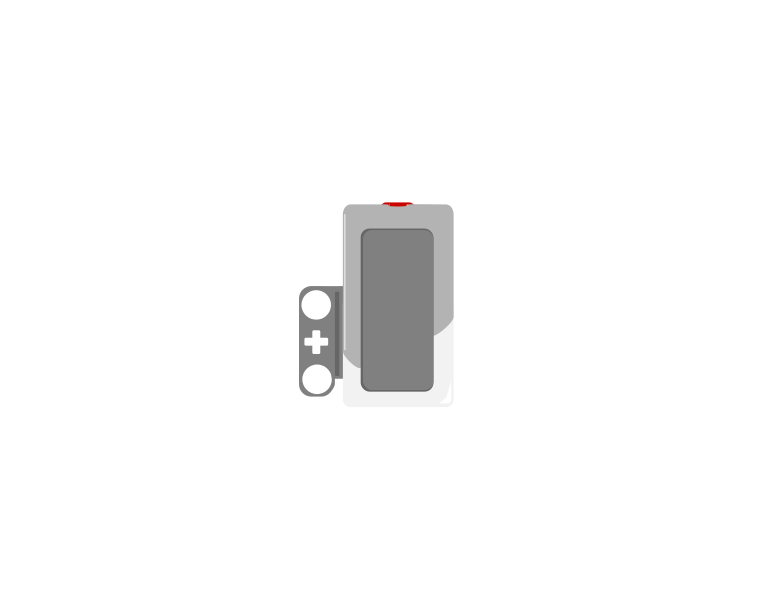
The Touch Sensor is the simplest input the EV3 has: a button that is either pressed or not. That sounds trivial, but it is how a robot knows it has hit a wall, reached the end of a track, or been told to start by a person.
 released
 pressed
| Block | What it does |
|---|---|
wait until <[1 v] is pressed? :: sensors> | Holds the program here until somebody presses the sensor. |
<[1 v] is pressed? :: sensors> | Reports true or false. Drop it into a condition to make a decision rather than a wait. |
[1 v] when [bumped v] :: events hat | Starts a whole stack of its own. The dropdown chooses the moment: pressed, released or bumped. |
A button is not only “pressed”. One press is three things: the moment it goes down, the time it stays down, and the moment it comes back up. Watch what a single press does to three programs at once.
versus two hat blocks
The middle counter is the one that surprises people. Nothing is wrong with it — a loop really does check that fast, and every check really is a separate answer.
Nothing there is broken. A loop really does get round hundreds of times a second, and each time it asks is pressed? the honest answer is still yes — so if that loop plays a sound or counts something, it does it hundreds of times from one finger. The two hat blocks each fire once, and they fire at different moments: pressed the instant the button goes down, bumped only when it comes back up.
The three options, and what each is for:
when program starts :: events hat
set movement motors to [B v] and [C v] :: movement
start moving [straight: 0] :: movement
wait until <[1 v] is pressed? :: sensors>
stop moving :: movement
The robot drives until something presses the sensor. Note that the movement is started unmeasured on purpose — the sensor decides when to stop, not a distance.
Touch sensors are everywhere in machines you cannot see into: a lift knows the doors are shut, a printer knows the lid is closed, a washing machine will not spin until it is latched. They are safety devices as much as inputs.
Say this back before moving on: “A beep takes a note number and a length. Bigger number, higher note.”
Look at your model and find the parts with cables. There is one, and that is the shortest parts list in the whole course.
no hithit| Part | What it is doing here |
|---|---|
| EV3 Intelligent Brick | Runs the program and is the scoring box — the speaker, the screen and the light are all it, and all of them are outputs with no cable. |
| Touch Sensor | At the tip of the blade. The only thing on this model that tells the Brick anything. |
| No motor | Nothing here moves under power. The sword is moved by a person. |
Sensors go in ports 1, 2, 3, 4. Motors go in ports A, B, C, D. They are not interchangeable, and nothing will tell you politely if you swap them.
Today the table has a sensor in it and nothing else — the first time all course. Every letter port stays empty.
| Part | Port | Why this one |
|---|---|---|
| Touch Sensor (the blade tip) | 1 | Touch is always port 1 in this course. |
| Motors | none | A, B, C and D all stay empty. If you have something plugged into a letter, it is not part of this model. |
| Speaker, screen, status light | none | All built into the Brick. Three outputs, no cables. |
Check your own build now:
Two routes, and either is fine. USB is the reliable one and the one to fall back on when a room’s Bluetooth is busy; Bluetooth leaves the robot free to move, which some models need.
Do these in order. Naming the Brick after you go looking for it in the list is how groups end up driving each other’s robots.
EV3 until somebody changes it.EV3.The two failures, every class, every time. The Brick has gone to sleep while you were building — press the centre button to wake it. Or you have paired with the group at the next table, which is why the name matters.
The long version, including Port View and how to read the port tiles, is in the Brick & Bluetooth guide.
Bluetooth suits a sword. This is the one model in the course that gets waved about, and a USB lead running to a laptop is something to trip over or pull off a desk.
A scoring machine that misses fast hits is worse than no scoring machine, because people will trust it.
One change at a time, and predict before each run — today, predict what it will sound like.
Step 2 is the one that catches people out in a real bout. A long beep is not just annoying — it is a scoring box that cannot see the next hit, and in fencing the next hit is often a fifth of a second away.
A signal has to be over before the next thing it needs to signal happens. Short and high beats long and impressive.
When touch sensor is press then it will trigger a beep sound
Fullscreen it while you build — you can pause and scrub with the player's own controls.
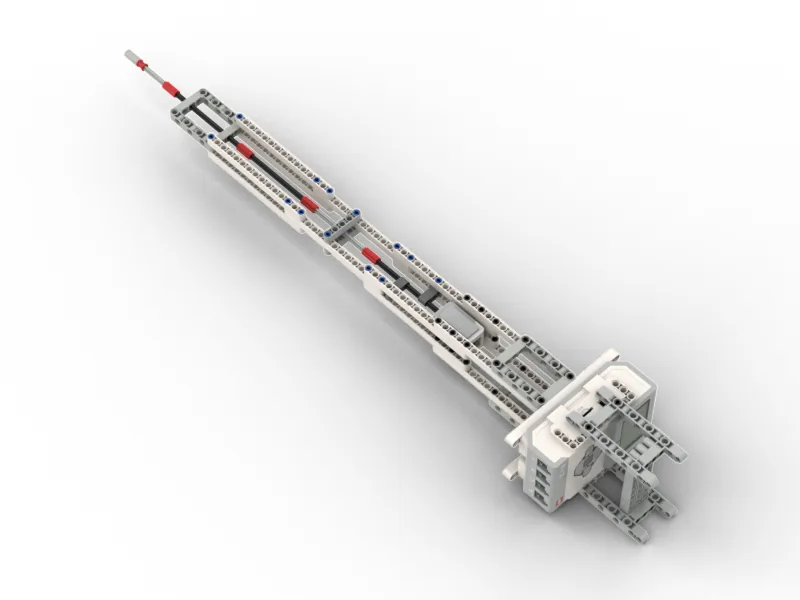
Build the model before you read any further. Everything after this is about making it do something, and none of it will make much sense with nothing on the table in front of you.
Use the viewer's own controls to zoom and turn pages. Fullscreen makes it big enough to build from.
Check the finished build against the picture before you switch anything on. A motor mounted the wrong way round is far easier to spot now than it is to debug later, when it looks like a program fault.
Work through them in order — each is harder than the last. The extra challenge comes after all three, and it is meant to make you plan before you build.
When touch sensor is press it will trigger a sound and when touch sensor is released it will trigger another sound different from the press sound
Fullscreen it while you build — you can pause and scrub with the player's own controls.
When touch sensor is press the display screen will show how many times the touch sensor is trigger not just only have sound
Fullscreen it while you build — you can pause and scrub with the player's own controls.
- When the Center button is pressed, it starts a 20-second countdown that counts how many times the Touch Sensor is triggered to determine the highest hit score. - While counting down, the EV3 screen shows the live time left and current hit score. - Each sensor tap increases the hit count by 1 only while status = 1. - When 20 seconds run out, the program sets status = 0 to lock the sensor, plays a finish sound, and displays your final score.
Fullscreen it while you build — you can pause and scrub with the player's own controls.
When the Touch Sensor is triggered, it picks a random number from 1 to 5 and plays one of 5 different sound effects.
Fullscreen it while you build — you can pause and scrub with the player's own controls.