Challenge 1
Find one object and say where it is. Put a book somewhere in the arc, run the sweep, and read off the angle and the distance at which it appeared. Then measure the real thing with a ruler and a protractor and see how close the radar was.
Quick Learn — the model, the instructions, the program and the challenges. The theory is in Full Lesson.
EV3 Robotics›Level 1 · Beginner›Lesson 41
Level 1 · Lesson 41 · EV3-L01-4160 minutes · Ages 9–16 · Model: Radar Device
The Radar Device: an Ultrasonic Sensor mounted on a Medium Motor, sweeping slowly through an arc and reporting what it finds at each step.
You have used the Ultrasonic before, and you used it as a doorbell: wait until something is closer than 15 cm, then do the next thing. The program stopped and the sensor let it go again.
That is not what a radar does. A radar never waits. It keeps turning, and at every angle it asks “how far away is whatever is in front of me right now?” — and writes the answer down.
The slowly turning aerial beside an airport runway. It goes round once every few seconds, all day, and from that one spinning dish an air traffic controller gets a live picture of every aircraft for a hundred kilometres.
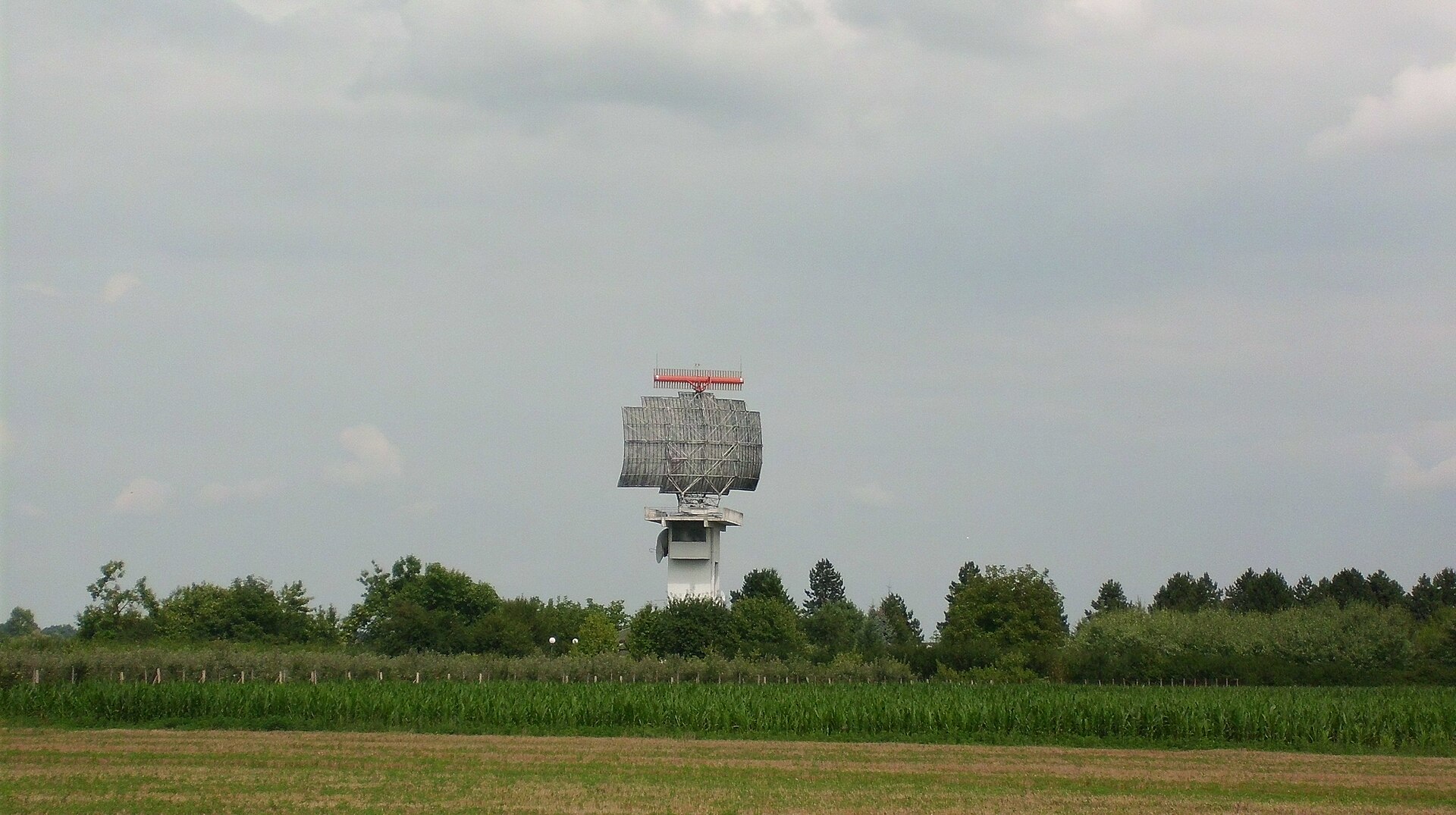
The dish can only look one way at a time, so it turns. Every reading is two facts, not one: how far away something is, and which way the dish was pointing when it found it. Distance alone is useless — a plane 40 km away is not a position until you know the bearing.
Your radar has both. The distance comes from the Ultrasonic; the bearing comes from the motor’s degrees counter, which you learned to read last lesson. That pairing is the whole instrument.
A sensor that can only trigger cannot map anything. “Something is close” tells you to stop; it does not tell you where the gap is, which side is clearer, or how big the room is. Every robot that finds its own way around does it by reading numbers, not by waiting for triggers.
A trigger tells you when. A reading tells you how much — and how much is what you can compare.
The Ultrasonic Sensor gives you a number in centimetres, at any moment you care to ask for it. You have simply never asked before.
([4 v] distance in [cm v]) :: sensors
degrees counted last lesson — rounded, because it is a number rather than an instruction.Put the two ways of using the sensor side by side:
| Block | Shape | What it does to the program |
|---|---|---|
| [4 v] wait until distance < (15) cm | Stack | Stops everything until it becomes true. The program is frozen, and you learn one thing: that it happened. |
| ([4 v] distance in [cm v]) | Reporter | Stops nothing. Hands over the current number, right now, and the program carries straight on. |
Drop the reporter into a display block and the Brick becomes a measuring instrument:
write ([4 v] distance in [cm v]) at line (3) :: display
One reading on its own is not much. Take a reading at every step of a sweep and pair it with the angle the motor has reached, and you have a survey of the room:
| Angle | Distance | What that means |
|---|---|---|
| 0° | 62 cm | Far wall, straight ahead. |
| 30° | 18 cm | Something close on this bearing — an obstacle. |
| 60° | 65 cm | Clear again. The obstacle was narrow. |
Nothing in that table required the program to stop and wait for anything. Three angles, three numbers, and now you know there is a narrow object about 30° off to one side.
The Ultrasonic Sensor measures distance. It sends out a burst of sound too high for people to hear, listens for the echo, and works out how far away the surface is from how long the echo took — exactly how a bat finds a moth, and how a submarine uses sonar.
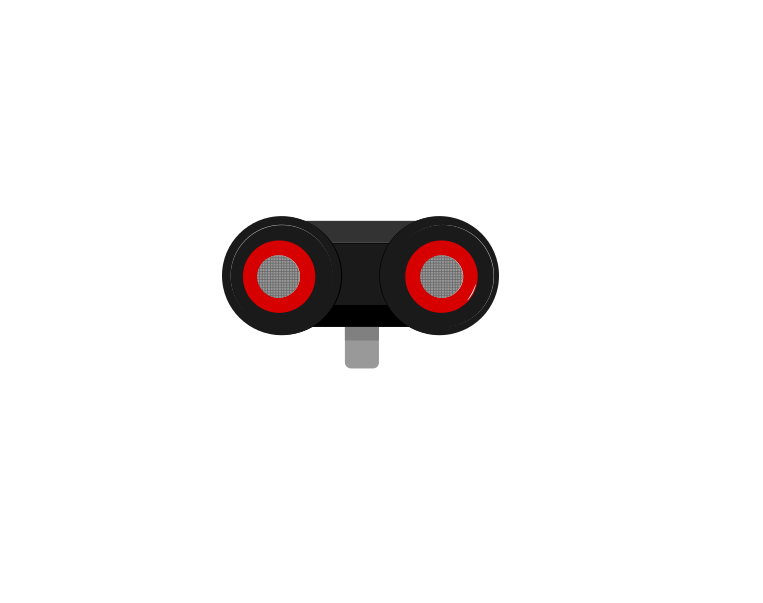 front
front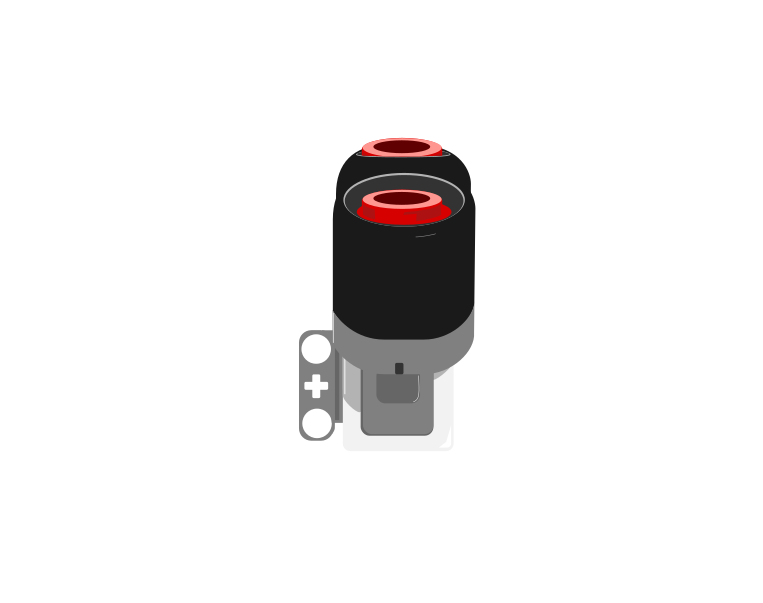 side
side| Block | What it does |
|---|---|
([4 v] distance in [cm v] :: sensors) | Reports how far away the nearest thing in front of the sensor is, as a number in centimetres. |
wait until <([4 v] distance in [cm v] :: sensors) < (15)> | Holds the program until something comes closer than 15 cm. |
This is the important step up from the Touch Sensor. Touch gives you true or false; the Ultrasonic gives you a number, and the deciding is left to you. Pick a threshold below and watch where the robot ends up.
The black line on the bar is the threshold; the blue fill is the reading. The robot stops the instant the fill crosses the line.
Three different robots, and only one number is different between them. That is what having a number rather than a yes-or-no buys you: the behaviour is tuned by editing one slot, not by rebuilding the program. It also means the sensor can never tell you it is “close” — close is a decision you make about a reading.
Car parking sensors, automatic doors at a shopping centre, and the sensor that stops a lift door closing on somebody all work this way. Reacting before contact is what makes a machine feel safe.
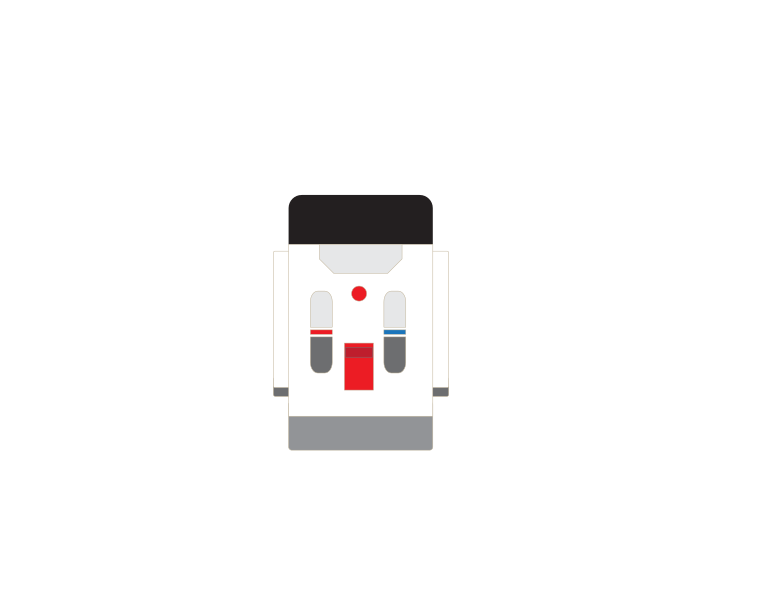
The Home/Retail EV3 set (31313) ships an Infrared Sensor and a Beacon in place of the Ultrasonic and Gyro sensors. The Infrared Sensor also measures distance, so the programs in this module work with it — but it reports a rough 0–100 proximity rather than real centimetres, and it is affected by sunlight and by dark surfaces in ways the Ultrasonic is not.
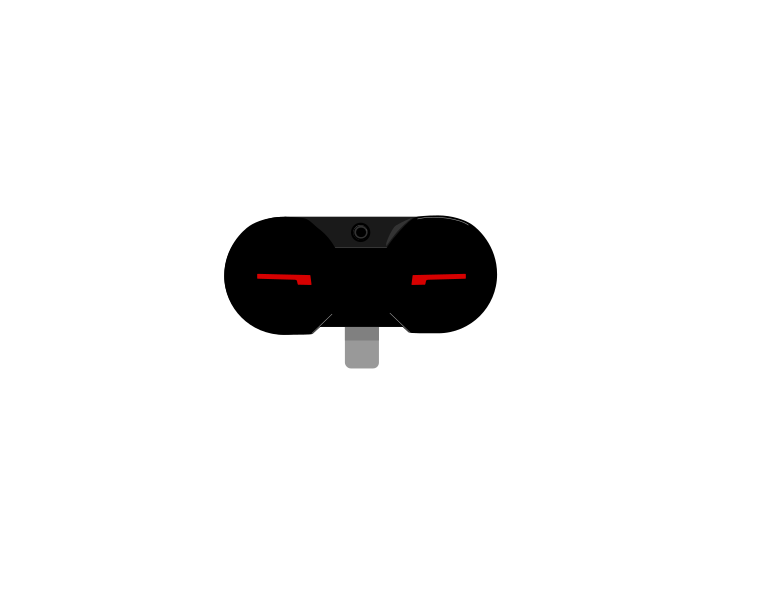 IR Sensor
 Beacon
Stop asking the sensor to interrupt you. Start asking it for a number.
Every EV3 motor contains a sensor that counts how far it has actually turned. That means a motor is not only an output — you can ask it where it is, and the answer describes what really happened rather than what you asked for.
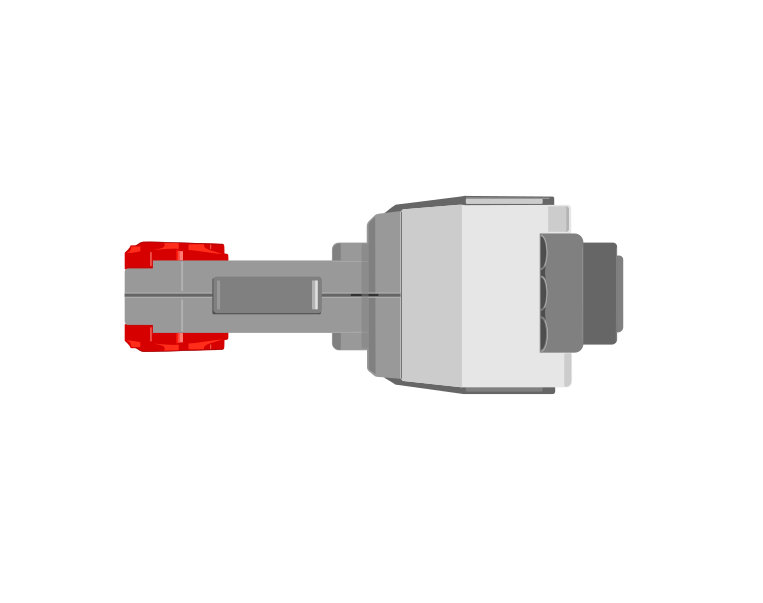
| Block | What it does |
|---|---|
([A v] degrees counted :: sensors) | Reports how far this motor has actually turned since the count was last reset, in degrees. |
[A v] reset degrees counted :: motors | Sets the count back to zero, making right here the new reference point. |
([A v] speed :: sensors) | Reports how fast the motor is turning right now, as a percentage. A motor that is being driven but reads zero is a motor that is stuck. |
Those two are not always the same. Here are two identical motors, running the same program, with only their mechanisms different.
the same program, on two identical motors
Nothing on the Brick announces a stall. The only evidence is that the counter stopped changing while the motor was still being told to turn.
Nothing on the Brick announces the jam. The motor is still being driven, the program is still sitting on the same block, and the only trace of the problem anywhere is a counter that has stopped climbing. Comparing what you asked for with what was counted is how a robot notices — which is the whole of stall detection.
When the Brick powers on, the count is simply whatever it happens to be. It is not a position on the machine — it becomes one only when you tie it to something physical.
That is what reset degrees counted is for, and it is not just a tidy-up block for the top of a program. Where you put it decides what zero means, so putting it part-way through — after the mechanism has been driven somewhere known — is the normal way to use it, not an abuse of it.
A conveyor has no idea where it is. Give it a touch sensor at one end and it can find out: drive it until the sensor is pressed, and it is now at a place you can name. Only then reset the count, and that end becomes 0.
when program starts :: events hat
[A v] start motor [counterclockwise v] :: motors
[1 v] wait until [pressed v] :: sensors
[A v] stop motor :: motors
[A v] reset degrees counted :: motors
The order is the whole point. Reset before the sensor is pressed and you have zeroed a random spot; reset after it, and every later reading means “how far from home”. This is called homing, and it is why a printer rattles its head to one side when you switch it on.
Drive towards home gently. The mechanism is deliberately being run into its own end stop, so a slow speed saves the gears — and the touch sensor is what stops it, which means it stops in the same place every time regardless of where it started.
Home is often a corner, and a corner is an awkward place to measure from. Say the conveyor carries a chute that dispenses bricks, and you would rather describe its position as left and right of the middle. Then home once, drive the known distance to the middle, and reset again there:
when program starts :: events hat
[A v] start motor [counterclockwise v] :: motors
[1 v] wait until [pressed v] :: sensors
[A v] stop motor :: motors
[A v] reset degrees counted :: motors
[A v] run [clockwise v] for (900) [degrees v] :: motors
[A v] reset degrees counted :: motors
Now the middle is 0. Moving right counts up, moving left counts down past zero into negative numbers — the count is perfectly happy to go negative — and “go back to the middle” becomes the simplest instruction in the program: drive until the count reaches 0.
Both resets earn their place. The first one turns a meaningless number into a distance from a real, repeatable place. The second one moves zero to where the maths is easiest. A reset in the middle of a program is only a mistake when the mechanism is somewhere you cannot name.
Because the count is in degrees, and a wheel of known size travels a known distance per turn, the reading can be converted into how far the robot has actually driven. That is how a robot reports a distance in centimetres rather than in rotations — and it is why changing the wheels changes the answer.
This is how a printer knows the paper jammed, how a car window stops when it meets your hand, and how a robot arm knows it has reached its limit. A machine that can only give orders is fragile; one that can check what happened can recover.
Say this back before moving on: “A reading does not stop the program.”
| Part | What it is doing here |
|---|---|
| EV3 Intelligent Brick | Pairs each distance with the angle it was taken at, and puts both on screen. |
| Medium Motor — the turntable | Turns the sensor through the sweep. Medium rather than Large because it is turning almost nothing and needs to be precise, not strong. |
| Ultrasonic Sensor | The two “eyes” are a speaker and a microphone. It sends a click you cannot hear and times the echo — which is why it measures distance and not colour or brightness. |
| The Brick speaker | One ping per step of the sweep, so the sweep has a rhythm you can hear without watching. |
Sound does not bounce back off everything equally, and knowing that now saves an hour of confusion later.
Sensors go in ports 1, 2, 3, 4. Motors go in ports A, B, C, D. They are not interchangeable, and nothing will tell you politely if you swap them.
| Part | Port | Why this one |
|---|---|---|
| Turntable (Medium Motor) | A | A job motor — and the source of the bearing half of every reading. |
| Ultrasonic Sensor | 4 | Ultrasonic is always port 4 in this course, in every lesson and every level. |
Check your own build now:
Two routes, and either is fine. USB is the reliable one and the one to fall back on when a room’s Bluetooth is busy; Bluetooth leaves the robot free to move, which some models need.
Do these in order. Naming the Brick after you go looking for it in the list is how groups end up driving each other’s robots.
EV3 until somebody changes it.EV3.The two failures, every class, every time. The Brick has gone to sleep while you were building — press the centre button to wake it. Or you have paired with the group at the next table, which is why the name matters.
The long version, including Port View and how to read the port tiles, is in the Brick & Bluetooth guide.
Bluetooth is worth it here. You will be reading the Brick screen while the sensor turns, and a USB cable pins the Brick to wherever the laptop is rather than where you can see it.
Keep one object in a fixed place for all of these, so you are testing the radar rather than rearranging the room.
wait (0.3) seconds. A continuous sweep. Watch whether the readings get less reliable when the sensor never sits still.write block to before the motor block inside the loop. Now every reading is taken at the previous angle — the screen pairs each distance with the wrong bearing. Subtle, and completely wrong.Step 2 is the one to argue about. A coarse sweep is faster, and it can look right while walking straight past a chair leg. Every real radar makes the same trade, and the answer is never “as detailed as possible” — it is “detailed enough for what I am looking for”.
A reading is only useful if you know where the machine was pointing when it took it.
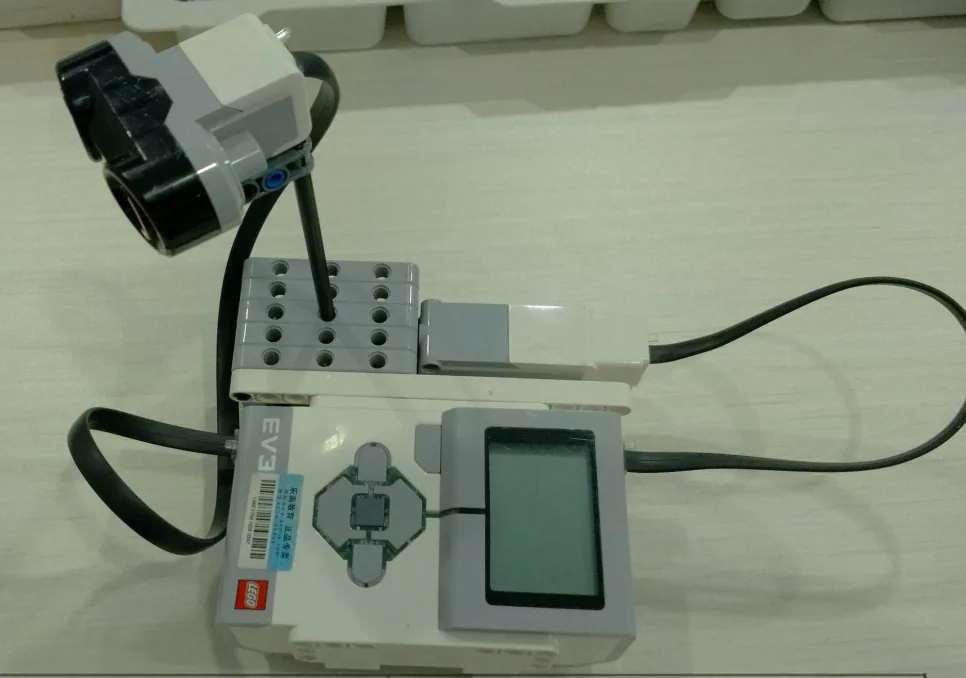
A sweep out and back, taking a reading and a ping at every step, with angle and distance both on screen.
when program starts :: events hat
clear display :: display
[A v] reset degrees counted :: motors
write [Sudut / Jarak] at line (1) :: display
repeat (6)
  [A v] run for (30) [degrees v] at (25) % speed :: motors
  write ([A v] degrees counted) at line (3) :: display
  write ([4 v] distance in [cm v]) at line (5) :: display
  play beep (65) for (0.1) seconds :: sound
  wait (0.3) seconds
end
repeat (6)
  [A v] run for (30) [degrees v] at (-25) % speed :: motors
  write ([A v] degrees counted) at line (3) :: display
  write ([4 v] distance in [cm v]) at line (5) :: display
  play beep (55) for (0.1) seconds :: sound
  wait (0.3) seconds
end
What success looks like: put a book somewhere in the arc. As the dish sweeps past it, the distance on screen should drop sharply and then rise again — and it should do it at the same angle on the way out and on the way back.
If the object is found at different angles each way, the dish is overshooting its 30° steps and not returning to the same places. Slow the sweep down, or set the motor to hold position at stop so each step ends where it was told to.
Build the model before you read any further. Everything after this is about making it do something, and none of it will make much sense with nothing on the table in front of you.
Use the viewer's own controls to zoom and turn pages. Fullscreen makes it big enough to build from.
Check the finished build against the picture before you switch anything on. A motor mounted the wrong way round is far easier to spot now than it is to debug later, when it looks like a program fault.
Work through them in order — each is harder than the last. The extra challenge comes after all three, and it is meant to make you plan before you build.
Find one object and say where it is. Put a book somewhere in the arc, run the sweep, and read off the angle and the distance at which it appeared. Then measure the real thing with a ruler and a protractor and see how close the radar was.
Sweep out and back and find the same object at the same angle both ways. If the two readings disagree, the dish is not returning to the same places — fix that and say what you changed.
Survey a room corner. Sweep at least twelve steps, write down every angle and distance pair, and plot them as dots on a fan-shaped diagram. The drawing should look recognisably like the corner you pointed it at.
Find the widest gap a robot could drive through. Set up two obstacles somewhere in the radar's arc with a gap between them, and do not tell the radar where they are. Its job is to find the gap and report the bearing of its middle. Plan the sweep first. Decide how fine the steps have to be — a coarse sweep is quicker and can miss a narrow gap entirely, and you should be able to say roughly how narrow a gap your chosen step size would step straight over. Run the sweep, write down every reading, and work out from the table where the gap is and how wide it is. Then measure it with a ruler and compare. Two questions when you present it. How far out was the radar, and was the error in the distance or in the angle? And your radar reports its findings to a person who then does the thinking — describe what the machine itself would have to be able to do for it to drive through the gap on its own.