Challenge 1
Pick three objects of different sizes, one after another, without changing a single block between them. Show the degrees counted for each on the screen, then put the three in size order using the numbers alone.
Quick Learn — the model, the instructions, the program and the challenges. The theory is in Full Lesson.
EV3 Robotics›Level 2 · Intermediate›Lesson 29
Level 2 · Lesson 29 · EV3-L02-2960 minutes · Ages 9–16 · Model: Apple Picker
The Apple Picker: a long arm with a gripper on the end, and a switch hidden inside the gripper that closes when there is something in there.
The arm is driven by a Medium Motor. The gripper closes a little at a time. When an apple is properly held, the apple itself presses the switch — and that is how the machine knows.
By the end of the lesson your gripper will close on its own and stop the moment it has the apple — not after a time you guessed, and not after a number of turns you counted. It stops because it has the apple.
Fruit is still picked mostly by hand, on ladders, one apple at a time. A picker does not grip for two seconds and hope. They squeeze until they feel the apple, and then they twist.
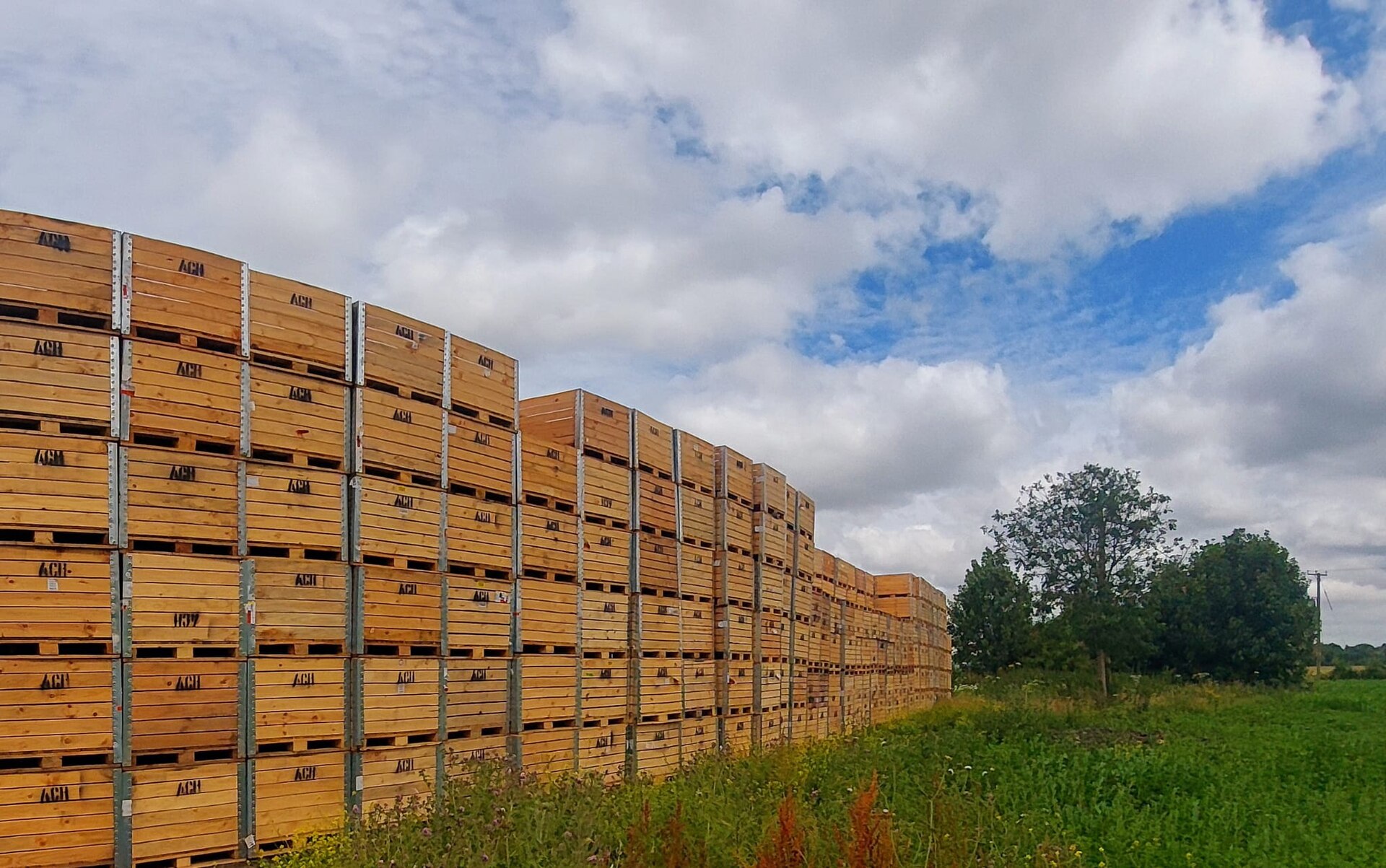
Every apple is a different size, and every one sits at a different angle. A machine that closed its gripper by a fixed amount would crush the big ones and drop the small ones. The apple has to be the thing that says stop, because the apple is the only part of the job nobody can predict.
Growers care about this to the dollar. A bruised apple is sold as juice instead of fruit, at a fraction of the price, so a gripper that squeezes slightly too hard turns a good harvest into a cheap one.
A picker with no sense of touch has only two settings: too gentle, so the fruit falls, or too firm, so the fruit is ruined. Neither one gets the apple to the crate.
When the job depends on something you cannot measure in advance, let the job tell you when it is done.
You know two loops. forever never stops. repeat (10) stops after a count you chose when you wrote the program. Today you meet the third: repeat until, which stops when the world says so.
repeat until <[1 v] is pressed? :: sensors>
  [A v] run for (15) [degrees v] at (25) % speed :: motors
end
Read it in the order the Brick runs it: check the condition, then run the inside once, then check again. The loop ends between bites, never in the middle of one.
In Level 1 you used [1 v] wait until [pressed v], which also ends on the switch. Put that on the Apple Picker and it will sit there for the rest of the lesson.
| Block | While it is waiting for the switch, the motor is… |
|---|---|
[1 v] wait until [pressed v] :: sensors | doing nothing. The gripper never closes, so the apple is never held, so the switch is never pressed. Waits for ever. |
repeat until <[1 v] is pressed? :: sensors> [A v] run for (15) [degrees v] at (25) % speed :: motors end | closing, a bite at a time. The loop is what brings the condition true. It ends because of what it did. |
Waiting is not trying. A wait until is right when something else will make the condition true — a person, gravity, another stack. A repeat until is right when this program has to make it true.
The bite is the smallest movement the loop makes between checks, and it decides how much the gripper overshoots. Fifteen degrees is a squeeze you can barely see. Three hundred and sixty degrees would slam shut before the loop ever got to look at the switch again.
Machines repeat. A wiper sweeps, a conveyor runs, a ride goes round — and none of that should mean copying the same blocks over and over. A loop says “do this again” once.
| Block | What it does |
|---|---|
repeat (10) end | Runs the blocks inside a set number of times, then carries on below. |
forever end | Runs the blocks inside over and over, and never carries on below. |
repeat until <> end | Repeats until a condition becomes true — a loop with a sensor as its exit. |
Anything placed after a forever loop will never run. Not “runs late” — never. Both programs below end with the same block: set the status light green.
repeat (3)
forever
↑ this block never runs
Both programs contain the same green-light block. Let it run as long as you like — the right-hand ring will never turn green.
The repeat loop counts its three passes, stops, and moves on to the block underneath, so its light turns green. The forever loop reaches the bottom of its own blocks and jumps straight back to the top, so the block underneath is never reached — however long you leave it. If a program seems to stop half way through, look for a forever loop above the blocks that are not happening.
A program is a list, and the Brick works down it once. Every block runs, in order, and when the last one is done the program is over. That is fine for a list of instructions — drive, turn, beep, stop — because each is a thing you do once.
A sensor is not a thing you do once. Asking is 1 pressed? gives you an answer about this instant, and an instant later it may be wrong. Checking a sensor once tells you what the world was like at the moment the program started — which is almost never what you wanted to know.
So a program that has to react must ask again, and again, for as long as it is running. That is the whole job of the loop: not to repeat an action, but to keep the question being asked.
Wrap a sensor check and the motor it controls in a forever loop and you have built a closed-loop control system — the pattern behind every line follower, thermostat and cruise control:
It is called closed because the output feeds back round to the input: the motors move the robot, moving the robot changes what the sensor sees, and what the sensor sees changes the motors. Break the circle at any point and the robot stops responding.
when program starts :: events hat
forever
  if <[1 v] is pressed? :: sensors> then
    [A v] start motor [clockwise v] :: motors
  else
    [A v] stop motor :: motors
  end
end
Read it as a sentence and it is almost too simple to need explaining: for ever, if the button is pressed run the motor, otherwise stop it. The motor now follows the button for as long as the program is running.
This is the mistake nearly everybody makes first, and it is a hard one to spot because nothing about it looks wrong:
when program starts :: events hat
if <[1 v] is pressed? :: sensors> then
  [A v] start motor [clockwise v] :: motors
else
  [A v] stop motor :: motors
end
The logic is perfect. The ports are right. Nothing is misspelled. And the robot will ignore the button completely — because the Brick reaches that if/else a few milliseconds after you press Run, finds the button not pressed, takes the else branch, stops the motor, runs out of blocks and ends. By the time a finger arrives, there is no program left to notice it.
with forever — a closed loop
without it — the common mistake
↑ running — for the only time
Both programs contain exactly the same if/else. The only difference is the forever block around one of them.
Both programs contain exactly the same if/else. The counter is what gives it away: one keeps checking for as long as it runs, the other is stuck on the single check it made before anybody touched anything. A student who has seen this once stops writing it.
The tell on a real robot is a program that ends the instant you start it — the Brick returns to its menu almost immediately. If a sensor program finishes rather than waits, the loop is what is missing.
The Touch Sensor is the simplest input the EV3 has: a button that is either pressed or not. That sounds trivial, but it is how a robot knows it has hit a wall, reached the end of a track, or been told to start by a person.
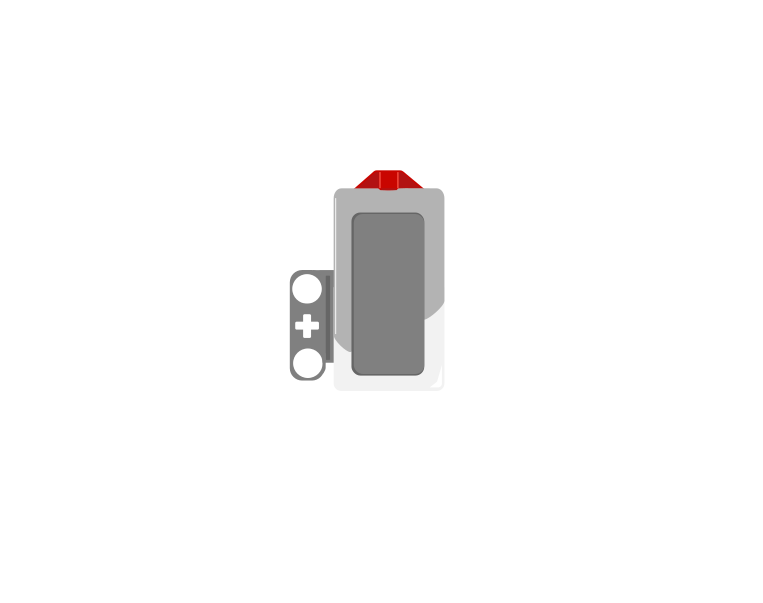 released
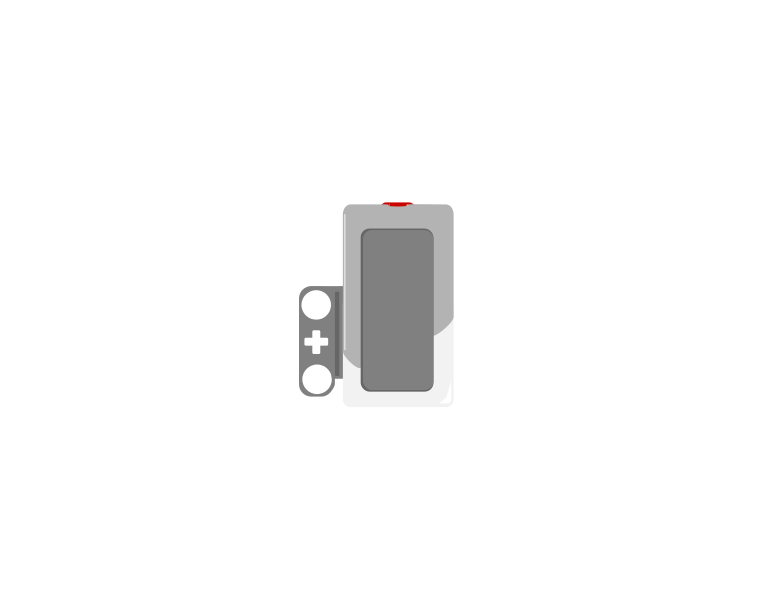 pressed
| Block | What it does |
|---|---|
wait until <[1 v] is pressed? :: sensors> | Holds the program here until somebody presses the sensor. |
<[1 v] is pressed? :: sensors> | Reports true or false. Drop it into a condition to make a decision rather than a wait. |
[1 v] when [bumped v] :: events hat | Starts a whole stack of its own. The dropdown chooses the moment: pressed, released or bumped. |
A button is not only “pressed”. One press is three things: the moment it goes down, the time it stays down, and the moment it comes back up. Watch what a single press does to three programs at once.
versus two hat blocks
The middle counter is the one that surprises people. Nothing is wrong with it — a loop really does check that fast, and every check really is a separate answer.
Nothing there is broken. A loop really does get round hundreds of times a second, and each time it asks is pressed? the honest answer is still yes — so if that loop plays a sound or counts something, it does it hundreds of times from one finger. The two hat blocks each fire once, and they fire at different moments: pressed the instant the button goes down, bumped only when it comes back up.
The three options, and what each is for:
when program starts :: events hat
set movement motors to [B v] and [C v] :: movement
start moving [straight: 0] :: movement
wait until <[1 v] is pressed? :: sensors>
stop moving :: movement
The robot drives until something presses the sensor. Note that the movement is started unmeasured on purpose — the sensor decides when to stop, not a distance.
Touch sensors are everywhere in machines you cannot see into: a lift knows the doors are shut, a printer knows the lid is closed, a washing machine will not spin until it is latched. They are safety devices as much as inputs.
repeat until does something while it waits — and the something is what ends the wait.
The Touch Sensor is the simplest input the EV3 has: a button that is either pressed or not. That sounds trivial, but it is how a robot knows it has hit a wall, reached the end of a track, or been told to start by a person.
releasedpressed| Block | What it does |
|---|---|
wait until <[1 v] is pressed? :: sensors> | Holds the program here until somebody presses the sensor. |
<[1 v] is pressed? :: sensors> | Reports true or false. Drop it into a condition to make a decision rather than a wait. |
[1 v] when [bumped v] :: events hat | Starts a whole stack of its own. The dropdown chooses the moment: pressed, released or bumped. |
A button is not only “pressed”. One press is three things: the moment it goes down, the time it stays down, and the moment it comes back up. Watch what a single press does to three programs at once.
versus two hat blocks
The middle counter is the one that surprises people. Nothing is wrong with it — a loop really does check that fast, and every check really is a separate answer.
Nothing there is broken. A loop really does get round hundreds of times a second, and each time it asks is pressed? the honest answer is still yes — so if that loop plays a sound or counts something, it does it hundreds of times from one finger. The two hat blocks each fire once, and they fire at different moments: pressed the instant the button goes down, bumped only when it comes back up.
The three options, and what each is for:
when program starts :: events hat
set movement motors to [B v] and [C v] :: movement
start moving [straight: 0] :: movement
wait until <[1 v] is pressed? :: sensors>
stop moving :: movement
The robot drives until something presses the sensor. Note that the movement is started unmeasured on purpose — the sensor decides when to stop, not a distance.
Touch sensors are everywhere in machines you cannot see into: a lift knows the doors are shut, a printer knows the lid is closed, a washing machine will not spin until it is latched. They are safety devices as much as inputs.
Say this back before moving on: “Check, do a little, check again — and stop when the apple says so.”
Look at your model before you read on. Which electronic parts can you find? There are three, and one of them is deliberately hard to see.
| Part | What it is doing here |
|---|---|
| EV3 Intelligent Brick | The body of the picker. It runs the program and shows what the gripper thinks it is holding. |
| Medium Motor | Drives the gripper. Medium rather than Large because this is a small, precise squeeze, not a heavy lift. |
| Touch Sensor — inside the gripper | The one part that makes this lesson possible. It is pressed by the apple, not by a person. That is unusual, and it is the whole idea. |
| The arm linkage (not electronic) | Turns the motor’s rotation into the gripper’s closing. If it is stiff, the loop will take many more bites — worth checking by hand first. |
Step 2 and step 3 together are the real test. A switch that presses when empty and a switch that never presses at all are both fatal, and both look like a program fault when you meet them at step 9.
Sensors go in ports 1, 2, 3, 4. Motors go in ports A, B, C, D. They are not interchangeable, and nothing will tell you politely if you swap them.
| Part | Port | Why this one |
|---|---|---|
| Gripper (Medium Motor) | A | A lone motor doing its own job has taken A since Level 1 lesson 1. |
| Gripper switch (Touch Sensor) | 1 | The course’s standing home for a Touch Sensor, and it is the port that appears in the loop condition. |
Check your own wiring now:
Two routes, and either is fine. USB is the reliable one and the one to fall back on when a room’s Bluetooth is busy; Bluetooth leaves the robot free to move, which some models need.
Do these in order. Naming the Brick after you go looking for it in the list is how groups end up driving each other’s robots.
EV3 until somebody changes it.EV3.The two failures, every class, every time. The Brick has gone to sleep while you were building — press the centre button to wake it. Or you have paired with the group at the next table, which is why the name matters.
The long version, including Port View and how to read the port tiles, is in the Brick & Bluetooth guide.
Either route is fine here — the picker stays on the desk. But keep the cable clear of the arm’s swing. This model has a long arm and a short temper about snagged wires.
Stuck? The long version, with a photograph of every screen, is in the Brick & Bluetooth guide.
One change at a time. Predict out loud before each run — a prediction you get wrong teaches you something, and a run you only watch teaches you nothing.
repeat until for [1 v] wait until [pressed v] on its own and run it. Nothing happens, for ever. Now you have seen the difference rather than been told it.Step 6 is worth dwelling on. Nothing was added to the machine — the encoder was always counting — and yet the picker can now report how big the apple was. A machine often already knows more than it says.
A smaller bite means a gentler grip and a slower pick. Choose the trade on purpose.
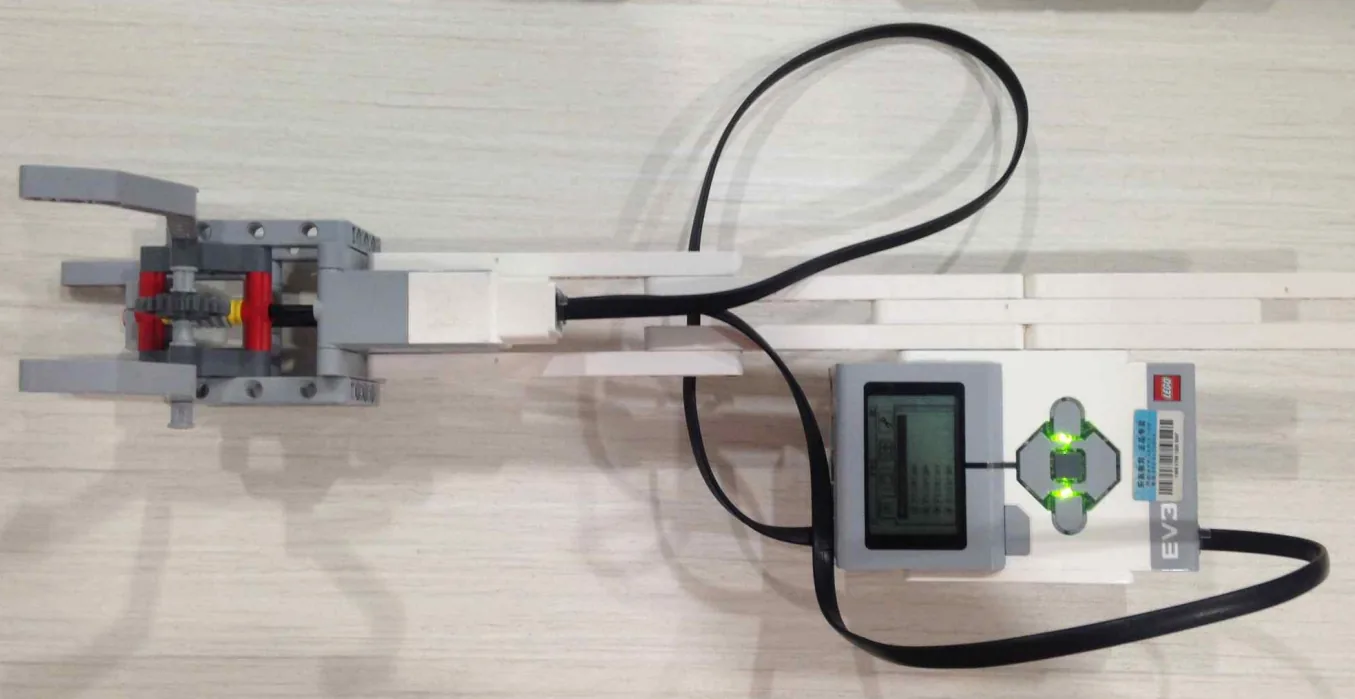
The smallest program that picks an apple: open, wait for a person to offer the fruit, then close until it is held.
when program starts :: events hat
clear display :: display
write [SEDIA] at line (1) :: display
[A v] run [counterclockwise v] for (1) [rotations v] :: motors
[A v] reset degrees counted :: motors
repeat until <[1 v] is pressed? :: sensors>
  [A v] run for (15) [degrees v] at (25) % speed :: motors
end
[A v] stop motor :: motors
clear display :: display
write [EPAL DIPEGANG] at line (1) :: display
play sound [Communication / Hello v] until done :: sound
stop motor after the loop ** is belt and braces — the last run for has already finished — but it makes the ending explicit.What success looks like: the jaw opens and stops. You hold an apple-sized brick in it. The jaw closes in small steps, visibly stepping rather than sweeping, and the moment it grips, it stops dead and the Brick says EPAL DIPEGANG.
If the gripper closes fully and keeps trying, the apple is not reaching the switch — go back to the hand check in step 5. If it stops before touching anything, the switch is being pressed by the build itself.
Work through them in order — each is harder than the last. The extra challenge comes after all three, and it is meant to make you plan before you build.
Pick three objects of different sizes, one after another, without changing a single block between them. Show the degrees counted for each on the screen, then put the three in size order using the numbers alone.
Make the picker let go as well as grip. One press of the centre Brick button closes on the object; the next opens the gripper fully and returns it to the ready position.
Grip something too soft to press the switch hard — a folded tissue, a foam block. Find the bite size and speed that hold it without crushing it, and prove it by picking it five times in a row.
Build a sorting line. Objects of three different sizes are placed in the gripper one at a time. The picker must grip each, decide from the encoder count alone which of three size bands it belongs to, announce the band on the screen and with a different sound, and release it — right on all three, with nobody telling it anything.
Build the model before you read any further. Everything after this is about making it do something, and none of it will make much sense with nothing on the table in front of you.
Use the viewer's own controls to zoom and turn pages. Fullscreen makes it big enough to build from.
Check the finished build against the picture before you switch anything on. A motor mounted the wrong way round is far easier to spot now than it is to debug later, when it looks like a program fault.