Challenge 1
- When press center button, will start to move forward until ultrasonic sense less than 10 cm, then will sound "Okay-Dokey"
Fullscreen it while you build — you can pause and scrub with the player's own controls.
Log in to ask for hints.
Quick Learn — the model, the instructions, the program and the challenges. The theory is in Full Lesson.
EV3 Robotics›Level 1 · Beginner›Lesson 46
Level 1 · Lesson 46 · EV3-L01-4660 minutes · Ages 9–16 · Model: Dragon Boat
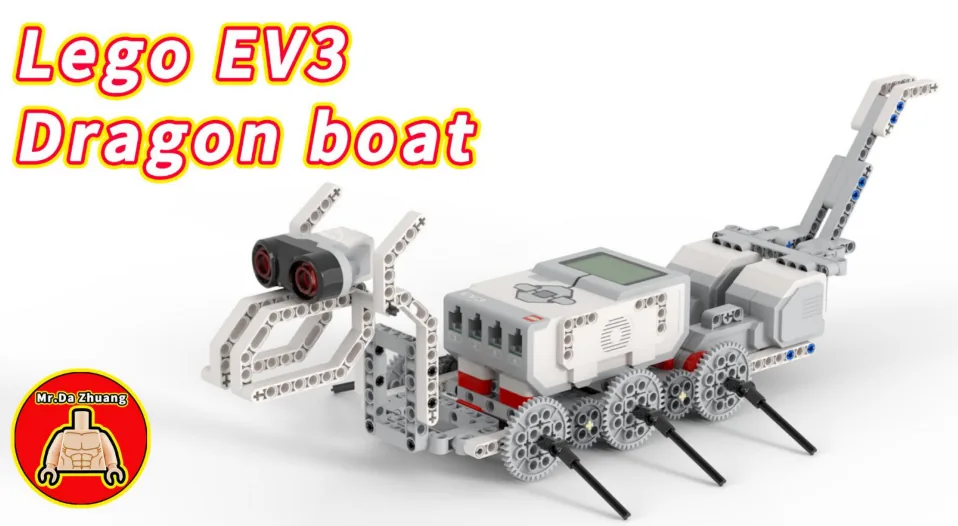
The Dragon Boat: a long hull with a carved dragon’s head at the bow — and the head is an Ultrasonic Sensor. Two motors drive the paddles through gears.
Both motors are joined to the same axle. They cannot turn independently, so this boat cannot steer at all. Forwards and backwards are the only two things it can do.
By the end of the lesson the boat will hold its position in front of a wall — moving up when it drifts back, backing off when it gets too close, and sitting still when it is right.
Dragon boat racing is a festival sport across the world — Cairo, Perth, Vienna. Twenty paddlers, one drummer at the bow, one steersman at the stern, and a boat that goes nowhere unless everybody pulls together.
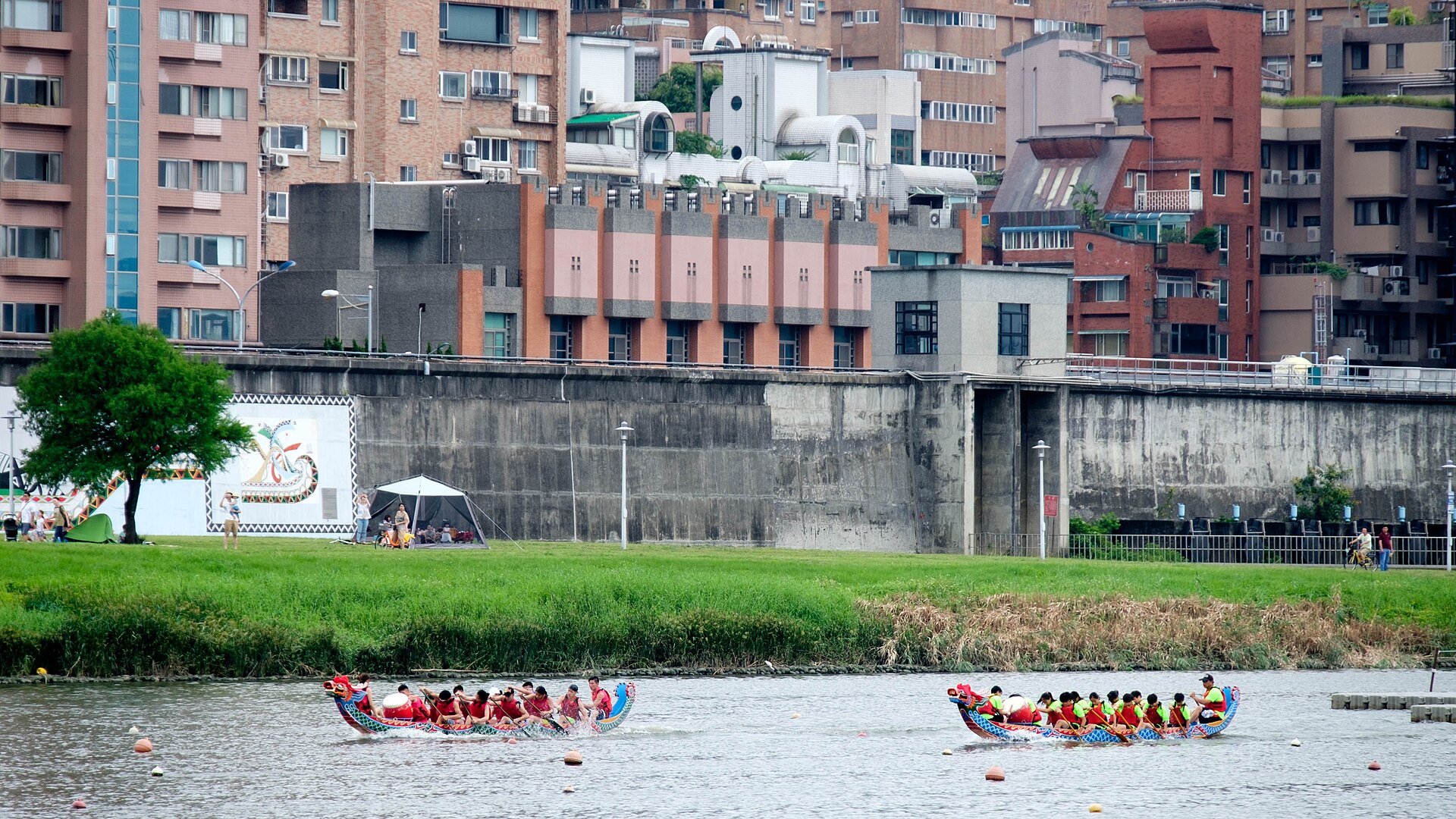
The drummer is not entertainment. Twenty paddles out of time cancel each other out — one crew member pulling while another recovers puts the boat into a wallow. The drum is a shared clock, and it is the same job the gears on your axle are doing: forcing everything to agree.
Now the part that matters today. Watch a race start. The boats are held on the line against wind and current, and they are not held by stopping. Water moves them, so the crews take small strokes forward and small backing strokes, constantly, in both directions, until the gun.
Ships do this automatically. A supply vessel beside an oil rig uses dynamic positioning: computers reading the ship’s position and running thrusters to push it back — forward, back, sideways, all day, in a swell. It is never still, and it never moves.
Lesson 43’s Skiing Robot could only ever slow down. If it overshot, it had no way back — approaching is a one-way problem, and holding is not.
To stay somewhere you must be able to go both ways. Otherwise you can only arrive.
You want the boat to sit 20 cm from the wall. There are three situations, not two, and the third one is the interesting one.
| Reading | Meaning | Do |
|---|---|---|
| more than 25 cm | too far back | paddle forward |
| 15 to 25 cm | close enough | nothing at all |
| less than 15 cm | too close | back water |
if <([4 v] distance in [cm v] :: sensors) > (25)> then
  move [forward v] for (0.3) [rotations v] at (30) % speed :: movement
else
  if <([4 v] distance in [cm v] :: sensors) < (15)> then
    move [backward v] for (0.3) [rotations v] at (30) % speed :: movement
  else
    stop moving :: movement
  end
endYou have nested a loop inside a loop back in Lesson 20. This is the same move with Switches, and it is how a program picks between three outcomes when each block only offers two.
The obvious version has no middle: forward above 20, backward below 20. Try it and the boat never stops. It nudges forward, overshoots past 20, nudges back, overshoots again — hunting, for ever, getting through batteries and going nowhere.
The gap from 15 to 25 is a dead band: a zone where the correct action is to take no action. It is not laziness; it is what lets the machine settle.
| Dead band | What the boat does |
|---|---|
| none (a single line at 20) | hunts for ever. Never wrong for long, never right either |
| narrow (19–21) | still twitchy — one nudge overshoots the whole band |
| sensible (15–25) | settles and holds. Corrects only when it has really drifted |
| huge (5–50) | settles instantly, and holds position very badly |
The band has to be wider than one correction step. That is the rule. If a 0.3-rotation nudge moves the boat 8 cm, a band of 4 cm cannot possibly hold it — every correction throws it out the other side. Measure your nudge before you choose your band.
Lesson 43 worked out how much to do, from how far away the wall was. Today works out which way to do it, from which side of the target you are on. Put the two together and you have most of a real controller — which is what Level 4 builds a whole block around.
Up to now a robot has been able to wait for a sensor. Deciding is different: the robot checks the sensor and does one thing or another depending on the answer — and then carries on either way.
| Block | What it does |
|---|---|
if <> then end | Runs the blocks inside only when the condition is true. Otherwise skips them. |
if <> then else end | Runs one set of blocks when true and a different set when false. |
A decision made once, at the start, is almost never what you want. Here are two robots with the identical if-else, testing the identical sensor against the identical number — one inside a loop and one not.
decision inside a loop
the same decision, once
A decision is only worth as much as the last time it was made. Inside a loop, that is a few milliseconds ago.
Nothing is wrong with the right-hand program’s decision. It asked the question, got a truthful answer, and acted on it correctly. It simply never asked again, and the world moved on. Decisions belong inside a loop, so the robot keeps re-deciding as things change.
when program starts :: events hat
forever
  if <([4 v] distance in [cm v] :: sensors) < (15)> then
    stop moving :: movement
  else
    start moving [straight: 0] :: movement
  end
endOnce there is more than one question, decisions can be arranged in four ways. They look nearly identical stacked up in the editor, which is exactly why they get muddled — the thing that differs is not what the blocks say, it is which routes through them exist.
One question sorts them almost completely:
| Are the questions… | Use | How many bodies can run |
|---|---|---|
| independent — any combination can be true | separate ifs | none, some, or all |
| one question, two answers | if / else | exactly one |
| the second only matters when the first is true | nested if | one, and only via the outer |
| mutually exclusive cases — exactly one should win | chained if / else | exactly one, the first that matches |
Each if is asked no matter what the others answered, so any number of them can fire on the same pass. That is the right shape when the conditions genuinely have nothing to do with each other.
forever
  if <[3 v] is ambient light intensity [< v] (20) %? :: sensors> then
    [A v] start motor [clockwise v] :: motors
  end
  if <[4 v] is distance [< v] (15) [cm v]? :: sensors> then
    [D v] start motor [clockwise v] :: motors
  end
endExactly one branch runs, every time. Reach for this whenever the robot must do something either way — and in preference to two ifs testing opposite conditions, which is the same idea written twice and can drift apart.
Putting one if inside another means the inner question is only ever asked when the outer one is true. Use it when the second question is meaningless otherwise: there is no point asking which side an obstacle is on when there is no obstacle.
if <[4 v] is distance [< v] (15) [cm v]? :: sensors> then
  if <([2 v] angle :: sensors) < (0)> then
    start moving [right: 50] :: movement
  end
end
When not to nest. If you only want “both true” and nothing happens at the outer level, an and says it in one block and reads better:
if <<[4 v] is distance [< v] (15) [cm v]? :: sensors> and <([2 v] angle :: sensors) < (0)>> then
  start moving [right: 50] :: movement
end
Nesting earns its place when something happens at the outer level too, or when there is an else at each level and the two mean different things.
This is the shape for a list of cases where exactly one should win: colour bands, distance bands, speed ranges. EV3 Classroom has no else-if block, so you build a chain by putting the next if inside the else of the last one.
And here is why it matters, because this is the single commonest bug in this whole module. Three bands written as three separate ifs are each perfectly correct, and together they are wrong: a reading of 20 is under 30 and under 60 and under 90, so all three run and the last one to run is the one that sticks.
three separate ifs
chained — if / else / if
↑ the rest is inside the else — never asked
Separate ifs are not wrong here so much as unguarded: nothing stops a second one matching. Chaining is what makes “the first one wins” true.
The rule to carry away: if the cases are meant to be exclusive, they must be made exclusive. Chaining does it by construction. Separate ifs only work if you are careful to write non-overlapping bands yourself — light < 30, 30 to 60, 60 and over — which is more to get right and easy to break later.
This is the point at which a machine stops following a script and starts responding. A thermostat, an automatic door, a robot vacuum — all of them are a decision inside a loop.
The Ultrasonic Sensor measures distance. It sends out a burst of sound too high for people to hear, listens for the echo, and works out how far away the surface is from how long the echo took — exactly how a bat finds a moth, and how a submarine uses sonar.
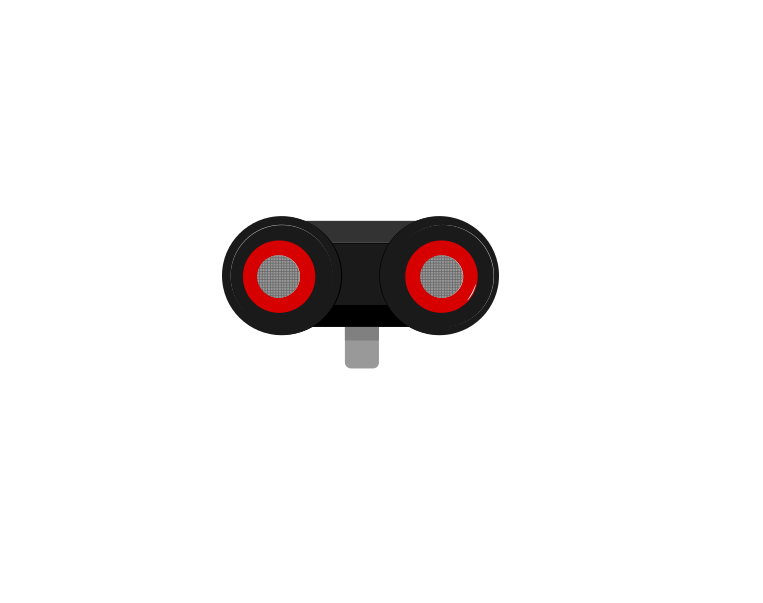 front
front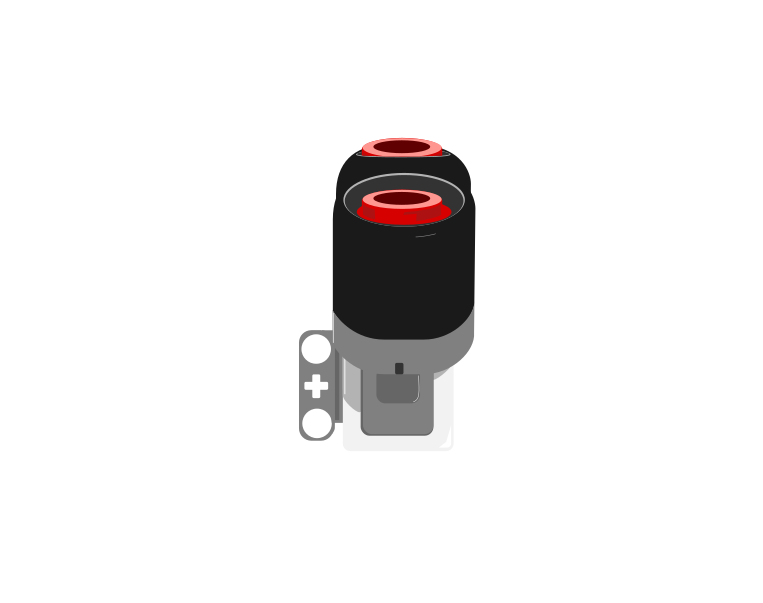 side
side| Block | What it does |
|---|---|
([4 v] distance in [cm v] :: sensors) | Reports how far away the nearest thing in front of the sensor is, as a number in centimetres. |
wait until <([4 v] distance in [cm v] :: sensors) < (15)> | Holds the program until something comes closer than 15 cm. |
This is the important step up from the Touch Sensor. Touch gives you true or false; the Ultrasonic gives you a number, and the deciding is left to you. Pick a threshold below and watch where the robot ends up.
The black line on the bar is the threshold; the blue fill is the reading. The robot stops the instant the fill crosses the line.
Three different robots, and only one number is different between them. That is what having a number rather than a yes-or-no buys you: the behaviour is tuned by editing one slot, not by rebuilding the program. It also means the sensor can never tell you it is “close” — close is a decision you make about a reading.
Car parking sensors, automatic doors at a shopping centre, and the sensor that stops a lift door closing on somebody all work this way. Reacting before contact is what makes a machine feel safe.
The Home/Retail EV3 set (31313) ships an Infrared Sensor and a Beacon in place of the Ultrasonic and Gyro sensors. The Infrared Sensor also measures distance, so the programs in this module work with it — but it reports a rough 0–100 proximity rather than real centimetres, and it is affected by sunlight and by dark surfaces in ways the Ultrasonic is not.
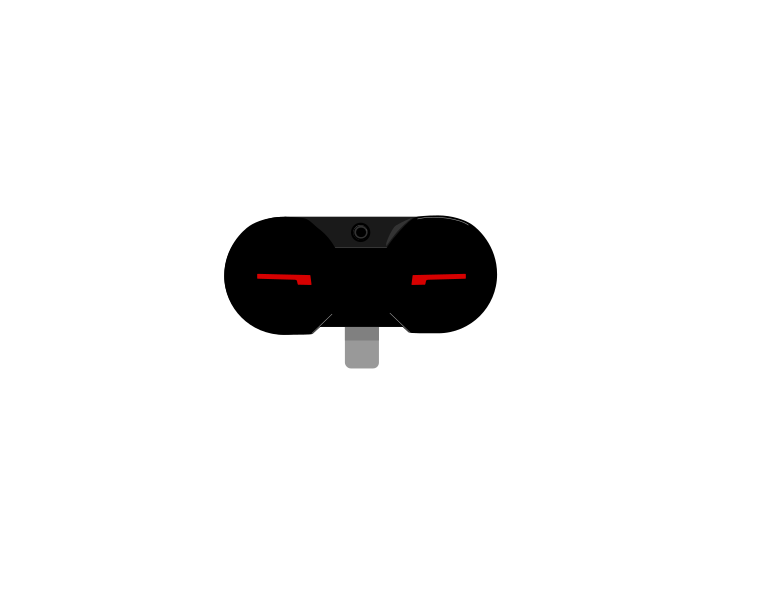 IR Sensor
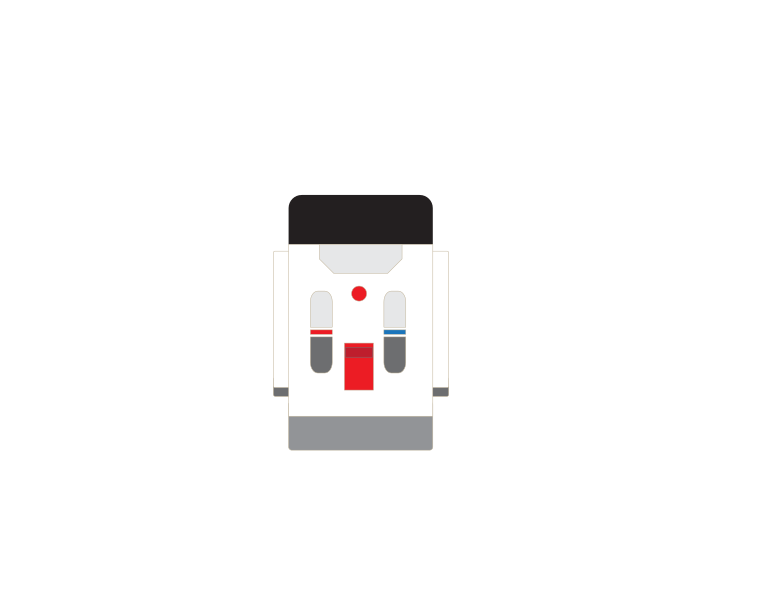 Beacon
Too far, too close, or near enough. The third one is what stops the hunting.
Machines repeat. A wiper sweeps, a conveyor runs, a ride goes round — and none of that should mean copying the same blocks over and over. A loop says “do this again” once.
| Block | What it does |
|---|---|
repeat (10) end | Runs the blocks inside a set number of times, then carries on below. |
forever end | Runs the blocks inside over and over, and never carries on below. |
repeat until <> end | Repeats until a condition becomes true — a loop with a sensor as its exit. |
Anything placed after a forever loop will never run. Not “runs late” — never. Both programs below end with the same block: set the status light green.
repeat (3)
forever
↑ this block never runs
Both programs contain the same green-light block. Let it run as long as you like — the right-hand ring will never turn green.
The repeat loop counts its three passes, stops, and moves on to the block underneath, so its light turns green. The forever loop reaches the bottom of its own blocks and jumps straight back to the top, so the block underneath is never reached — however long you leave it. If a program seems to stop half way through, look for a forever loop above the blocks that are not happening.
A program is a list, and the Brick works down it once. Every block runs, in order, and when the last one is done the program is over. That is fine for a list of instructions — drive, turn, beep, stop — because each is a thing you do once.
A sensor is not a thing you do once. Asking is 1 pressed? gives you an answer about this instant, and an instant later it may be wrong. Checking a sensor once tells you what the world was like at the moment the program started — which is almost never what you wanted to know.
So a program that has to react must ask again, and again, for as long as it is running. That is the whole job of the loop: not to repeat an action, but to keep the question being asked.
Wrap a sensor check and the motor it controls in a forever loop and you have built a closed-loop control system — the pattern behind every line follower, thermostat and cruise control:
It is called closed because the output feeds back round to the input: the motors move the robot, moving the robot changes what the sensor sees, and what the sensor sees changes the motors. Break the circle at any point and the robot stops responding.
when program starts :: events hat
forever
  if <[1 v] is pressed? :: sensors> then
    [A v] start motor [clockwise v] :: motors
  else
    [A v] stop motor :: motors
  end
end
Read it as a sentence and it is almost too simple to need explaining: for ever, if the button is pressed run the motor, otherwise stop it. The motor now follows the button for as long as the program is running.
This is the mistake nearly everybody makes first, and it is a hard one to spot because nothing about it looks wrong:
when program starts :: events hat
if <[1 v] is pressed? :: sensors> then
  [A v] start motor [clockwise v] :: motors
else
  [A v] stop motor :: motors
end
The logic is perfect. The ports are right. Nothing is misspelled. And the robot will ignore the button completely — because the Brick reaches that if/else a few milliseconds after you press Run, finds the button not pressed, takes the else branch, stops the motor, runs out of blocks and ends. By the time a finger arrives, there is no program left to notice it.
with forever — a closed loop
without it — the common mistake
↑ running — for the only time
Both programs contain exactly the same if/else. The only difference is the forever block around one of them.
Both programs contain exactly the same if/else. The counter is what gives it away: one keeps checking for as long as it runs, the other is stuck on the single check it made before anybody touched anything. A student who has seen this once stops writing it.
The tell on a real robot is a program that ends the instant you start it — the Brick returns to its menu almost immediately. If a sensor program finishes rather than waits, the loop is what is missing.
Say this back before moving on: “Close enough is an answer, and it is usually the right one.”
Look at your boat. Follow the axle from one motor to the other. It is the most important thing in this build, and it is not electronic.
| Part | What it is doing here |
|---|---|
| EV3 Intelligent Brick | The hull. Long and low, like the real thing. |
| Large Motor ×2 — the paddles | Geared to one shared axle, so they must turn together. This is Level 1’s shared-axle lesson: agree and you get twice the force; disagree and something gives. |
| Ultrasonic Sensor — the dragon’s head | Right at the bow, which is exactly where you want it: it measures the gap the boat is trying to hold. |
| The shared axle and gears (not electronic) | The reason this boat cannot steer — and the reason it can push twice as hard in a straight line. |
Sensors go in ports 1, 2, 3, 4. Motors go in ports A, B, C, D. They are not interchangeable, and nothing will tell you politely if you swap them.
| Part | Port | Why this one |
|---|---|---|
| Left paddle motor | B | The pair. Two motors, one shaft, one job. |
| Right paddle motor | C | The other half. |
| Dragon’s head (Ultrasonic) | 4 | The Ultrasonic’s standing home. |
Get B and C the right way round, or the motors will fight. On a shared axle a reversed motor does not make the boat turn — it makes two motors pull against each other through the gears, which stalls both and strains the plastic. Level 1’s Lift Simulation made this point and it is more serious here.
The manual wires this boat to A and D, with the Ultrasonic Sensor in port 2. This lesson uses B and C for the pair and 4 for the Ultrasonic, which is where they live everywhere else in the course. Three cables. Move them, or change the ports in every program — and if you keep port 2, remember it is the Gyro’s usual slot, which this model does not have.
Check your own wiring now:
Two routes, and either is fine. USB is the reliable one and the one to fall back on when a room’s Bluetooth is busy; Bluetooth leaves the robot free to move, which some models need.
Do these in order. Naming the Brick after you go looking for it in the list is how groups end up driving each other’s robots.
EV3 until somebody changes it.EV3.The two failures, every class, every time. The Brick has gone to sleep while you were building — press the centre button to wake it. Or you have paired with the group at the next table, which is why the name matters.
The long version, including Port View and how to read the port tiles, is in the Brick & Bluetooth guide.
Bluetooth. This boat is trying to hold a position to within a few centimetres, and a cable is a spring pulling it one way. It will hold station perfectly — at the wrong distance, and only until somebody moves the laptop.
Stuck? The long version, with a photograph of every screen, is in the Brick & Bluetooth guide.
One change at a time. The good test here is to be a nuisance: move the wall, push the boat, and see whether it recovers.
Step 6 is where the two lessons join. Which way to go comes from the sign of the error; how hard to go comes from its size. A controller that has both is doing everything a proportional controller does, and you built it from an if, a nested if and a multiplication.
A machine that can only approach will arrive once. A machine that can correct both ways can stay.
Fullscreen it while you build — you can pause and scrub with the player's own controls.
Build the model before you read any further. Everything after this is about making it do something, and none of it will make much sense with nothing on the table in front of you.
Use the viewer's own controls to zoom and turn pages. Fullscreen makes it big enough to build from.
The same build on Google Drive — sometimes a video, sometimes a scan:
Use the viewer's own controls to zoom and turn pages. Fullscreen makes it big enough to build from.
Check the finished build against the picture before you switch anything on. A motor mounted the wrong way round is far easier to spot now than it is to debug later, when it looks like a program fault.
Work through them in order — each is harder than the last. The extra challenge comes after all three, and it is meant to make you plan before you build.
- When press center button, will start to move forward until ultrasonic sense less than 10 cm, then will sound "Okay-Dokey"
Fullscreen it while you build — you can pause and scrub with the player's own controls.
Log in to ask for hints.
When press center button, trigger action 1 1. will start to move forward until ultrasonic sense less than 10 cm, then will move backward until ultrasonic sense more than 20cm, then stop and sound "Analyze" 2. After that sound, wait 2 seconds, will continue move forward and repeat the action 1
Fullscreen it while you build — you can pause and scrub with the player's own controls.
Log in to ask for hints.
Set Speed at 100% When press center button, trigger action 1 1. will start to move forward until ultrasonic sense less than 50 cm, then stop and sound "Three", do action 2 2. set speed at 50% , will start to move forward until ultrasonic sense less than 30 cm, then stop and sound "Two", do action 3 3. set speed at 10% , will start to move forward until ultrasonic sense less than 10 cm, then stop and sound "One"
Fullscreen it while you build — you can pause and scrub with the player's own controls.
Log in to ask for hints.
- Use ultrasonic listen mode, when hand clamp or do same as the video action, the robot will move forward. if no more sound, then robot will stop - Listen mode must use EV3 Lab Version or Pybrick MicroPython
Fullscreen it while you build — you can pause and scrub with the player's own controls.
Log in to ask for hints.
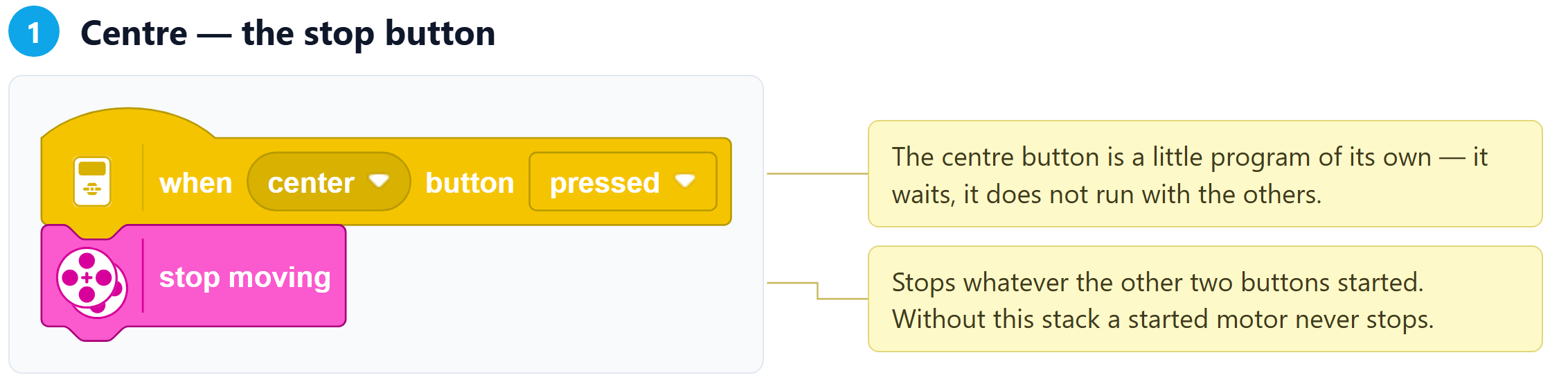
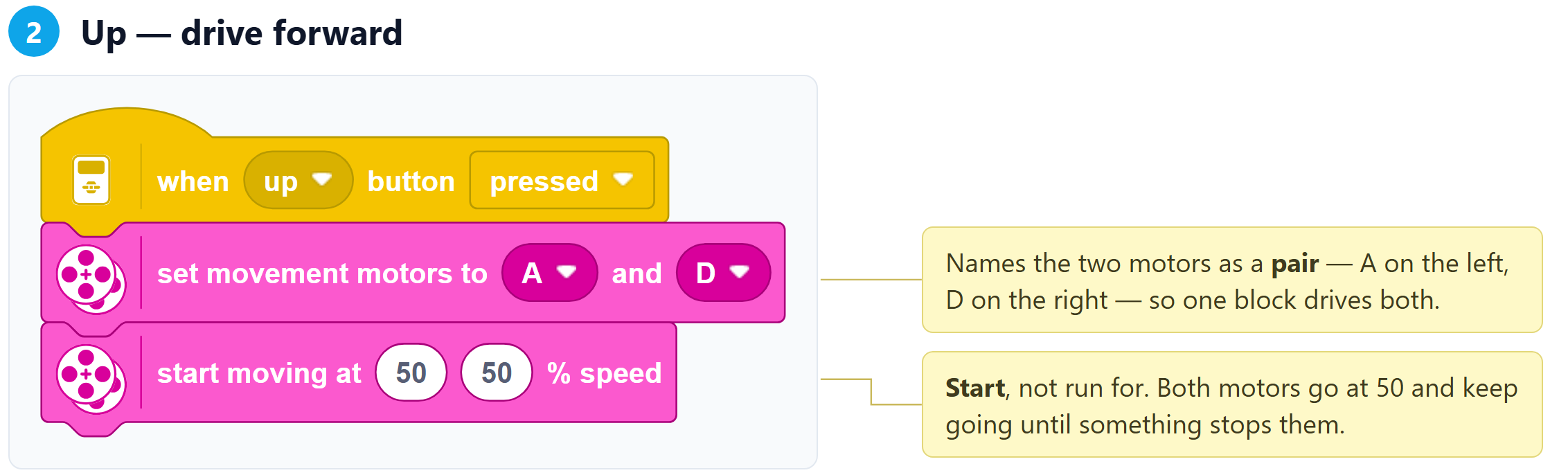
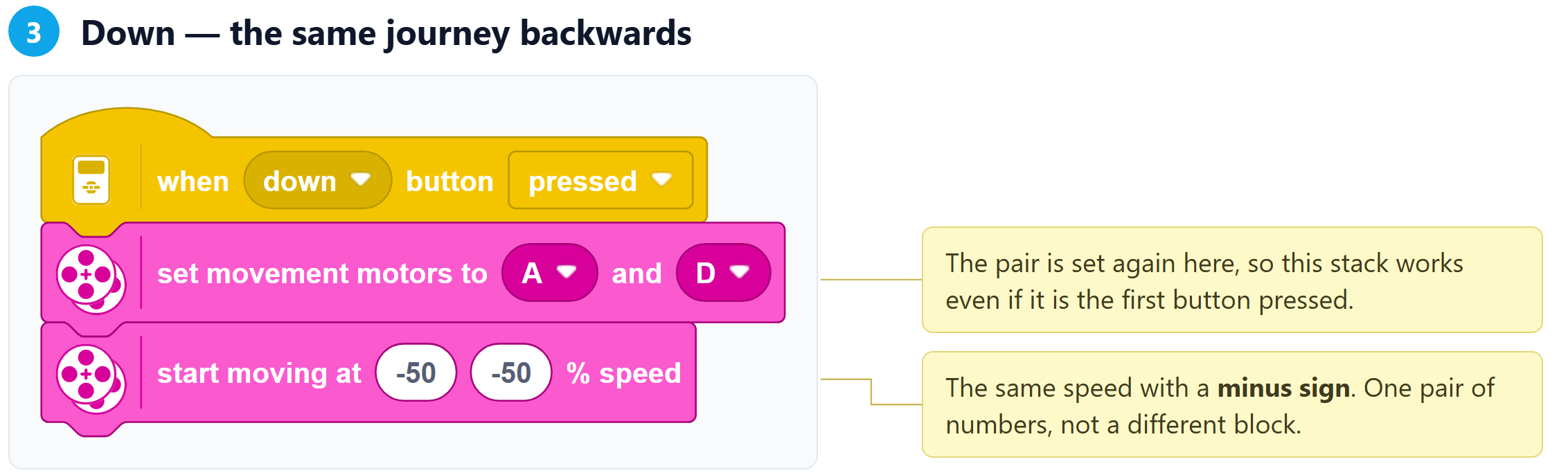
Motors A (left) and D (right) · Speed 50% · Sensors none
Turns the brick into a hand controller. Up drives both motors forward at 50, Down drives both back at 50, and Centre stops them. Nothing is automatic and nothing repeats.