Challenge 1
Show raw and smoothed together. Put the unfiltered reading on one line and the average of five on another, then walk the robot towards a wall. Describe the difference in one sentence each. This is the whole lesson on one screen.
Quick Learn — the model, the instructions, the program and the challenges. The theory is in Full Lesson.
EV3 Robotics›Level 3 · Advanced›Lesson 14
Level 3 · Lesson 14 · EV3-L03-1460 minutes · Ages 9–16 · Model: EV3 Robot Biped Walking Robot
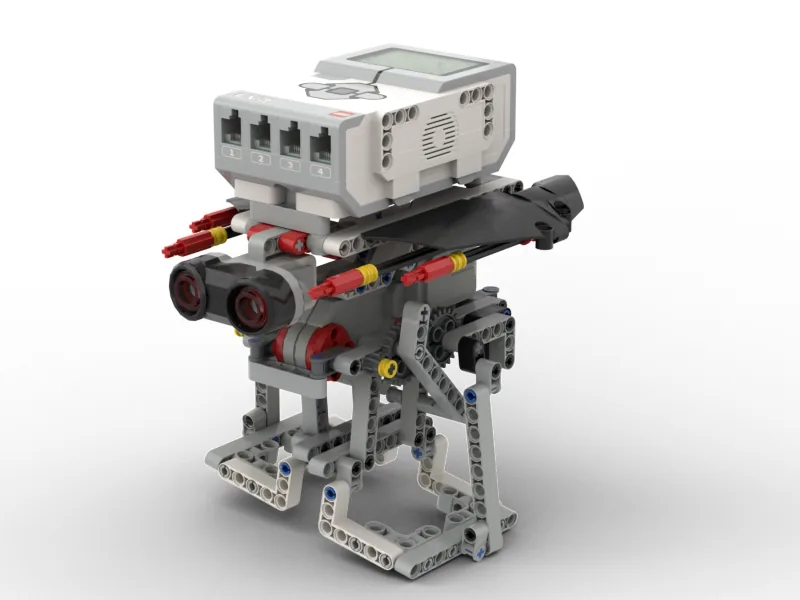
The Biped: a two-legged robot that walks by shifting its weight from one foot to the other, with an Ultrasonic Sensor in its chest watching what is in front of it.
A biped does not glide. It rocks side to side and nods forward and back with every step, and the sensor rocks with it — so the distance it reports swings up and down several times a second even when the wall is perfectly still.
By the end of the lesson your robot will hold a steady distance from a wall while walking — which is impossible until you stop believing any single reading.
Human walking is a controlled fall. You lift one foot, topple forward, and catch yourself with the other — which is why walking is so hard for robots and why a toddler takes a year to learn it. Your head moves several centimetres up and down with every step.
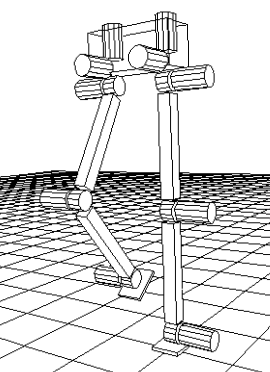
You do not notice, because your brain smooths it. The vestibulo-ocular reflex moves your eyes to cancel head motion, and higher up, your sense of “how far away is that door” is built from many glances rather than one.
Any measurement taken from a moving platform carries the platform’s motion. A ship’s radar rolls with the swell; a phone’s step-counter is swamped by hand-wave; a drone’s altitude sensor sees its own vibration.
The standard answer is a filter: combine several readings so that the wobble, which goes up as often as down, largely cancels — while the real signal, which does not, survives.
A machine acting on every twitch of a noisy sensor spends its time chasing noise. Worse, it looks broken in a way that is hard to diagnose, because the program is correct and the sensor is working — the fault is in believing a single sample.
A measurement from a moving thing is the world plus the movement. Filtering is how you get the world back.
A moving average is the simplest useful filter: instead of using the newest reading, use the average of the last few. Noise that goes up as often as down mostly cancels; a real change does not.
set [total v] to (0) :: variables
repeat (5)
  set [total v] to ((total) + ([4 v] distance in cm)) :: variables
end
set [smooth v] to ((total) / (5)) :: variables
The wobble is roughly symmetrical: as the robot rocks forward the reading falls, as it rocks back it rises, by similar amounts. Add five of those together and the ups and downs partly cancel. The wall’s actual distance is in every sample, so it adds up five times and survives the division.
More samples means smoother — and later. This is the whole trade-off. Average two readings and you keep most of the noise. Average twenty and the number is beautiful, but by the time it changes the robot has walked into the wall. A filtered value is always a report of the recent past.
| Samples averaged | Steadiness | Lag | Good for |
|---|---|---|---|
| 1 (no filter) | Jumps constantly. | None. | Nothing on a moving robot. |
| 3–5 | Usably steady. | Barely noticeable. | Most jobs. Start here. |
| 20+ | Very steady. | Obvious and dangerous. | Slow-changing things only — room temperature, not obstacles. |
Ultrasonic sensors occasionally return a wild value — 255 when the pulse comes back from nothing, or a sudden 3 when it catches the robot’s own leg. One of those inside an average drags it badly.
set [reading v] to ([4 v] distance in cm) :: variables
if <<(reading) > (2)> and <(reading) < (150)>> then
  set [total v] to ((total) + (reading)) :: variables
  change [count v] by (1) :: variables
end
Decide what is plausible from the physical situation, not from the data. Your robot cannot be 1 cm from a wall it is walking towards, and it does not care about anything three metres away.
The Ultrasonic Sensor measures distance. It sends out a burst of sound too high for people to hear, listens for the echo, and works out how far away the surface is from how long the echo took — exactly how a bat finds a moth, and how a submarine uses sonar.
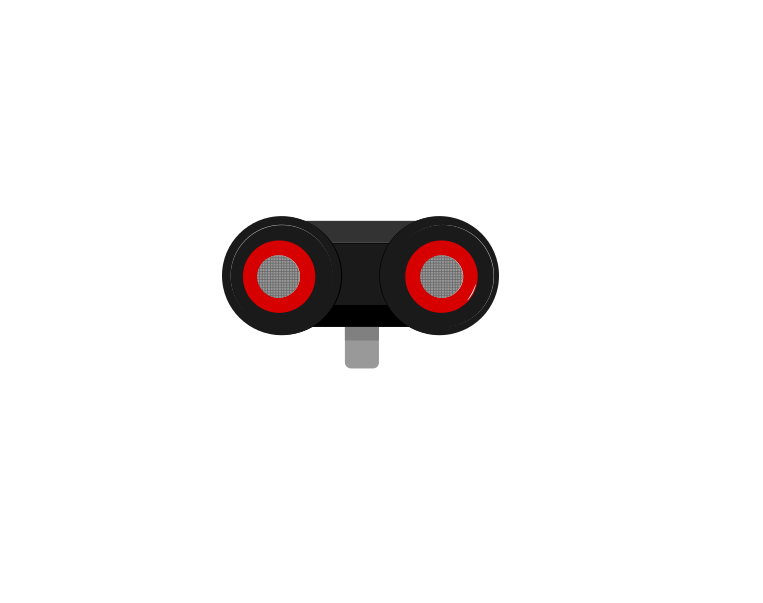 front
front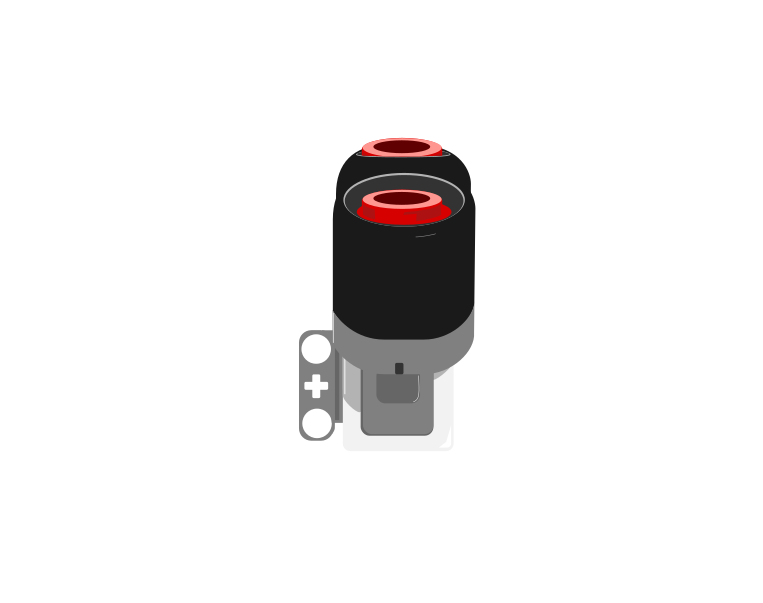 side
side| Block | What it does |
|---|---|
([4 v] distance in [cm v] :: sensors) | Reports how far away the nearest thing in front of the sensor is, as a number in centimetres. |
wait until <([4 v] distance in [cm v] :: sensors) < (15)> | Holds the program until something comes closer than 15 cm. |
This is the important step up from the Touch Sensor. Touch gives you true or false; the Ultrasonic gives you a number, and the deciding is left to you. Pick a threshold below and watch where the robot ends up.
The black line on the bar is the threshold; the blue fill is the reading. The robot stops the instant the fill crosses the line.
Three different robots, and only one number is different between them. That is what having a number rather than a yes-or-no buys you: the behaviour is tuned by editing one slot, not by rebuilding the program. It also means the sensor can never tell you it is “close” — close is a decision you make about a reading.
Car parking sensors, automatic doors at a shopping centre, and the sensor that stops a lift door closing on somebody all work this way. Reacting before contact is what makes a machine feel safe.
The Home/Retail EV3 set (31313) ships an Infrared Sensor and a Beacon in place of the Ultrasonic and Gyro sensors. The Infrared Sensor also measures distance, so the programs in this module work with it — but it reports a rough 0–100 proximity rather than real centimetres, and it is affected by sunlight and by dark surfaces in ways the Ultrasonic is not.
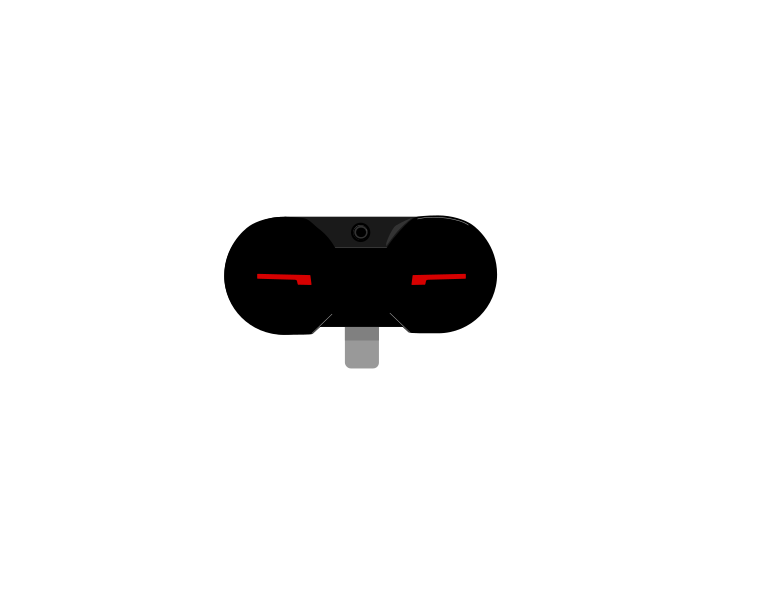 IR Sensor
 Beacon
A sensor that reports a number cannot be used to make a decision on its own — 23 is neither true nor false. An operator turns that number into an answer by comparing it with something.
| Block | What it does |
|---|---|
<(x) > (50)> | True when the left value is bigger than the right. |
<(x) < (50)> | True when it is smaller. |
<<> and <>> | True only when both conditions are true. |
<<> or <>> | True when at least one of them is. |
Forget the symbols for a moment. A comparison is a question about position on a number line: is x to the left of the other number, or to the right? Left is smaller, right is bigger — and that is the whole of it.
Drag the orange x and the black marker, and change the comparison. The green stretch is every position of x that would make the answer true — so you can see where the answer flips before you get there. Turn not on and watch the green jump to the other side.
Drag either marker, or use the arrow keys.
is x to the LEFT of it?
The lab above asks one question at a time: is this x true? A robot never has just one x, though — a sensor reading slides up and down all the time, so what really matters is which stretch of the line makes the condition true. This one draws the whole answer at once.
Drag the circle to move the number you are comparing against, and change the comparison. Everything shaded green is a value of x that would make it true.
Drag the circle, or use the arrow keys. It moves in steps of 0.2.
Every number to the left of 0.2 — but not 0.2 itself, so the circle is hollow.
Watch the circle, because it carries the part everyone gets wrong:
Now turn not on with x > 2 selected and watch two things happen together. The shading jumps to the other side, and the circle fills in — because “not greater than 2” means 2 or less, and 2 has to be part of it. That pairing is the whole reason a hollow circle is worth drawing.
Why a robot cares. Two conditions that look almost identical — light < 30 and not (light > 30) — differ by exactly one value, the reading of precisely 30. A robot sitting right on its threshold behaves differently under the two, and that is the sort of bug that only shows up occasionally and looks like a broken sensor.
These three join answers together rather than numbers. The trap is that English is looser than a program: “stop if it is close and the bumper is pressed” sounds like it covers both situations, when it covers neither on its own.
Flip the two conditions and watch the table. There are only four possible situations in total, and and and or differ on exactly two of them.
| close | bumper | and | or |
|---|---|---|---|
| true | true | true | true |
| true | false | false | true |
| false | true | false | true |
| false | false | false | false |
and is fussy: it wants both. Three of the four rows are false.
Two sensors are running below: an Ultrasonic reporting a number, and a Touch Sensor reporting true or false. Watch the comparison turn the number into an answer, and watch and and or disagree.
and was true in one row out of four. or was true in three. That is the whole difference, and it is why one of them makes a robot look broken.
The comparison is doing one job: it takes a reading that is neither true nor false and, by holding it against a number you chose, produces something a decision can use. The moment the blue fill crosses the black marker is the moment the answer changes.
The number you compare against is a design decision, not a fact. “Close” for a parking sensor might be 15 cm; for a robot arm it might be 3. Pick it by measuring what the sensor actually reads in the situation you care about, then leave a margin.
and narrows: both must hold, so the robot acts less often but more certainly — stop only if something is close and the bumper is pressed. or widens: either will do, so the robot acts more readily — stop if something is close or the bumper is pressed.
In the four situations above, and was true in one of them and or in three. That is the practical difference: swapping one for the other does not adjust a robot slightly, it changes how often it reacts at all.
Machines repeat. A wiper sweeps, a conveyor runs, a ride goes round — and none of that should mean copying the same blocks over and over. A loop says “do this again” once.
| Block | What it does |
|---|---|
repeat (10) end | Runs the blocks inside a set number of times, then carries on below. |
forever end | Runs the blocks inside over and over, and never carries on below. |
repeat until <> end | Repeats until a condition becomes true — a loop with a sensor as its exit. |
Anything placed after a forever loop will never run. Not “runs late” — never. Both programs below end with the same block: set the status light green.
repeat (3)
forever
↑ this block never runs
Both programs contain the same green-light block. Let it run as long as you like — the right-hand ring will never turn green.
The repeat loop counts its three passes, stops, and moves on to the block underneath, so its light turns green. The forever loop reaches the bottom of its own blocks and jumps straight back to the top, so the block underneath is never reached — however long you leave it. If a program seems to stop half way through, look for a forever loop above the blocks that are not happening.
A program is a list, and the Brick works down it once. Every block runs, in order, and when the last one is done the program is over. That is fine for a list of instructions — drive, turn, beep, stop — because each is a thing you do once.
A sensor is not a thing you do once. Asking is 1 pressed? gives you an answer about this instant, and an instant later it may be wrong. Checking a sensor once tells you what the world was like at the moment the program started — which is almost never what you wanted to know.
So a program that has to react must ask again, and again, for as long as it is running. That is the whole job of the loop: not to repeat an action, but to keep the question being asked.
Wrap a sensor check and the motor it controls in a forever loop and you have built a closed-loop control system — the pattern behind every line follower, thermostat and cruise control:
It is called closed because the output feeds back round to the input: the motors move the robot, moving the robot changes what the sensor sees, and what the sensor sees changes the motors. Break the circle at any point and the robot stops responding.
when program starts :: events hat
forever
  if <[1 v] is pressed? :: sensors> then
    [A v] start motor [clockwise v] :: motors
  else
    [A v] stop motor :: motors
  end
end
Read it as a sentence and it is almost too simple to need explaining: for ever, if the button is pressed run the motor, otherwise stop it. The motor now follows the button for as long as the program is running.
This is the mistake nearly everybody makes first, and it is a hard one to spot because nothing about it looks wrong:
when program starts :: events hat
if <[1 v] is pressed? :: sensors> then
  [A v] start motor [clockwise v] :: motors
else
  [A v] stop motor :: motors
end
The logic is perfect. The ports are right. Nothing is misspelled. And the robot will ignore the button completely — because the Brick reaches that if/else a few milliseconds after you press Run, finds the button not pressed, takes the else branch, stops the motor, runs out of blocks and ends. By the time a finger arrives, there is no program left to notice it.
with forever — a closed loop
without it — the common mistake
↑ running — for the only time
Both programs contain exactly the same if/else. The only difference is the forever block around one of them.
Both programs contain exactly the same if/else. The counter is what gives it away: one keeps checking for as long as it runs, the other is stuck on the single check it made before anybody touched anything. A student who has seen this once stops writing it.
The tell on a real robot is a program that ends the instant you start it — the Brick returns to its menu almost immediately. If a sensor program finishes rather than waits, the loop is what is missing.
Never act on one sample from a moving machine. Average a few, and know that you are acting on the recent past.
The Ultrasonic Sensor measures distance. It sends out a burst of sound too high for people to hear, listens for the echo, and works out how far away the surface is from how long the echo took — exactly how a bat finds a moth, and how a submarine uses sonar.
frontside| Block | What it does |
|---|---|
([4 v] distance in [cm v] :: sensors) | Reports how far away the nearest thing in front of the sensor is, as a number in centimetres. |
wait until <([4 v] distance in [cm v] :: sensors) < (15)> | Holds the program until something comes closer than 15 cm. |
This is the important step up from the Touch Sensor. Touch gives you true or false; the Ultrasonic gives you a number, and the deciding is left to you. Pick a threshold below and watch where the robot ends up.
The black line on the bar is the threshold; the blue fill is the reading. The robot stops the instant the fill crosses the line.
Three different robots, and only one number is different between them. That is what having a number rather than a yes-or-no buys you: the behaviour is tuned by editing one slot, not by rebuilding the program. It also means the sensor can never tell you it is “close” — close is a decision you make about a reading.
Car parking sensors, automatic doors at a shopping centre, and the sensor that stops a lift door closing on somebody all work this way. Reacting before contact is what makes a machine feel safe.
The Home/Retail EV3 set (31313) ships an Infrared Sensor and a Beacon in place of the Ultrasonic and Gyro sensors. The Infrared Sensor also measures distance, so the programs in this module work with it — but it reports a rough 0–100 proximity rather than real centimetres, and it is affected by sunlight and by dark surfaces in ways the Ultrasonic is not.
IR SensorBeaconSay this back before moving on: “Smoother is later. Choose how much later.”
Walk the robot forward by hand, slowly, and watch the sensor. Does it stay level, or does it dip and rise with each step? The answer is today’s problem.
| Part | What it is doing here |
|---|---|
| EV3 Intelligent Brick | The body, and most of the mass being thrown side to side. Its height is why the robot rocks so much — a tall thing on two feet has a long lever. |
| Large Motor ×2 — the legs | Drive the walking linkage. They must be in step: a biped whose legs drift out of phase does not walk, it shuffles sideways. |
| Ultrasonic Sensor — the chest | Faces forward and rocks with the body. This is the noisy input, and its noise is mechanical rather than electrical — which means it is periodic, and averaging across a whole stride works well. |
| The leg linkage (not electronic) | Slack here becomes wobble there. Work both legs through a full stride and look for anything loose — you are about to spend the lesson filtering out exactly that. |
Mount the sensor as low and as central as you can. Height multiplies rocking: a sensor at the top of the Brick swings much further than one at hip level. Fixing the mechanics costs nothing and reduces how much filtering you need — always prefer that to filtering harder.
Sensors go in ports 1, 2, 3, 4. Motors go in ports A, B, C, D. They are not interchangeable, and nothing will tell you politely if you swap them.
| Part | Port | Why this one |
|---|---|---|
| Left leg (Large) | B | The movement pair, as on every walking or driving model. |
| Right leg (Large) | C | The other half of the pair. |
| Eyes (Ultrasonic) | 4 | Ultrasonic stays on 4 across the course. |
Check your own build now:
Two routes, and either is fine. USB is the reliable one and the one to fall back on when a room’s Bluetooth is busy; Bluetooth leaves the robot free to move, which some models need.
Do these in order. Naming the Brick after you go looking for it in the list is how groups end up driving each other’s robots.
EV3 until somebody changes it.EV3.The two failures, every class, every time. The Brick has gone to sleep while you were building — press the centre button to wake it. Or you have paired with the group at the next table, which is why the name matters.
The long version, including Port View and how to read the port tiles, is in the Brick & Bluetooth guide.
Bluetooth, definitely. A biped is barely stable at the best of times, and a USB lead hanging off it changes its balance and adds a pull that varies with the stride — which would add noise of a kind no filter is designed for.
Stuck? The long version, with a photograph of every screen, is in the Brick & Bluetooth guide.
One change at a time. Predict, then run, then look.
Fix the wobble in the machine first, then filter what is left. Filtering is a repair, not a design.
You can now trust what a machine measures — calibrated, cross-checked and steady. The next two lessons are about trusting what a machine does.
Your walking program is one loop that always does the same thing. A robot that has to perform a routine — go here, do this, then that, then the other — currently needs that routine written out as blocks, in order, for ever.
A list can hold a sequence of instructions just as easily as a sequence of measurements. Store the moves, then step through them — and suddenly changing the routine means changing data rather than blocks. That is the next lesson.
A list of numbers is a record. A list of instructions is a program your program can read.
Show the problem first. Put both the raw and the smoothed value on screen at once, so the class can see the difference rather than be told about it.
when program starts :: events hat
set movement motors to [B v] and [C v] :: movement
clear display :: display
start moving [forward v] at (30) % speed :: movement
forever
  set [raw v] to ([4 v] distance in cm) :: variables
  set [total v] to (0) :: variables
  repeat (5)
    set [total v] to ((total) + ([4 v] distance in cm)) :: variables
  end
  set [smooth v] to ((total) / (5)) :: variables
  write (raw) at line (2) :: display
  write (smooth) at line (4) :: display
endwhen program starts :: events hat
set movement motors to [B v] and [C v] :: movement
set [target v] to (25) :: variables
set [band v] to (4) :: variables
clear display :: display
forever
set [total v] to (0) :: variables
set [count v] to (0) :: variables
repeat (5)
set [reading v] to ([4 v] distance in cm) :: variables
if <<(reading) > (2)> and <(reading) < (150)>> then
set [total v] to ((total) + (reading)) :: variables
change [count v] by (1) :: variables
end
end
if <(count) > (0)> then
set [smooth v] to ((total) / (count)) :: variables
end
set [error v] to ((smooth) - (target)) :: variables
write (smooth) at line (2) :: display
if <([abs v] of (error)) > (band)> then
start moving [forward v] at ((error) * (2)) % speed :: movement
else
stop moving :: movement
end
endcount exists because readings can be rejected. ** If two of five were nonsense, dividing by 5 gives a wrong answer. Divide by how many you actually kept.if count > 0 guards the division. ** If every reading were rejected, dividing by zero would break the program — so keep the previous smoothed value instead.if choosing a direction.What success looks like: the biped walks up to about 25 cm from a board, stops, and follows the board when you move it slowly — without the twitchy stop-start that a raw reading produces.
If it lurches back and forth, your average is too long and the value is arriving too late — drop to 3 samples. If it still twitches, the average is too short or the deadband too narrow. Change one at a time.
Build the model before you read any further. Everything after this is about making it do something, and none of it will make much sense with nothing on the table in front of you.
Use the viewer's own controls to zoom and turn pages. Fullscreen makes it big enough to build from.
The same build on Google Drive — sometimes a video, sometimes a scan:
Use the viewer's own controls to zoom and turn pages. Fullscreen makes it big enough to build from.
Check the finished build against the picture before you switch anything on. A motor mounted the wrong way round is far easier to spot now than it is to debug later, when it looks like a program fault.
Work through them in order — each is harder than the last. The extra challenge comes after all three, and it is meant to make you plan before you build.
Show raw and smoothed together. Put the unfiltered reading on one line and the average of five on another, then walk the robot towards a wall. Describe the difference in one sentence each. This is the whole lesson on one screen.
Find your best number of samples. Try 1, 3, 5, 10 and 20. For each, note whether the robot holds its distance steadily and whether it stops in time. There is a best answer for your machine at your walking speed. Write both down — they belong together.
Throw away the nonsense. Add a plausibility check: only readings between 2 cm and 150 cm count towards the average, and divide by how many you kept rather than by five. Then break it on purpose — hold a hand right against the sensor and watch what one wild reading does to an unprotected average.
Walk a corridor at a constant distance from one wall. The biped must walk the length of a wall, holding a set distance from it, without touching it and without wandering away. It must cope with a gap in the wall — a doorway — by continuing straight rather than lurching towards the opening. That last requirement is the mission. A missing wall gives a sudden large reading, and an unprotected filter will swing the robot into the doorway. Three rules: 1. The number of samples is a named variable and you can say why you chose it. 2. Implausible readings are rejected before averaging, and you can say what makes a reading implausible on YOUR machine. 3. Fix the mechanics first. Any wobble you can remove by mounting the sensor lower is wobble you do not have to filter — and filtering always costs you time you may need.