Challenge 1
Add a number input to Follow Line so the caller chooses the speed, then run it at two different speeds without editing the block.
Quick Learn — the model, the instructions, the program and the challenges. The theory is in Full Lesson.
EV3 Robotics›Level 4 · WRO Prep›Lesson 14
Level 4 · Lesson 14 · EV3-L04-1460 minutes · Block 2 of 6 · Mat: WRO 2022 — My Robot My Friend, The Garden Robot
One block that turns any angle, instead of three blocks that each turn one.
Yesterday’s My Blocks can only repeat exactly what was recorded inside them. Useful, but rigid: the moment the route needs a different angle, a team without inputs makes a second block, then a third, and by the mock round there are nine of them and nobody remembers which is which.
The smell to look for. If two of your My Blocks differ only by a number, they should be one block with an input. That is the whole lesson in a sentence.
Work on HOME to the big tree at B, then across to flower bed 1 at C. Two legs and a turn between them — the smallest route that needs more than one distance and more than one angle, which is exactly what makes it a fair test of parameters.
Write the route out as numbers before you program: how far to B, what angle to turn, how far to C. Those three numbers are what will end up on the main canvas.
An input is a number the caller supplies. Inside the block, the value arrives as a little plug you drop into the place the fixed number used to sit.
Ask one question of every My Block you own: what would somebody want to change about this?
That last one matters. Not every block wants an input. Adding one to Collect gives the team a dial that does nothing useful and one more thing to get wrong at a competition. Parameterise what genuinely varies, and leave the rest alone.
Name the input as well as the block. An input called “a” is a puzzle. An input called degrees or speed tells the caller what to put in without opening anything, which is the same argument as lesson 13, one level down.
Nothing to build. Instead, settle the units question as a team and write it in the journal, because a team that mixes units mid-season loses an afternoon.
Does Move For Distance take centimetres or motor rotations? Rotations are what the motor understands. Centimetres are what the mat is measured in. Either is fine, but pick one, write it down, and put it in the input’s name so nobody has to guess.
If you choose centimetres, you need your wheel size to convert — and that number is already in the journal from lesson 2, where you justified the wheel you picked.
Take them one at a time, testing after each, the same discipline as lesson 13.
Add a speed input to Follow Line. Run the HOME to B leg twice at two different speeds without editing the block. If you had to open it, the input is not wired all the way through.
Build Move For Distance. One input, in the units you just agreed.
Build Turn By Degrees. One input, and decide now whether a positive number means left or right. Write that decision down — it is the single most common source of a route that mirrors itself.
Then rebuild HOME to B to C from those blocks, with your three numbers on the main canvas.
Call Turn By Degrees with 90, then 45, then 180, from a marked starting heading. Measure what the robot actually turned each time with a protractor or the mat’s own lines, and record all three.
You will almost certainly find they are not all equally accurate. Big turns tend to overshoot, because the robot is still carrying speed when the motors stop. Small ones can undershoot, because the robot barely got going.
Do not fix this today. You are measuring a real limitation of turning on wheel rotations alone, and the fix — the Gyro Sensor — is Block 3. Today’s job is to know the size of the error and write it down, so that when lesson 20 improves it you can say by how much.
Run HOME to B to C. It should behave exactly as the hand-built version did.
Now the real test. Make the same program run the route in reverse — C to B to HOME — by changing numbers on the main canvas and nothing else. No new blocks. No opening a My Block.
If that works, your parameters are real. If you find yourself needing a new block, something is still hard-coded inside — find it, and pull it out as an input.
Today’s entry:
Block 3 will want the turn errors. Lesson 19 introduces the Gyro because of exactly the drift you measured today, and lesson 20 compares gyro turns against these numbers. Label them clearly enough to find in a month.
This model drives, so its challenges are run on a mat. Mats differ between branches — check you are looking at the one in your room.
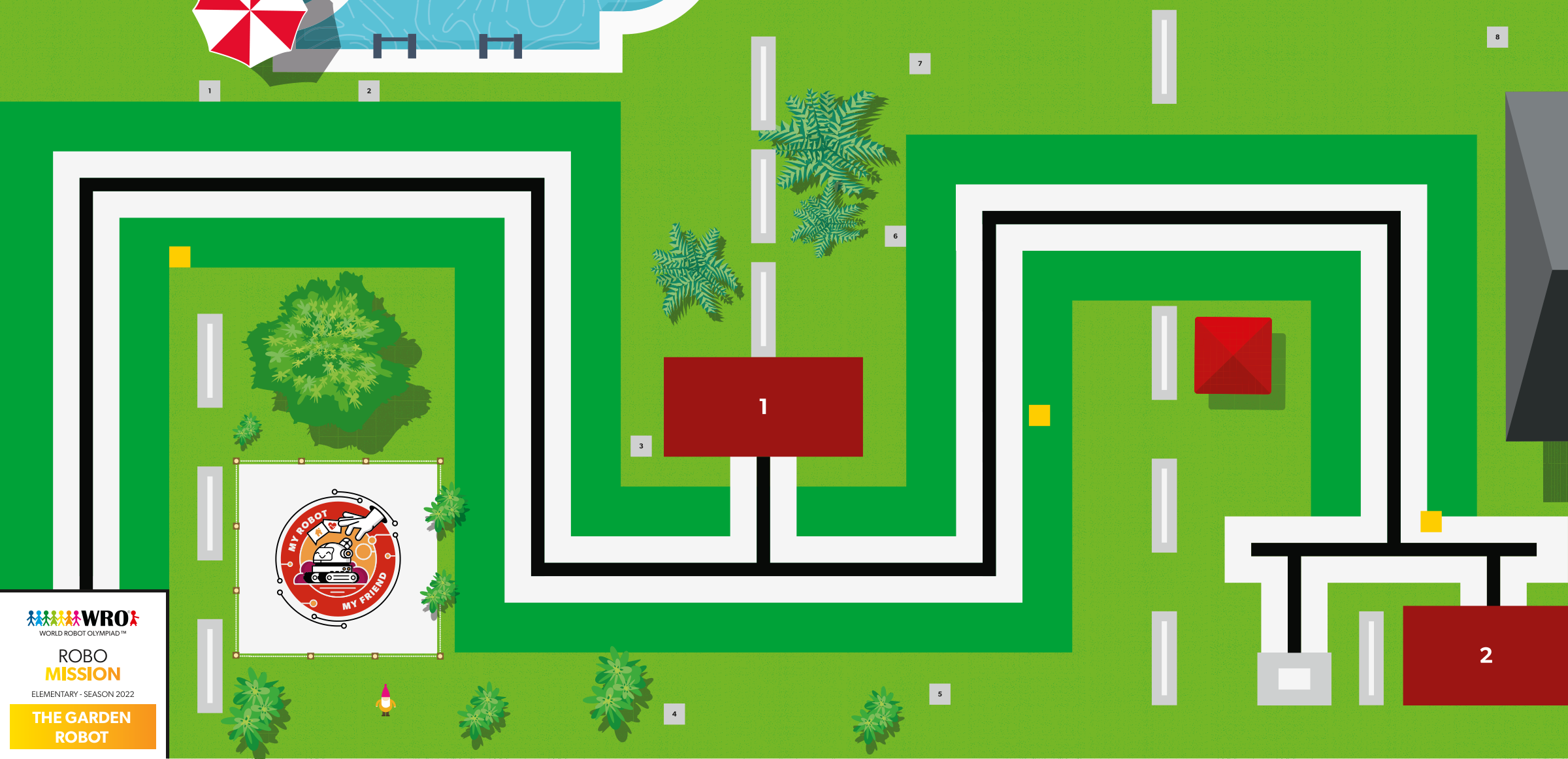
WRO 2022 RoboMission Elementary — My Robot My Friend — The Garden Robot · official WRO game mat, 2362 × 1143 mm
The challenges name these places rather than distances, so the same challenge works on any mat:
Switch mats above and every route below is redrawn on the mat you chose.
Work through them in order — each is harder than the last. The extra challenge comes after all three, and it is meant to make you plan before you build.
Add a number input to Follow Line so the caller chooses the speed, then run it at two different speeds without editing the block.
Build a Move For Distance block and a Turn By Degrees block, each taking a number.
Call Turn By Degrees with 90, then 45, then 180. Record which angles come out accurate and which drift.
Rebuild the whole HOME to B to C route out of parameterised My Blocks only, then change one number so the same program runs the route in reverse.