The mission 4 min
Make the robot remember what it did, and show the total when it finishes.
After a bad round, nobody agrees on what happened. One person saw it miss the pad, another is sure it stopped early, and the score sheet just says a number. A log written by the robot as it went is the only account that was not reconstructed afterwards.
A variable holds one value. A list holds many. That is the whole new idea today — and it is what lets the robot record a sequence of things rather than only the last one.
What is worth logging 5 min
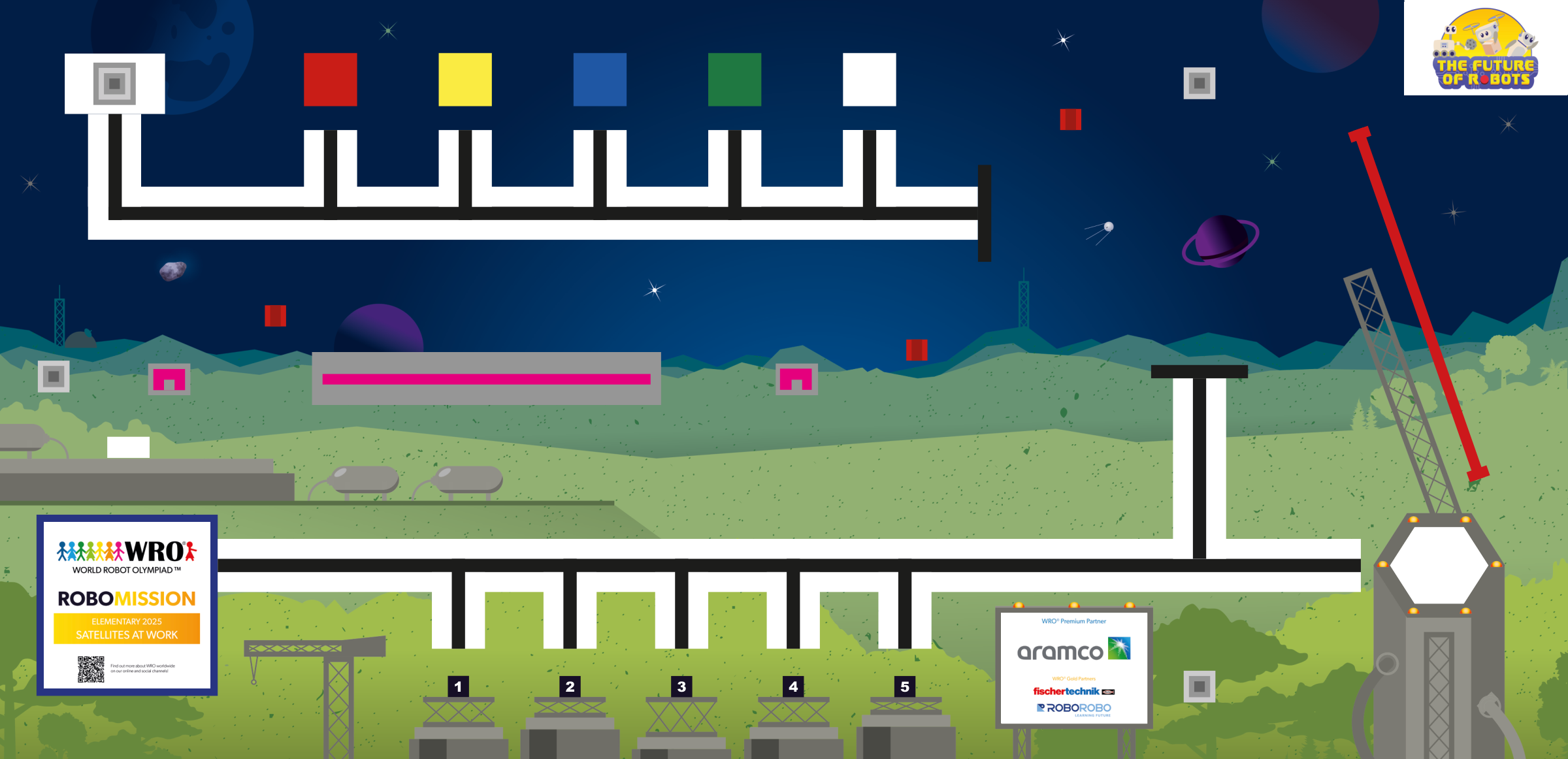
One entry per scoring stop, and nothing else. On this mat that means an entry when the robot completes its job at a launch pad, at the gantry at D, or at the satellite row at E.
Two things per entry:
- Which station — as a number, since that is what an EV3 list holds most easily. 1 for A, 2 for B, 3 for C, 4 for D, 5 for E.
- What it was worth — the points from your costing in lesson 33.
Resist logging more. Every extra entry is more list handling on a Brick that is not good at it, and a log nobody reads is worse than no log because it takes time to write.
The technique — appending as you go 12 min
An EV3 list holds one type of thing, so a log of station-and-points is two lists side by side: a stations list and a points list, with matching positions. Entry three of one goes with entry three of the other.
Do not try to squeeze both into a single number. Teams attempt it, and unpacking it afterwards costs more than the second list ever would.
Appending on an EV3 is three steps, every time:
- Read the list out of its variable.
- Use Array Operations, set to Append, to add the new value on the end.
- Write the longer list back into the variable.
Wrap those three in a My Block called Log Stop with two inputs, station and points, and you never have to think about it again. That is lesson 13’s rule doing exactly what it was for.
Write the log as you go, never at the end. The run you most want a log for is the run that failed early — and that run never reaches an end-of-program write. Logging at the end is tidier, and it throws away the only case that mattered.
And empty both lists at the top of the program, beside the menu variable. Lists persist between runs exactly as variables do, so without it, round two’s log has round one’s stops in it and the total is nonsense.
Build it — Log Stop 10 min
Build the My Block first, test it on the bench, then place the calls.
Log Stop takes a station number and a points value, appends each to its list, and returns nothing. Test it by calling it three times with made-up values and displaying the length of the stations list. It should read 3.
Then place a call immediately after each scoring action in the mission sequences — after the job is done, not before the robot sets off. A log entry written on departure records an intention. You want a record of what actually happened.
Keep the calls out of the follow loops. A Log Stop inside a line follower would fire hundreds of times and also slow the loop, which after lesson 28 you know changes what the D term means.
Program it — the total and the summary 12 min
At the end of every mission, before the program stops, show what happened.
The total. Walk the points list with a loop: a running total variable, set to zero first, adding each entry in turn. The loop runs as many times as the list is long — read that with Array Operations set to Length rather than assuming a number.
The summary screen. Three lines is enough: how many stops, the total points, and the stations in order. Clear the screen on the first line only, exactly as in lesson 36.
Then wait. Put a Wait for Brick Button at the very end, so the summary stays up until somebody has read it. Without it the program ends, the screen returns to the menu, and the numbers you just worked for are gone.
Now the robot’s count can be compared against the scorer’s. If they disagree, that is worth finding out while the mat is still set up and the round is still fresh — either the robot thinks it scored something it did not, or you are owed points.
Tune it — the interrupted run 9 min
This is the test that proves the log is worth having, and it is the one teams skip.
Start a multi-stop mission. Part-way through — after one or two stops — stop the robot by hand, or press the Brick’s back button to end the program.
Then check the log. It should contain exactly the stops that genuinely happened, and nothing after them.
- Empty log? You are writing at the end. Move the calls to the moment each job completes.
- Log has stops it never reached? The calls are placed before the action instead of after it.
- Log has the previous run’s stops? The lists are not being emptied at the top.
Run it — a full mission, logged 6 min
From HOME, choose a pad run from the menu, and let it go all the way: out to the pad, deliver to the gantry at D, back to HOME.
Read the summary off the screen and write it in the journal beside what you watched happen. They should match.
Then run a second mission from the menu without reloading, and check the summary describes only the second run. That is the emptying-at-the-top rule, tested where it actually bites.
The journal 4 min
Today’s entry:
- the station numbering — which number means which station, and the points for each
- the three steps of an append, and what Log Stop takes as inputs
- where the Log Stop calls sit, and why they are after the action
- the interrupted-run result — what the log held after you stopped it part-way
- the summary from a full run, beside what you watched happen
- one sentence on why the lists are emptied at the top of the program
The log is evidence, and it is also a judging point. A team that can say “the robot recorded four stops and eighteen points, and here is where it stopped short” is describing its own performance from data. That is a different conversation from “something went wrong”.