The mission 4 min
Drive motors and read sensors on the second Brick — past one Brick’s four ports.
The chain is up. Yesterday one Motor block reached across it and turned one motor. Today every mechanism on the slave becomes usable from the same program as everything on the master.
The failure to expect is silent. Address a port wrongly and nothing errors. A motor just does not move, or the wrong one does. It looks exactly like a broken cable or a dead motor, and teams chase hardware for an hour. When something does not move today, suspect the number first.
What lives where 5 min
Get out yesterday’s port map — the written list of what is plugged into which port on which Brick. Everything today depends on it being right, so check it against the actual robot rather than against memory.
Then confirm the split still obeys the rule from lesson 43. On the master: the drive motors and the colour sensor the line follower reads, plus the gyro. On the slave: the slow, non-critical mechanisms.
Never read a follower’s sensor across the chain. A remote read inside a follow loop makes every pass take longer, and lesson 28 showed that the D term is measured per pass. Your tuned gains would quietly stop meaning what they meant. This rule has no exceptions on this robot.
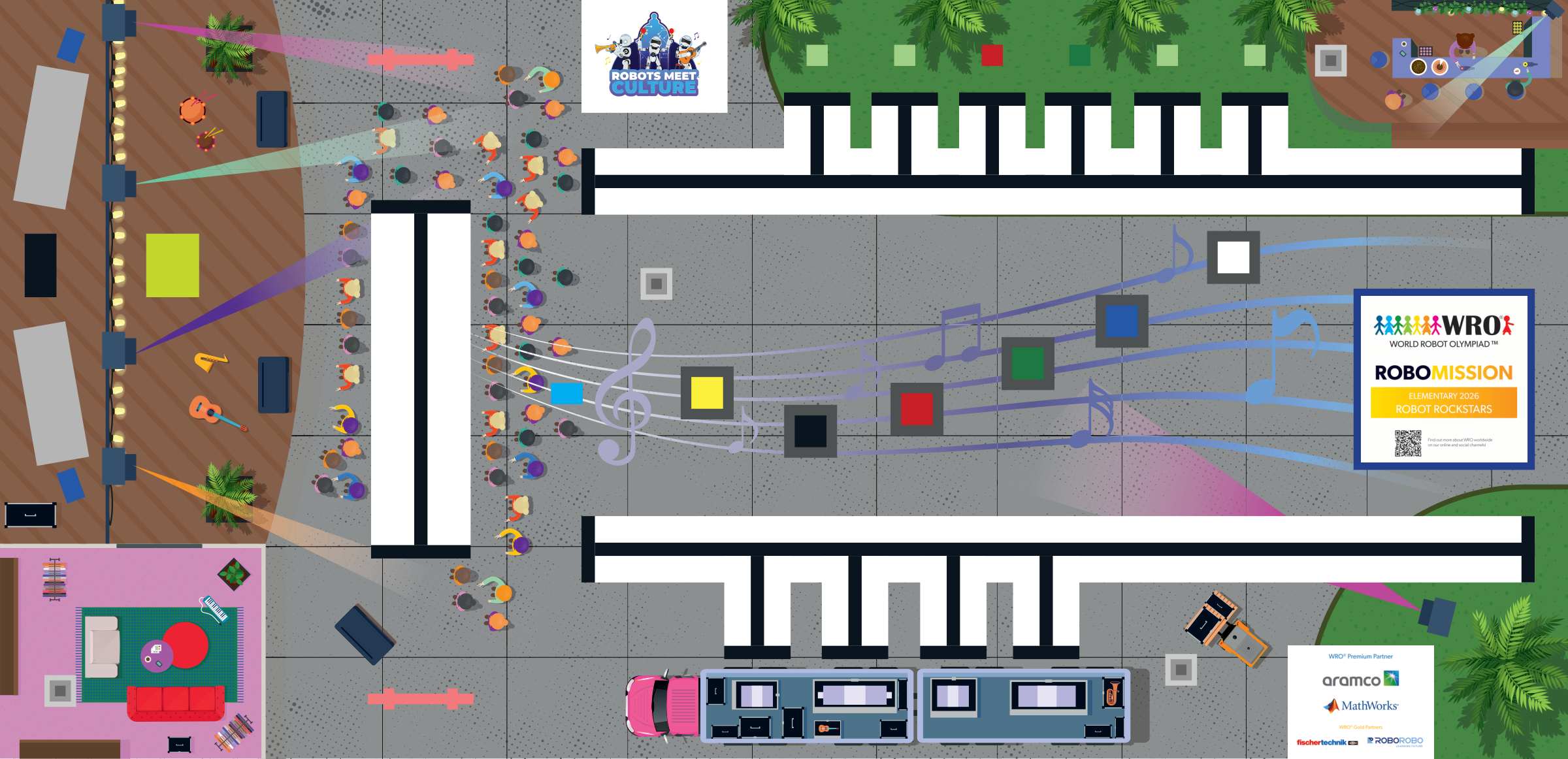
On this mat the mechanisms that suit a slave are the ones used standing still — whatever happens at the concert stage at A or the café at C. The robot is stopped, so a fraction of a second of chain delay costs nothing.
The technique — two ways to name a port 12 min
There are two, and choosing correctly between them is most of the lesson.
One — the dropdown. With daisy chain switched on, every motor and sensor block’s port selector carries a layer as well as a letter. Pick layer 2, port A, and the block drives the slave’s motor A.
This is the right answer nearly always. It is visible on the canvas, anyone reading the program can see which Brick is meant, and it cannot be off by a hundred. If a mechanism always lives on the same Brick — and yours do — use the dropdown and stop there.
Two — the computed port. Sometimes a port has to vary: one My Block that raises an arm, used for the arm on the master and the arm on the slave, with the layer passed in as an input. A dropdown cannot do that, because a dropdown is fixed when you write it.
For that, the port input is wired from a number, and the number carries the layer in its hundreds:
port value = layer × 100 + port
So a port on the master is a small number, and the same port one Brick along is that number plus a hundred. The hundreds digit is the Brick; the units are the socket.
Measure the encoding on your own Bricks rather than trusting it. Whether the master counts as layer 0 or layer 1 differs between software and firmware versions, and there is no way to know from here which yours use. The next section builds a tool that tells you, and the answer you measure is the one to write in the journal.
Build it — the port prober 10 min
A tiny program whose only job is to answer “which physical motor does this number mean?”
- A variable holding a candidate port value, set at the top.
- Display that number on the screen, so you can see what is being tried.
- A Motor block with its port input wired from the variable — not chosen from the dropdown — running at low power for half a second.
- A wait, so you can watch.
Now step the number through the candidates and write down which motor moved for each. Try the small numbers first — those should be the master’s ports — then the same numbers plus a hundred, then plus two hundred.
Keep everything unloaded and the power low. You are twitching motors to identify them, not driving mechanisms, and a full-power surprise on an arm at its end stop is how gears strip.
The output is a table: number, Brick, socket. That table is a measured fact about your robot, and it is worth more than any formula printed on a page.
Program it — one block, either Brick 12 min
Now the payoff. Take a My Block that operates a mechanism — Collect, or whatever your redesign produced — and give it a layer input.
Inside, work the port value out from the layer using your measured encoding, and wire it into the motor blocks. The same block now drives the same mechanism wherever it is plugged in.
That is lesson 14’s rule reaching its furthest point: two blocks that differ only by a number should be one block with an input, and “which Brick” turns out to be just another number.
Do not compute a port where a dropdown will do. Arithmetic on the canvas is arithmetic that can be wrong, and it hides which Brick a block talks to from anyone reading the program — including you, in the two minutes between rounds. Use the computed form only where the port genuinely varies.
Sensors work the same way. If something on the slave has to be read — a touch sensor confirming a mechanism reached its stop, say — the layer is part of the address exactly as it is for motors. Just not inside a follow loop.
Tune it — the silent failures 9 min
Cause each failure deliberately, so you recognise it when it happens for real in lesson 46:
- Address the right socket on the wrong layer. Nothing moves, or the wrong mechanism does. No error message.
- Unplug the chain cable and run the program. The master’s half works perfectly and the slave’s half does nothing — which is a very convincing imitation of a broken mechanism.
- Turn the slave off and run the program. Same symptom again, from a different cause. This is why a battery check is in the setup ritual.
All three look identical from across the table. The distinguishing question is: does anything on the slave work? If nothing on it responds, suspect the chain or the batteries. If one mechanism works and another does not, suspect a port number.
Run it — a mission using both Bricks 6 min
Run a real leg: HOME up to the concert stage at A, the clean vertical, driving on the master and working the mechanism on the slave.
Watch the join. The robot should arrive, square up, and operate the slave mechanism without a hesitation you can see. If there is a visible pause, that is the chain latency — usually harmless while stationary, and a reason to keep it out of anything moving.
Then run it five times. An intermittent chain problem — a cable not quite seated, a Brick low on batteries — shows up on run four, not run one, and lesson 46 is not the place to discover it.
The journal 4 min
Today’s entry:
- the measured port table — number, Brick, socket, from the prober
- the encoding you measured, and whether your master counts as layer 0 or 1
- which mechanisms use the dropdown and which use a computed port, and why
- the rule about the follower’s sensor, written in your own words
- what each of the three silent failures looked like, and how you told them apart
- the five-run result on the concert stage leg
The chain is a new way to fail, and tomorrow addresses that. Lesson 45 is about recovering from things that go wrong mid-round instead of stopping dead — and a slave that drops off the chain is now on that list, alongside a lost line and a stalled motor.