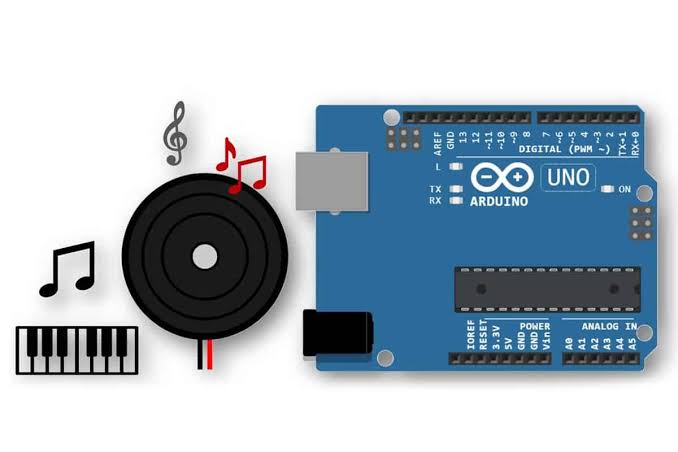
Introduction
Two buzzers, near enough identical to look at, and they behave completely differently. Knowing which one is in your hand saves an afternoon.
An active buzzer has an oscillator built in. Give it 5 V and it makes its own noise — one fixed pitch, usually around 2 kHz. digitalWrite(HIGH) is all it needs. You cannot change the note, and that is the point: it is a component for alerting, not for music.
A passive buzzer has no oscillator. It is a piezo disc that flexes once each time the voltage changes. Hold it HIGH and you get a single faint click, then silence. To make a sound you must flip the pin thousands of times a second — and tone() does exactly that.
So the note comes from who is doing the flipping. The active buzzer flips itself. The passive one waits for you.
Telling them apart on the bench: turn them over. A passive buzzer shows its green circuit board underneath. An active one is sealed with a sticker or a black pad, is usually slightly taller, and often has a + marked on top — it cares which way round it goes.
Video demo
Fullscreen it while you build — you can pause and scrub with the player's own controls.
What you will be able to do
By the end of this lesson you can:
- Tell an active buzzer from a passive one by looking underneath it.
- Explain why
digitalWrite()makes one sing and the other click once. - Wire a buzzer with two wires, on any digital pin.
- Sound an active buzzer with
digitalWrite(). - Choose a pitch on a passive buzzer with
tone(), and stop it withnoTone(). - Play a short sequence of notes by changing the frequency.
What you need
| Part | Type | Qty |
|---|---|---|
| Arduino UNO R3 | Microcontroller | 1 |
| USB A to B cable | Cable | 1 |
| Solderless breadboard, 830 point | Prototyping | 1 |
| Jumper wires, male to male | Wiring | 7 |
| Passive buzzer | Sound | 1 |
| Active buzzer | Sound | 1 |
| Push button, tactile | Input | 2 |
| LED, red 5mm | Indicator | 1 |
| Resistor 220 ohm | Resistor | 1 |
Wiring Diagram
Unplug the USB cable before you build. Both buzzers wire up the same way, so build it once and swap the component.
Basic
Which buzzer is which?
| Active buzzer | Passive buzzer (piezo) | |
|---|---|---|
| Oscillator inside | yes | no |
digitalWrite(HIGH) | sings, one fixed pitch | one faint click |
Needs tone() | no | yes |
| Can change pitch | no | yes |
| Polarised | usually, + marked | no |
| Underside | sealed with a sticker | green circuit board visible |
| Good for | alarms, alerts, reversing beeps | melodies, doorbells, games |
→ Buzzers and tone() — how a piezo crystal actually makes a sound, and what a frequency is.
→ Musical Doorbell — a full build using tone() with an LED.
The note table
Frequencies are in hertz. Round numbers are fine — nobody will hear one hertz.
| Note | Hz | Note | Hz | Note | Hz |
|---|---|---|---|---|---|
| C4 | 262 | C5 | 523 | C6 | 1047 |
| D4 | 294 | D5 | 587 | D6 | 1175 |
| E4 | 330 | E5 | 659 | E6 | 1319 |
| F4 | 349 | F5 | 698 | F6 | 1397 |
| G4 | 392 | G5 | 784 | G6 | 1568 |
| A4 | 440 | A5 | 880 | A6 | 1760 |
| B4 | 494 | B5 | 988 | B6 | 1976 |
The 4, 5 and 6 are octaves. Double the frequency and you get the same note one octave higher: A4 is 440, A5 is 880, A6 is 1760. C4 is middle C.
Challenges
Challenge 1
A quick alarm.
Passive buzzer on pin 8.
Make it beep three times quickly, then go quiet for a moment, then repeat for ever — the sound a microwave makes when it finishes.
- Each beep:
tone()at 880 Hz for 100 ms, thennoTone()for 100 ms. - After the third beep, silence for 1 second.
Count your lines before you type: three beeps means three tone() calls, three noTone() calls, and seven delay() calls in total.
Fullscreen it while you build — you can pause and scrub with the player's own controls.
Log in to ask for hints.
Challenge 2
Power-up, with a light.
Add button A on pin 2 with INPUT_PULLUP, and the red LED from ARD-PR-01 on pin 9 with its 220 Ω resistor.
Press button A and it plays a rising power-up. The LED is on while the tune plays and goes off when it finishes.
Power-up notes — 80 ms each:
| Note | Hz | |
|---|---|---|
| 1 | E5 | 659 |
| 2 | G5 | 784 |
| 3 | C6 | 1047 |
| 4 | E6 | 1319 |
Remember the button is pulled up, so pressed reads LOW.
Fullscreen it while you build — you can pause and scrub with the player's own controls.
Log in to ask for hints.
Challenge 3
Two buttons, up and down the scale.
Add button B on pin 3, also INPUT_PULLUP. Keep button A on pin 2.
Extra challenge
Happy Birthday.
Press button A and the passive buzzer plays the whole tune. The LED blinks on each note.
The melody, in order:
| Bar | Notes |
|---|---|
| 1 | G4 G4 A4 G4 C5 B4 |
| 2 | G4 G4 A4 G4 D5 C5 |
| 3 | G4 G4 G5 E5 C5 B4 A4 |
| 4 | F5 F5 E5 C5 D5 C5 |
As frequencies:
392, 392, 440, 392, 523, 494
392, 392, 440, 392, 587, 523
392, 392, 784, 659, 523, 494, 440
698, 698, 659, 523, 587, 523
Timing that sounds right: most notes 300 ms, but the last note of every bar 600 ms. Leave a 50 ms gap of noTone() between notes or the repeated G4s run together into one long note.
Think about it: that is 25 notes. Written as 25 tone() calls and 25 delay() calls, the sketch is 50 lines and changing the speed means editing 25 numbers. Two arrays — one of frequencies, one of lengths — and a for loop would play it in six. You are ready for arrays.
Topics you need for this one: → Arrays — two lists, one of frequencies and one of lengths. → The for Loop — walking both lists together, so 25 notes cost six lines rather than fifty. → if, else if and else — reading the button that starts the tune.
Fullscreen it while you build — you can pause and scrub with the player's own controls.
Log in to ask for hints.
Resources
Lesson photo