🎯 Syllabus & Goals 3 min
Cambridge 3.2 · Input and output devices Paper 1 · Computer Systems
By the end of this lesson you can:
- Describe how a digital camera turns light into a digital image using a CCD and an ADC.
- Describe how a keyboard and a microphone turn a key press or a sound into data.
- Describe how an optical mouse tracks movement, and give its benefits.
Textbook: Chapter 3, §3.2.1 (pp. 92–96) — digital cameras, keyboards, microphones, optical mouse.
Recap / Warm-Up 5 min
In Lesson 4 a barcode scanner turned light and dark stripes into 0s and 1s. Every input device today does the same kind of job: it turns something from the real world — light, a press, a sound, a movement — into binary.
Quick starter
The real world is analogue; computers are digital. Which device converts one into the other?
Reveal the answer
An ADC — analogue-to-digital converter. You will meet it twice today: inside the camera and after the microphone.
🧠 Key Concept 14 min
1 · Digital cameras
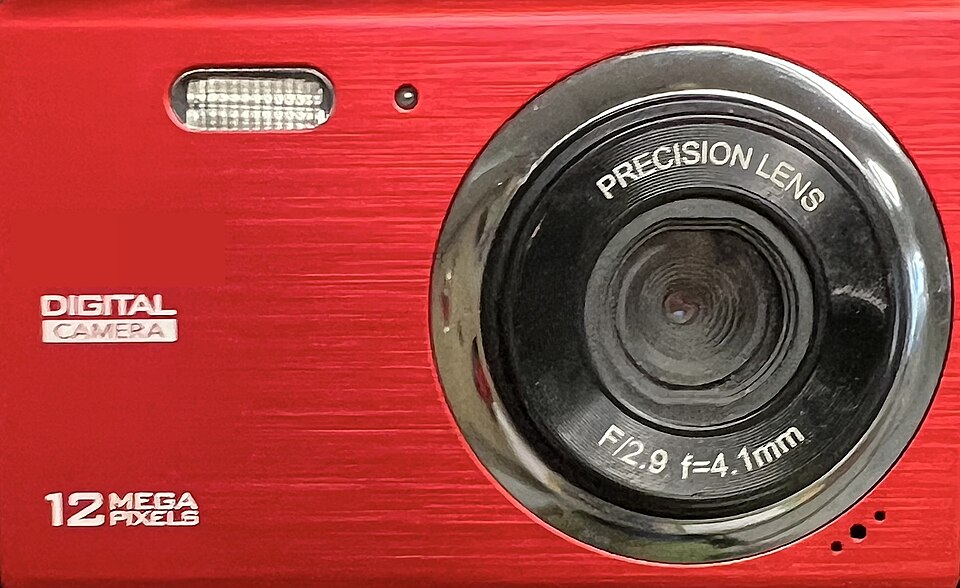
Film cameras needed each film developed and printed before you saw the result. Unwanted shots still cost money. A digital camera shows the image at once and connects to a computer by USB or wirelessly by Bluetooth.
A digital camera is controlled by an embedded system (Lesson 3). It automatically adjusts the shutter speed, focuses the image, fires the flash, sets the aperture size, sets the image size and removes "red eye".
What happens when a photo is taken:
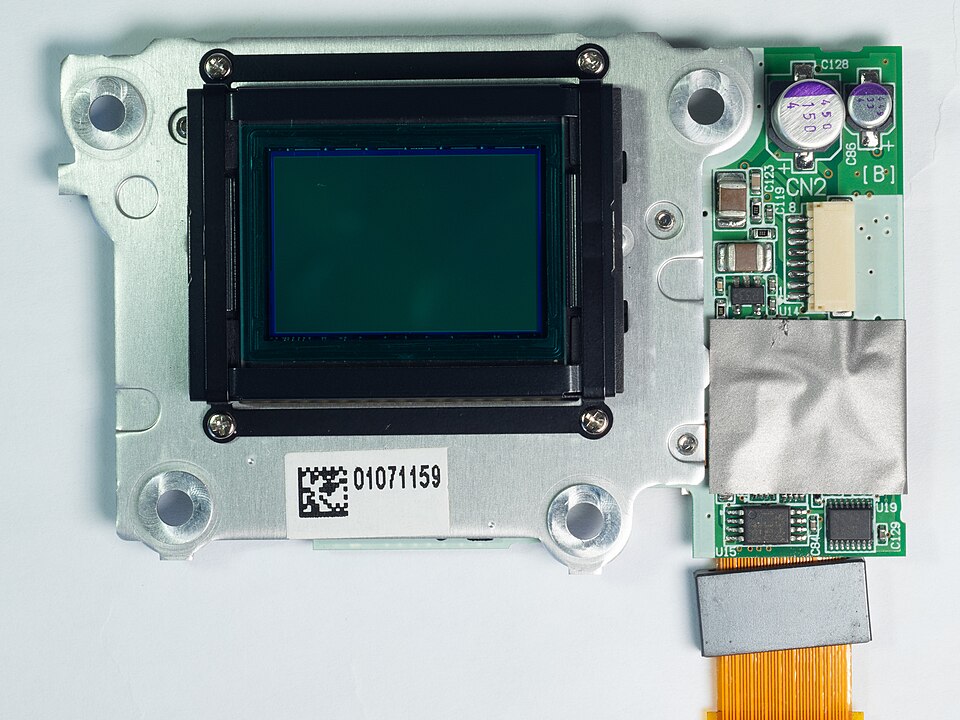
- Light passes through the lens onto a light-sensitive cell, the CCD.
- The CCD is made of millions of tiny sensors acting as photodiodes. Each one is a pixel (picture element).
- The light becomes tiny electric charges. These pass through an ADC to form a digital image array.
- The ADC turns each charge into a brightness level. An 8-bit ADC gives 2⁸ = 256 levels per pixel.
- The sensors also measure colour. Most cameras use 24-bit RGB: 8 bits each for red, green and blue.
The number of pixels sets the file size. Image quality depends on the lens and sensor, the number of pixels, the light level and the storage format (JPEG, raw…). Phones now match cameras on pixel count, but often have smaller lenses and less storage.
2 · Keyboards
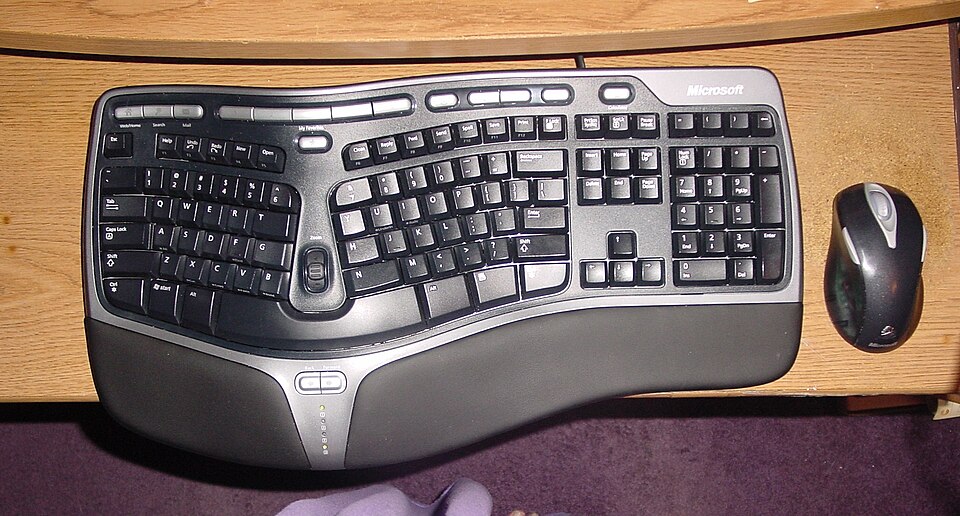
Keyboards are still the most common way to enter data, on computers, tablets and phones. They connect by USB or wirelessly. On a tablet the keyboard is often virtual — drawn on the touch screen.
Keyboard — strengths
- Probably the easiest way to enter text.
- Familiar; works on almost every device.
Keyboard — weaknesses
- A relatively slow way to enter data.
- Prone to typing errors.
- Heavy use can cause repetitive strain injury (RSI) in hands and wrists.
Ergonomic keyboards reduce RSI. The keys are split and angled, and a palm rest supports the wrists.
3 · Microphones
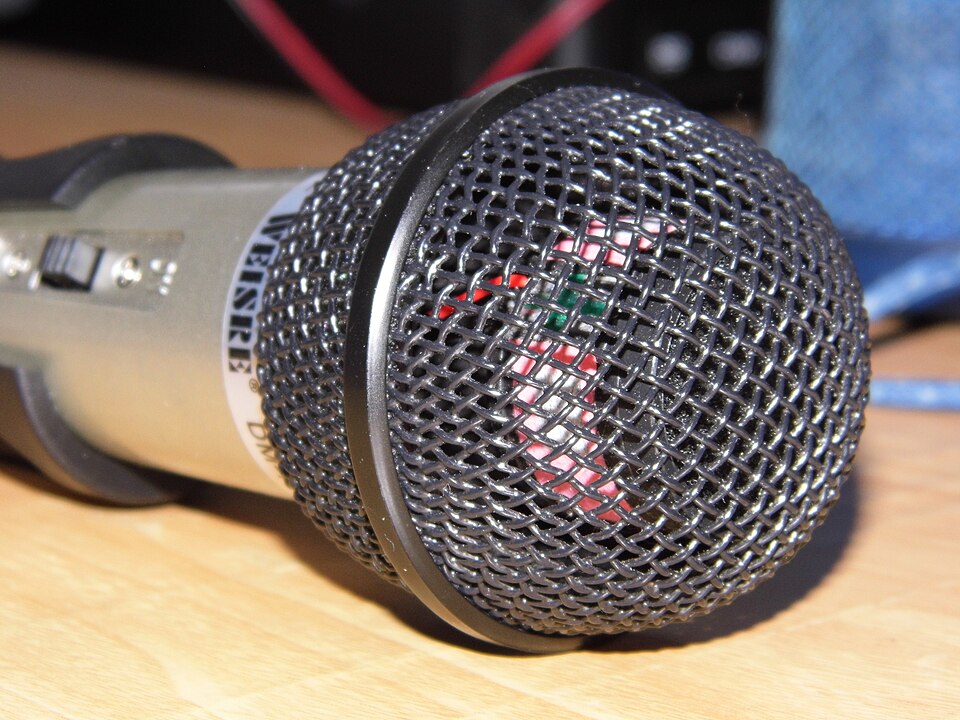
A microphone is built in or plugged in by USB or Bluetooth. It turns sound waves into an electric current.
- A sound makes the air vibrate. The diaphragm picks up the vibrations and vibrates too.
- A copper coil is wrapped around the cone, which is joined to the diaphragm. The coil moves backwards and forwards.
- The coil cuts through the field of a permanent magnet. This induces an electric current.
- The current is analogue. It is amplified, or sent to a computer where the sound card's ADC turns it into digital values.
4 · The optical mouse
An optical mouse is a pointing device. It uses a tiny camera that takes about 1500 images a second, and it works on almost any surface.
- A red LED in the base shines light onto the surface.
- The reflection is picked up by a CMOS chip, which turns it into electric pulses.
- The pulses go to a digital signal processor (DSP).
- The DSP compares the changing images to work out the mouse's new coordinates.
- The computer moves the on-screen cursor to those coordinates.
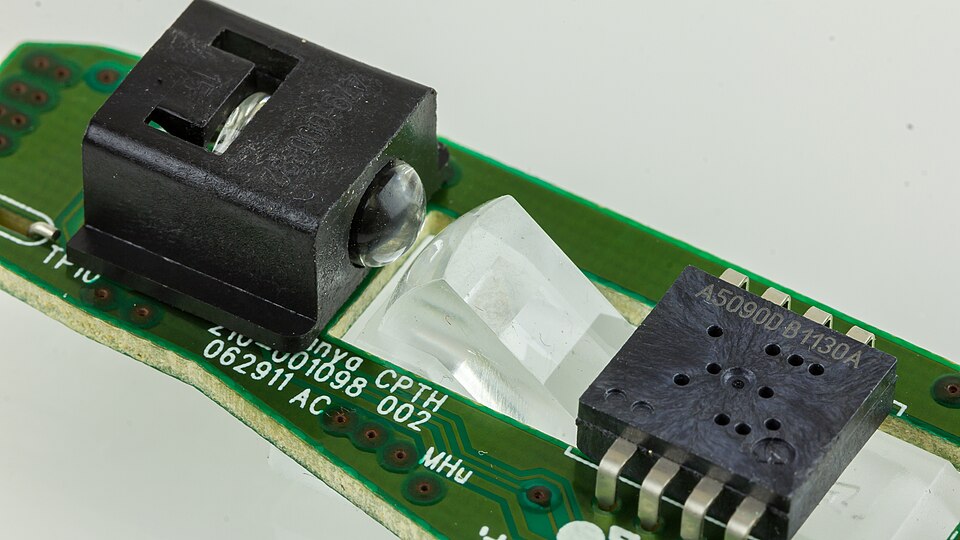
Optical vs old mechanical (ball) mouse
- No moving parts, so more reliable.
- Dirt cannot get trapped in mechanical parts.
- No special surface (mouse mat) needed.
Wired vs Bluetooth mouse — the wired one wins on:
- No signal loss — a constant wire pathway.
- Cheaper to run — no batteries to buy or charge.
- Fewer environmental issues — no old batteries to dispose of.
Worked Example 12 min
(a) One orange pixel, from sensor to binary
- Brightness levels available: 2⁸ = 256 (0–255).an 8-bit ADC can output 256 different values.
- Brightness 115 = 64 + 32 + 16 + 2 + 1 → 0111 0011 = 73 hex.split into place values 128 64 32 16 8 4 2 1; 0111 = 7, 0011 = 3.
- Red 215 = 128 + 64 + 16 + 4 + 2 + 1 → 1101 0111 = D7.1101 = 13 = D, 0111 = 7.
- Green 165 = 128 + 32 + 4 + 1 → 1010 0101 = A5.1010 = 10 = A, 0101 = 5.
- Blue 40 = 32 + 8 → 0010 1000 = 28.0010 = 2, 1000 = 8.
- Whole colour: 1101 0111 1010 0101 0010 1000 = #D7A528 (24 bits).24-bit RGB = three 8-bit values side by side.
(b) How big is one photo from a 12-megapixel camera?
- Pixels: 4000 × 3000 = 12 000 000 (12 megapixels).width × height, one sensor per pixel on the CCD.
- Bits: 12 000 000 × 24 = 288 000 000 bits.every pixel stores 24 bits of RGB.
- Bytes: 288 000 000 ÷ 8 = 36 000 000 bytes.8 bits = 1 byte.
- MiB: 36 000 000 ÷ 1024 ÷ 1024 ≈ 34.33 MiB.1 MiB = 1024 × 1024 bytes (IEC units, as in Unit 1).
So what? Doubling the pixels doubles the file size. That is why the textbook links the number of pixels to file size, and why cameras usually save as compressed JPEG.
(c) From key press to character
- Sam presses H: the top conductive layer touches the bottom one through the insulating layer's hole.that completes one circuit in the key matrix.
- The CPU detects which circuit closed, so it knows which key was pressed.each key sits at a unique place in the circuit.
- The CPU looks the key up in an index file to find the character.the key position is not yet a letter — the index file maps it.
- The character has an ASCII value: "H" = 72 = 0100 1000.the value is what gets stored and processed.
Try It Yourself 12 min
Goal: Put in order: ADC converts charges · light passes through lens · digital image stored · CCD photodiodes produce charges.
Goal: A pixel is red 255, green 128, blue 0. Write the 24-bit binary and the hex colour. How many brightness levels does a 10-bit ADC give?
Goal: A phone camera is 3264 × 2448 pixels, 24-bit. Calculate one photo's size in MiB (2 d.p.). How many fit in 16 GiB? Then explain two reasons why a dedicated camera may still take better photos.
Hint
Pixels × 24 ÷ 8 gives bytes; ÷ 1024 ÷ 1024 gives MiB. 16 GiB = 16 × 1024 MiB. For the reasons, think about the lens and the sensor array.
📝 Exam Practice 10 min
Describe how a digital camera captures an image and stores it as digital data.
Mark scheme
- Light passes through the lens onto a (light-sensitive) CCD / sensor array (1).
- The CCD is made of millions of tiny sensors / photodiodes / pixels that convert light into electric charge (1).
- The charges are passed through an ADC (1).
- …which converts them into brightness / colour (RGB) values in binary, forming a digital image array (1).
Explain how a microphone converts sound into a form that can be stored on a computer.
Mark scheme
- Sound makes the air / diaphragm vibrate (1).
- The diaphragm moves a cone / coil backwards and forwards (1).
- The coil cuts through the magnetic field of a permanent magnet, inducing an (analogue) electric current (1).
- An ADC / sound card converts the analogue current into digital values (1).
Describe how an optical mouse detects that it has been moved.
Mark scheme
- A red LED shines light onto the surface (1).
- The reflected light is picked up by a CMOS / sensor, taking many images a second (1).
- A DSP compares the changing images to calculate the new coordinates, sent to the computer to move the cursor (1).
Give three benefits of an optical mouse compared with a mechanical mouse.
Mark scheme
- No moving parts, so more reliable (1).
- Dirt cannot get trapped in mechanical components (1).
- No special surface / mouse mat needed (1).
🗝️ Recap & Key Terms 3 min
A camera's CCD turns light into charges; an ADC turns them into brightness and RGB values. A key press closes a circuit, and the CPU maps it to an ASCII character. A microphone's moving coil induces an analogue current for an ADC. An optical mouse's LED, CMOS and DSP turn reflections into coordinates.
- Charge-coupled device (CCD)
- A light-sensitive cell made of millions of tiny sensors acting as photodiodes.
- ADC (analogue-to-digital converter)
- A device that converts analogue data (e.g. from a sensor or microphone) into digital data a computer understands.
- Virtual keyboard
- An on-screen keyboard that uses a touch screen to copy a physical keyboard.
- Repetitive strain injury (RSI)
- Pain in muscles, nerves and tendons caused by a repeated action, such as heavy typing or clicking.
- Pointing device
- An input device that controls an on-screen cursor or makes selections by clicking.
- CMOS
- Complementary metal oxide semiconductor: a chip that produces electric pulses when light falls on it.
- Digital signal processor (DSP)
- A processor that calculates, e.g., a pointing device's coordinates from the pulses it receives.
Homework 1 min
Task (≤ 15 min): A podcaster records speech with a USB microphone and then saves a 1920 × 1080 24-bit cover image from a digital camera. (a) Describe how the speech becomes digital data. [3] (b) Calculate the uncompressed image size in MiB, to 2 d.p. [2]
Model answer
- (a) Sound vibrates the diaphragm; the attached coil moves in a permanent magnet's field (1)…
- …inducing an analogue electric current (1)…
- …which an ADC / sound card converts into digital values (1).
- (b) 1920 × 1080 = 2 073 600 pixels × 24 = 49 766 400 bits ÷ 8 = 6 220 800 bytes (1).
- 6 220 800 ÷ 1024 ÷ 1024 = 5.93 MiB (1).