🎯 Syllabus & Goals 3 min
Cambridge 3.2 · Input and output devices Paper 1 · Computer Systems
By the end of this lesson you can:
- Describe how an actuator such as a solenoid turns a signal into movement.
- Compare how DLP and LCD projectors form an image, with their pros and cons.
- Describe how inkjet, laser and 3D printers work, and choose one for a task.
Textbook: Chapter 3, §3.2.2 (pp. 101–107) — actuators, light projectors, inkjet, laser and 3D printers.
Recap / Warm-Up 5 min
Input devices turn the real world into data. Output devices do the reverse. They turn the results of processing into something people can see, hear or hold — or into movement.
Quick starter
A printer runs out of paper halfway through a job. Which Unit 4 idea tells the CPU? What memory area still holds the waiting pages?
Reveal the answer
The printer sends an interrupt to the CPU. The waiting pages sit in the printer buffer, a temporary memory area. Both ideas appear again in today's printing stages.
🧠 Key Concept 14 min
1 · Actuators — output that moves
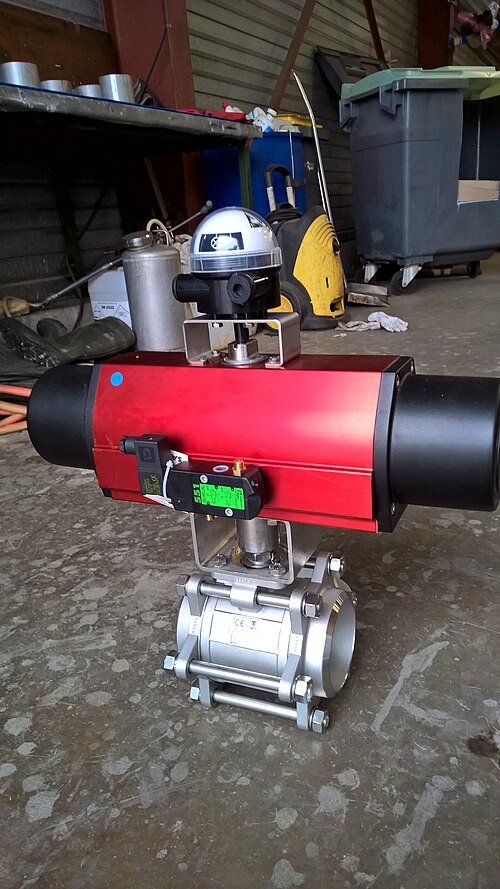
When a computer controls a machine, it cannot push a valve itself. It sends an electrical signal to an actuator. The actuator turns that signal into physical movement.
A solenoid is a coil of wire. A current in the coil makes a magnetic field. A metal plunger inside the coil is pulled or pushed in a straight line. That is linear motion, which can open a valve or flip a switch. A rotary solenoid uses a cylindrical coil, so the plunger turns instead.
2 · Light projectors — DLP and LCD
Projectors throw computer output onto a large screen or an interactive whiteboard. There are two common types.
Digital light projector (DLP)
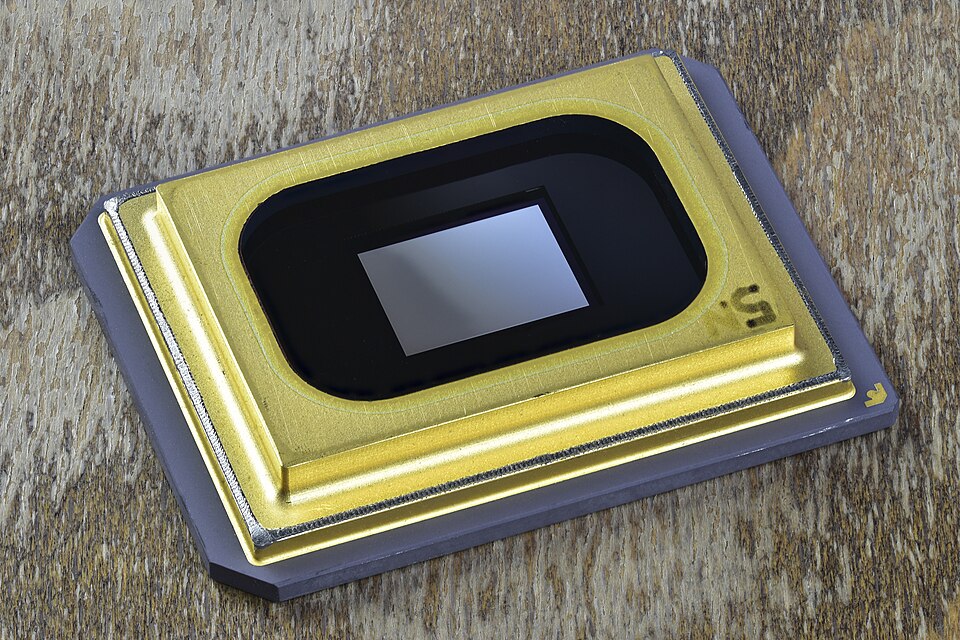
- The heart is a DMD chip covered in millions of tiny mirrors — one per pixel.
- Mirror tilted towards the light = ON (light pixel); tilted away = OFF (dark pixel).
- Mirrors flick thousands of times a second. More ON than OFF gives a lighter grey — about 1024 shades.
- White light passes through a colour filter (red, green, blue), giving over 16 million colours.
Liquid crystal display (LCD) projector
- An older technology. A powerful white light is made by a bulb or LED.
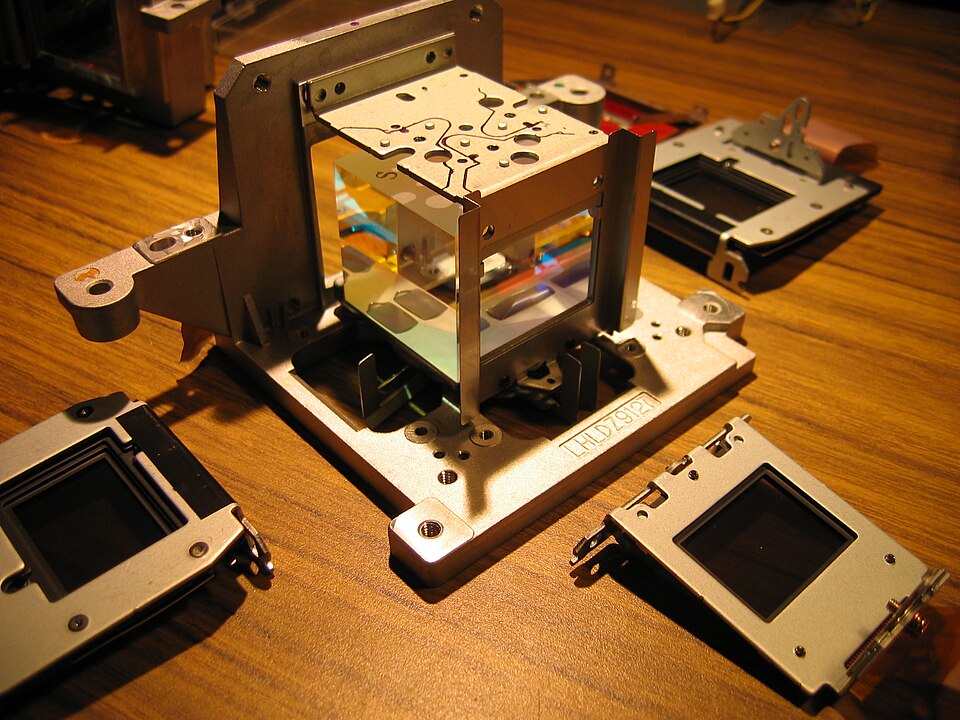
- Dichroic mirrors split it into red, green and blue beams.
- Each beam passes through its own small LCD screen, whose pixels block light or let it through.
- A prism recombines the three single-colour images; the lens projects the full-colour result.
DLP strengths
- Higher contrast ratios; quieter; smaller and lighter.
- More reliable, longer life; copes with dust and smoke.
- One DMD chip, so no problems lining up images.
DLP weaknesses (where LCD wins)
- Moving images can show "shadows".
- Weaker colour saturation; LCD gives a sharper image.
- LCD is more energy-efficient, so it runs cooler — but its organic panels yellow and degrade with age.
3 · Inkjet printers
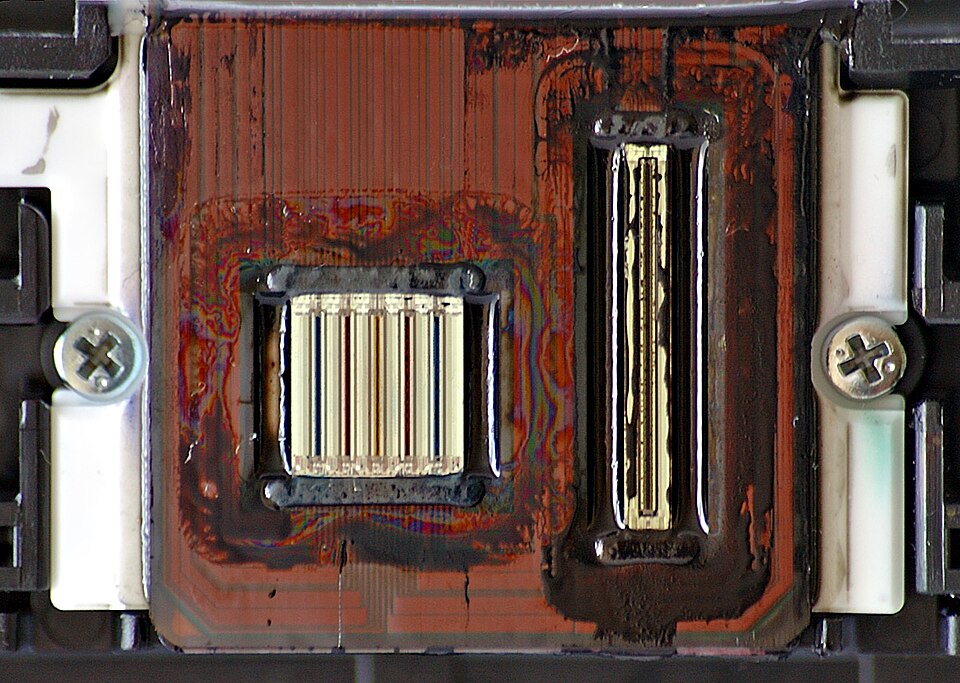
An inkjet printer has four main parts:
- a print head with nozzles that spray tiny droplets of ink;
- ink cartridges — cyan, magenta, yellow plus black, or one combined cartridge;
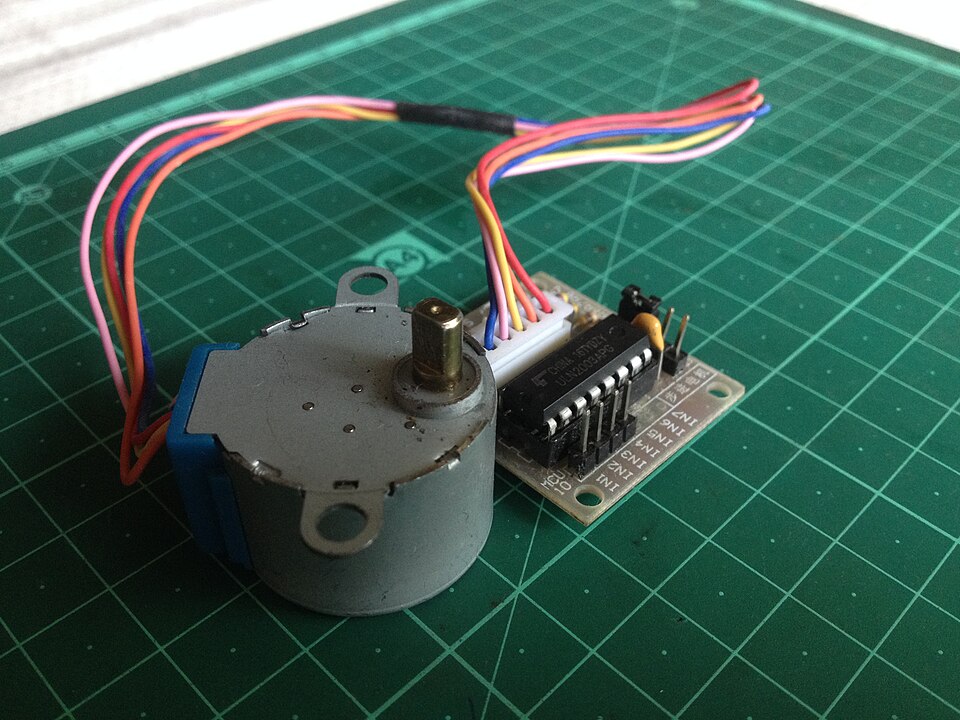
- a stepper motor and belt that move the head from side to side;
- a paper feed that supplies sheets as needed.
Thermal bubble
Tiny resistors heat the ink until it vaporises into a bubble. The growing bubble forces a droplet out. As it collapses, the vacuum draws in fresh ink.
Piezoelectric
A crystal sits behind each nozzle's ink reservoir. A small charge makes it vibrate. The vibration squirts ink out and pulls more in.
Whichever method is used, printing a document follows the same steps. The data goes to a printer driver, then into the printer buffer. The head prints line by line, and the paper advances after each pass. When the buffer empties, the printer interrupts the CPU for more data.
4 · Laser printers
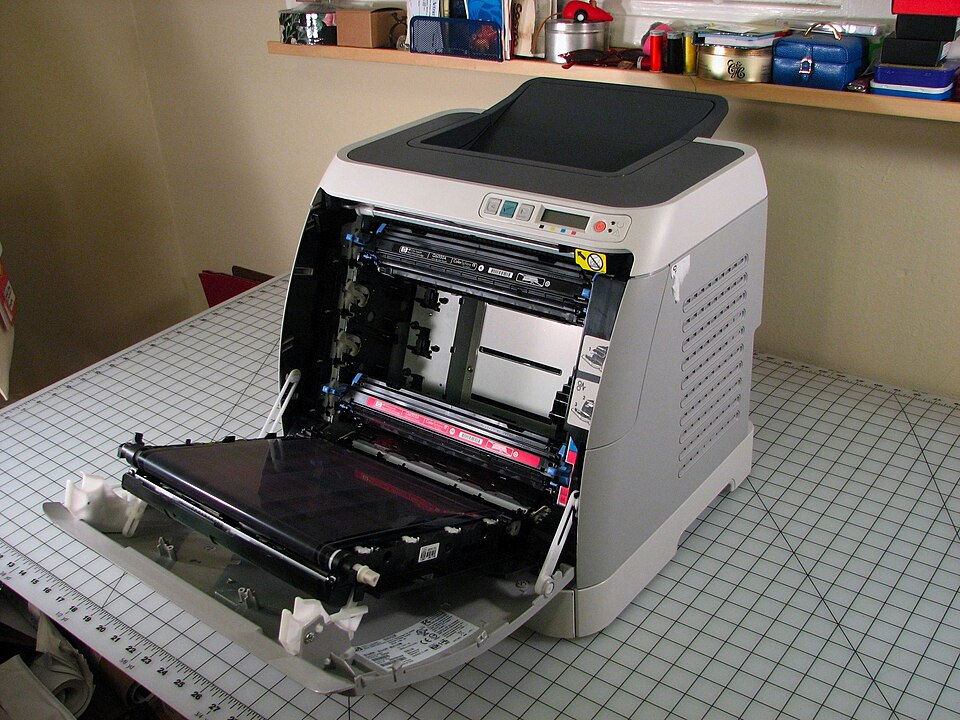
A laser printer uses dry powder ink (toner) and static electricity. It prints a whole page in one go, not line by line. Colour models use four toner cartridges.
5 · 3D printers
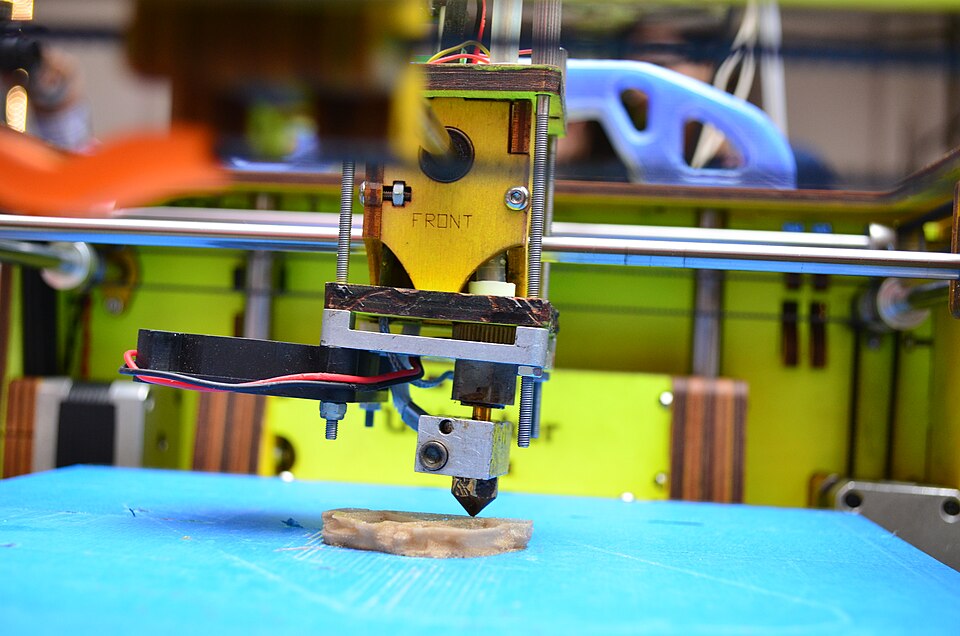
A 3D printer makes a solid, working object. It builds it up layer by layer, often only 0.1 mm thick. Materials include powdered resin, powdered metal, paper and ceramic.
- Direct 3D printing — inkjet-style; the head moves left–right and up–down to build layers.
- Binder 3D printing — two passes per layer: dry powder first, then a binder (glue) to make it solid.
- Newer printers use lasers or UV light to harden liquid polymers.
The process: design in CAD software → special software converts it to a format the printer understands → set up the printer → build layer by layer (can take hours) → remove and finish (wash off supports, remove powder, cure).
Worked Example 12 min
(a) Put the inkjet printing stages in order
- Start where the data leaves the computer: Q (to the driver).nothing can print until the driver has the data.
- The driver works next: V (formats) then U (checks available — busy, offline, out of ink?).format first, then check; both are driver jobs.
- Data crosses to the printer: T (printer buffer).the buffer lets the CPU get on with other work.
- Mechanical printing: P → S → W.paper must be in before the head moves; the paper advances after each pass.
- Loop and finish: X → R.the interrupt only comes when the buffer is empty.
Answer: Q, V, U, T, P, S, W, X, R. How the marks are earned: usually 1 mark per 2 correctly placed stages, up to [4].
(b) How long will a 3D print take?
- Layers = height ÷ layer thickness = 45 ÷ 0.1 = 450 layers.additive manufacturing adds one layer at a time.
- Total time = 450 × 12 s = 5400 s.every layer costs the same time here.
- In minutes: 5400 ÷ 60 = 90 minutes (1.5 hours).convert units at the end to keep the working clear.
- Then add finishing time: removing supports and curing.the textbook stresses that the object must be prepared after printing.
This is why the textbook says 3D printing "can take several hours". Halving the layer thickness would double the layers — and the time.
(c) Choose the right output device
- A school prints 300 copies of a newsletter. → laser printer.fast for many copies; large toner cartridge and paper tray.
- Sam prints five holiday photos. → inkjet printer.high-quality colour for a few pages; small cartridges are fine.
- A dentist needs a model of one patient's teeth. → 3D printer.a unique solid object made from a scan.
- A conference hall shows slides on a huge screen in a smoky venue. → DLP projector.DLP copes better with dust and smoke, and has higher contrast.
Try It Yourself 12 min
Goal: Match each part to its printer: fuser, piezoelectric crystal, drum, stepper motor and belt, toner, nozzle, discharge lamp, thermal resistor.
Goal: A 3D printer uses 0.2 mm layers at 20 seconds each to make a 60 mm tall model. Work out the number of layers and the build time. What happens to both if the layers are 0.1 mm?
Goal: A school must choose between a DLP and an LCD projector for a science lab. Write a reasoned recommendation using at least three points from each side.
Hint
Think about the room: chalk dust, moving video, colour accuracy for diagrams, noise, and how long the projector must last.
📝 Exam Practice 10 min
Describe how a solenoid can be used as an actuator to open a valve.
Mark scheme
- A signal / current is sent to the coil (of the solenoid) (1).
- The current produces a magnetic field (1).
- The field moves the plunger / metal bar in a straight line, which opens the valve (1).
Explain how a laser printer produces a printed page.
Mark scheme
- Data is sent to the printer (via the driver) and stored in the printer buffer (1).
- The printing drum is given a positive charge (1).
- A laser beam scans the rotating drum, removing charge to leave a negative image of the page (1).
- Positively charged toner is attracted only to the negatively charged areas (1).
- A negatively charged sheet of paper rolls over the drum and the toner transfers to it (1).
- A fuser / heated rollers melt the toner so it is fixed permanently to the paper (1).
- Also accept: discharge lamp removes the charge from the drum ready for the next page.
Give two advantages of a DLP projector and two advantages of an LCD projector.
Mark scheme
- DLP (any two, 1 each): higher contrast ratio · more reliable / longer life · quieter · smaller and lighter · single DMD chip so no alignment problems · better in dusty/smoky rooms.
- LCD (any two, 1 each): sharper image · better colour saturation · more energy-efficient / generates less heat.
A games company makes its console's plastic parts on a 3D printer during development. Suggest two reasons why.
Mark scheme
- Prototypes can be made quickly and cheaply / no need for expensive moulds or tooling (1).
- Designs can be changed in CAD and reprinted easily / precise, one-off parts / less waste than subtractive methods (1).
🗝️ Recap & Key Terms 3 min
Actuators turn signals into movement. DLP projectors use one chip of tiny mirrors; LCD projectors split light through three LCDs. Inkjets spray droplets line by line; lasers use static and heat for a whole page. 3D printers build solid objects layer by layer.
- Actuator
- An output device that converts electrical energy into mechanical movement (e.g. solenoid, relay, motor).
- Digital micromirror device (DMD)
- A chip in a DLP projector with millions of tiny mirrors, each one a pixel, switched on or off.
- Thermal bubble
- Inkjet technology where tiny resistors heat ink into a bubble that ejects a droplet onto the paper.
- Piezoelectric crystal
- A crystal behind an inkjet nozzle that vibrates when charged, forcing ink out onto the paper.
- Direct 3D printing
- A 3D printing method where the print head moves in the x, y and z directions to build layers.
- Binder 3D printing
- A two-pass 3D printing method: dry powder is laid, then a binding agent is sprayed to make it solid.
Homework 1 min
Task (≤ 15 min): Explain the main differences in how an inkjet printer and a laser printer put an image on paper. Then name one suitable use for each, with a reason. [6]
Model answer
- Inkjet uses liquid ink; laser uses dry powder toner (1).
- Inkjet sprays droplets from nozzles (thermal bubble or piezoelectric) (1).
- Laser uses static charge on a drum, drawn by a laser, to attract toner (1).
- Inkjet prints line by line as the head moves; laser prints the whole page in one go, fixed by a fuser (1).
- Inkjet use: a few colour photos at home — high quality, low volume (1).
- Laser use: hundreds of flyers in an office — fast for many copies, large toner and paper trays (1).