🎯 Syllabus & Goals 3 min
Cambridge 3.3 · Data storage Paper 1 · Computer Systems
By the end of this lesson you can:
- Explain how virtual memory uses secondary storage when RAM is full, using the terms page and swap space.
- Describe disk thrashing, the thrash point and how to reduce them.
- Describe cloud storage (public, private, hybrid) and evaluate its benefits, drawbacks and security risks.
Textbook: Chapter 3, §3.3.4–3.3.5 (pp. 128–131)
Recap / Warm-Up 5 min
In IG-L3-05 you saw that RAM is fast but limited, and that secondary storage is large but slow. Virtual memory borrows the second to stretch the first. Cloud storage then moves secondary storage off your desk altogether.
Quick starter
Is an SSD directly addressable by the CPU? What must happen before the CPU can use data stored on it?
Reveal the answer
No. Secondary storage is not directly addressable. The data must first be copied into RAM, then the CPU fetches it from there.
🧠 Key Concept 14 min
1 · The problem: running out of RAM
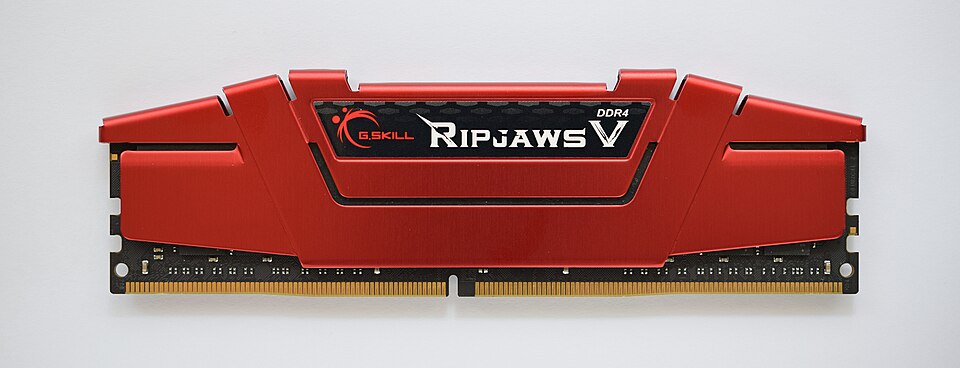
Virtual memory solves this. The computer reserves an area of the HDD or SSD called swap space. Virtual memory = RAM + swap space. RAM stays the physical memory; data not needed right now waits on the disk.
2 · Pages and paging
Data moves between RAM and disk in fixed-size blocks called pages. A page is a fixed-length, contiguous (consecutive) block of data. Paging is how the operating system's memory management stores pages on the disk and copies them back into RAM when needed.
Benefits of virtual memory
- Programs can be larger than physical RAM and still run.
- No RAM is wasted on data not in use (e.g. rarely used error-handling code).
- Less need to buy and fit more expensive RAM.
- Gives the illusion of almost unlimited memory.
Drawbacks
- Accessing data in swap space is much slower than RAM.
- With an HDD, heavy swapping causes disk thrashing.
- Constant head movement can make an HDD fail early.
3 · Disk thrashing and the thrash point
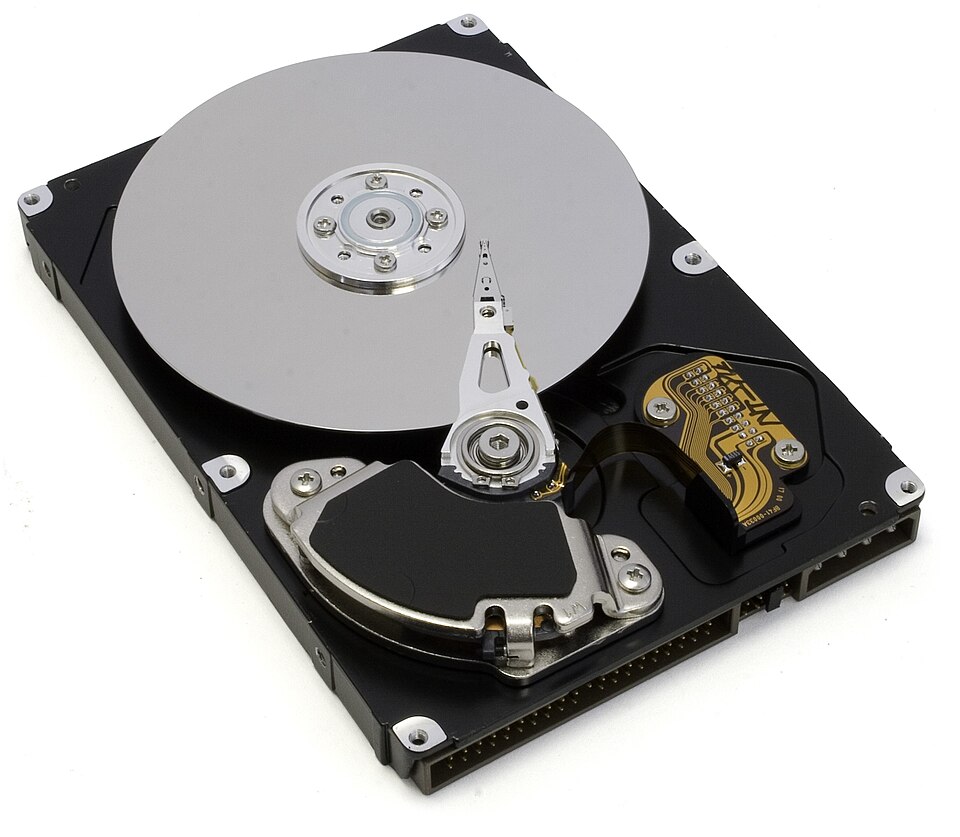
As RAM fills, more pages must be swapped in and out. The HDD's read-write heads move at a very high rate: this is disk thrashing. Eventually the computer spends more time moving pages than running programs. The point where execution stops altogether is the thrash point.
Ways to reduce thrashing:
- Install more RAM.
- Run fewer programs at the same time.
- Reduce the size of the swap file.
- Use an SSD instead of an HDD for swap space — no heads to move.
4 · Cloud storage
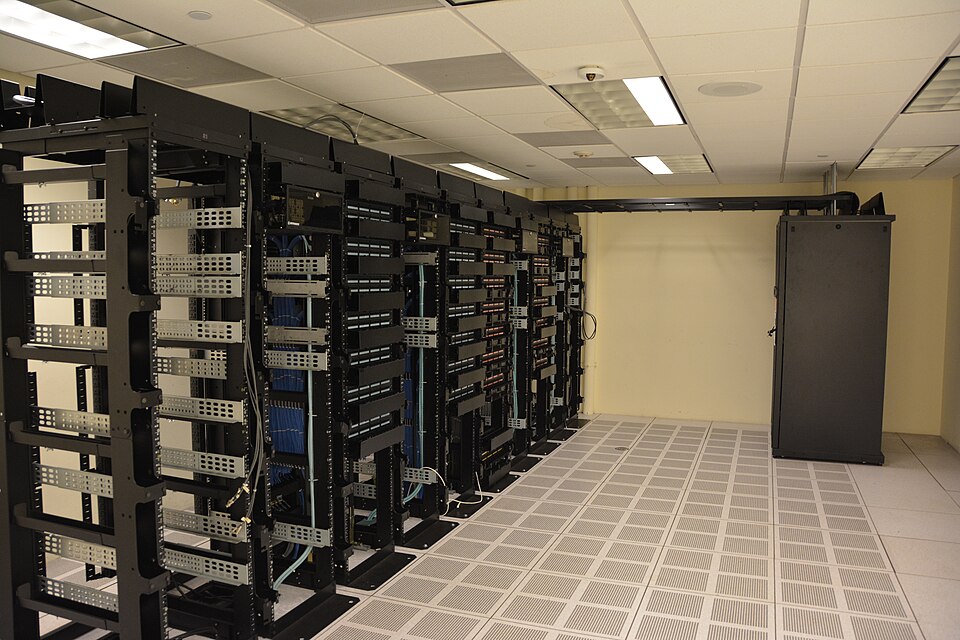
Cloud storage keeps data on remote servers, reached over the internet. A hosting company owns and runs the hardware — often hundreds of servers in many places. The same data is kept on more than one server, so it is still available during maintenance or repair. This duplication is called data redundancy.
Benefits of cloud storage
- Files can be reached at any time, from any device, anywhere with internet access.
- No need to carry a storage device or use the same computer.
- Remote backup helps disaster recovery after data loss.
- If a local hard disk or backup fails, data can be recovered.
- Almost unlimited storage capacity.
Drawbacks of cloud storage
- A slow or unstable internet connection makes access and downloads difficult.
- Costs can be high for large capacity or high upload/download limits.
- The storage company could fail, risking loss of all backup data.
- The customer gives up direct control of their data's security.
Data security and data loss
A company moving confidential data to a provider should ask:
- What physical security protects the building holding the data?
- How well does the provider resist natural disasters and power cuts?
- What stops the provider's staff using their access to sell confidential data?
Hackers gaining account access, or pharming attacks, can lead to data loss or corruption. Real incidents show the risk: a flaw in hypervisor software forced several providers to reboot their servers; one large provider lost customer data permanently during a routine backup; attackers broke into private cloud accounts and leaked photos; and in 2016 a national electoral database of about 93 million voter records was left publicly exposed.
Worked Example 12 min
(a) Five programs and 32 GiB of RAM
- RAM in use: 10 + 5 + 12 + 4 = 31 GiB.always total what is already there first.
- Free RAM: 32 − 31 = 1 GiB; shortfall: 6 − 1 = 5 GiB.only the shortfall has to move out.
- The OS pages 5 GiB of the oldest data (program 1) out to swap space on the HDD/SSD.oldest data is least likely to be needed soon.
- With 4 KiB pages that is 5 × 1024³ ÷ 4096 = 1 310 720 pages.1 GiB = 262 144 pages of 4 KiB.
- The map is updated: program 1's moved pages now point to the disk; program 5 gets the freed RAM.every program still finds its data through the map.
- RAM now holds 5 + 5 + 12 + 4 + 6 = 32 GiB; virtual memory in use is 37 GiB.check: RAM exactly full, nothing lost — 5 GiB waits on disk.
- When program 1 needs its data again, other old pages are swapped out and its pages swapped back in.this continues until RAM is no longer over-used.
(b) A paging trace — four RAM slots
Programs are opened in the order 0, 1, 2, 3, then 4; later program 0 is used again. Oldest data goes out first.
| Step | Slot 0 | Slot 1 | Slot 2 | Slot 3 | Swap space | What happened |
|---|---|---|---|---|---|---|
| 1 | 1 | 2 | 3 | 0 | – | Four programs fill RAM (layout B) |
| 2 | 1 | 2 | 3 | 4 | 0 | Program 4 needs RAM: oldest (0) paged out |
| 3 | 0 | 2 | 3 | 4 | 1 | Program 0 needed again: now oldest is 1, so 1 out, 0 in |
| 4 | 0 | 2 | 3 | 4 | 1 | Program 2 used: already in RAM, so no swap |
- Step 2 frees slot 3 by moving program 0 out.it was loaded first, so it is the oldest.
- Step 3 swaps program 0 back into slot 0, displacing program 1.each swap-in forces a swap-out once RAM is full.
- If steps 2–3 repeated constantly, the disk would thrash.too many programs for the RAM — the fix is more RAM or fewer programs.
Try It Yourself 12 min
Goal: Match each term to its meaning: thrashing, swap space, cloud storage, thrash point, public cloud.
Goal: A laptop has 16 GiB of RAM. Programs use 6, 4 and 5 GiB. A fourth needs 3 GiB. How many GiB must be paged out? How many 4 KiB pages is that?
Goal: A small medical clinic wants to store patient records in the cloud. Evaluate whether it should use a public, private or hybrid cloud. Give at least two benefits, two risks and a conclusion.
Hint
Patient records are highly confidential. Think about the three security questions in section 4, and about which data could safely go public (appointment reminders?) and which must stay private.
📝 Exam Practice 10 min
Explain what is meant by virtual memory and how it is used.
Mark scheme
- Used when RAM is full / to make up for a shortage of physical RAM (1).
- Part of the HDD/SSD is used as swap space (virtual memory = RAM + swap space) (1).
- Pages of data not currently in use are moved from RAM to swap space (1).
- They are moved back into RAM when needed / a map tracks where each page is (1).
Describe disk thrashing and give one way to reduce it.
Mark scheme
- As RAM fills, more and more data is swapped in and out of virtual memory (1).
- This causes a very high rate of HDD read-write head movement, so more time is spent swapping than processing / may reach the thrash point where execution halts (1).
- Any one: install more RAM / run fewer programs / reduce swap file size / use an SSD (1).
A photographer is deciding whether to store her work in the cloud. Explain two benefits and two drawbacks.
Mark scheme
- Benefit: access from any device, anywhere, with internet access (1).
- Benefit: remote backup, so work is recoverable if her own drive fails / no need to carry storage devices (1).
- Drawback: needs a fast, stable internet connection to upload/download large photo files (1).
- Drawback: ongoing cost for large capacity / security depends on the provider / provider could fail (1).
Describe the difference between a public, a private and a hybrid cloud.
Mark scheme
- Public: the client and the storage provider are different companies (1).
- Private: a dedicated environment behind the company's firewall; client and provider act as one (1).
- Hybrid: a mix — sensitive data in the private cloud, less sensitive data in a public cloud (1).
🗝️ Recap & Key Terms 3 min
Virtual memory is RAM plus swap space on an HDD/SSD. When RAM is full, the oldest pages move out and back in as needed — slower, and too much swapping causes thrashing. Cloud storage keeps copies of data on remote servers; it is convenient and resilient but depends on the internet, costs money and hands security to someone else.
- Virtual memory
- A memory management system that uses secondary storage and software to make up for a shortage of physical RAM.
- Swap space
- Space on an HDD or SSD reserved for data used in virtual memory management.
- Page
- A fixed-length, contiguous block of data moved between RAM and secondary storage in virtual memory.
- Disk thrashing
- Excessive swapping of data in and out of virtual memory, causing a high rate of HDD head movement.
- Thrash point
- The point where a program stops executing because the system is too busy moving data in and out of memory.
- Cloud storage
- A method of data storage where data is stored on remote, off-site servers, often hundreds in many locations.
- Data redundancy
- Storing the same data on more than one storage device or server at the same time.
Homework 1 min
Task (≤ 15 min): A computer with 8 GiB of RAM and an HDD becomes very slow when many programs are open, and the disk light stays on constantly. Explain what is happening and suggest two ways to fix it. [4]
Model answer
- RAM is full, so virtual memory is swapping pages between RAM and swap space on the HDD (1).
- The swapping is so frequent that the HDD is thrashing: its heads move constantly, and more time goes on swapping than processing (1).
- Fix: install more RAM, so fewer pages need swapping (1).
- Fix: close some programs / move swap space to an SSD, which has no moving heads (1).