🎯 Syllabus & Goals 3 min
Cambridge 4.1 · The role and functions of an operating system Paper 1 · Computer Systems
By the end of this lesson you can:
- Describe how the OS manages peripherals using drivers, queues and buffers.
- List the tasks of file management and user account management.
- Describe how the OS manages multitasking using time limits, interrupts and priorities.
Textbook: Chapter 4, §4.1.2 (pp. 158–160)
Recap / Warm-Up 5 min
Last lesson covered three OS functions: the HCI, memory management and security management. Today covers four more.
Quick starter
Give one advantage of a CLI and one advantage of a GUI.
Reveal the answer
CLI: uses little memory / direct communication / not limited to pre-set options. GUI: no commands to learn / select icons with a pointer or touch.
🧠 Key Concept 14 min
1 · Hardware peripheral management
- Communicates with every input and output device through its device driver.
- Uses the driver to translate data from a file into a format the device understands.
- Gives each hardware resource a priority, so it can be used and released as needed.
- Controls queues and buffers for input/output devices.
2 · File management
Its main tasks
- file-naming conventions, e.g.
essay.docx(name + extension) - create, open, close, delete, rename, copy and move files
- maintain the directory (folder) structure
- keep access control: access rights, passwords, locking files
- allocate memory for a file: read it from HDD/SSD into RAM
A directory structure
3 · Multitasking
The processes share the hardware under the OS's control. To stop them clashing, the OS constantly monitors each one:
- resources are given to a process for a set time limit;
- a running process can be interrupted;
- each process has a priority, and gets resources according to it.
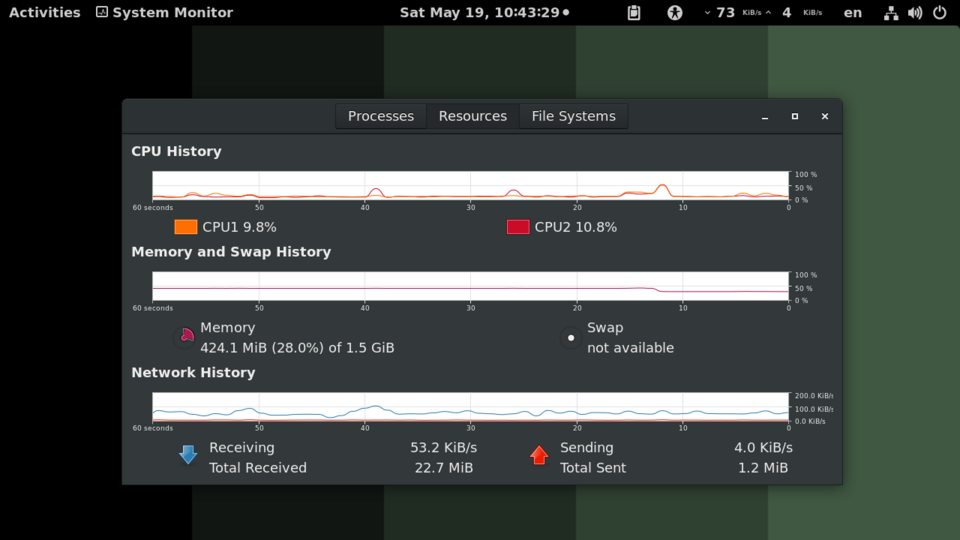
These three rules are called pre-emptive multitasking. The risk is that a low-priority process can be starved of resources. Done well, multitasking makes the best use of CPU time, main memory, storage and virtual memory.
4 · Management of user accounts
Several people can log on to one computer. Each has a user account, protected by a user name and password. The OS keeps each user's data separate. Each user can:
- customise their screen layout and settings;
- use their own folders and files and manage them.
An administrator creates and deletes accounts and restricts what each one can do. On large systems, multi-access levels control who sees what.
Worked Example 12 min
(a) Multitasking three processes on one CPU core
Three processes are running: a music player (high priority), a web browser (normal) and a virus scan (low). The OS gives out the CPU in short time slices.
- Slice 1: the OS gives the CPU to the music player.It has the highest priority, and must fill its sound buffer so playback never stops.
- Slices 2–3: the browser runs, until its time limit ends.A time limit stops any one process holding the CPU for ever.
- Slice 4: the music player interrupts and runs again.Running processes can be pre-empted when a higher-priority one needs the CPU.
- Slice 6: the virus scan finally gets a slice.Low priority means it waits. If high-priority work never stopped, it would be starved.
- The switching is so fast the user notices no pauses.This is why multitasking feels simultaneous, even on a single core.
(b) Printing three documents
Sam sends three documents to a shared printer. Document 3 is a low-priority job. The printer is already printing Document 1.
- The OS locates the printer driver and loads it into memory.Without the driver the data cannot be translated for this printer.
- Document 1's data is sent to the printer buffer.The buffer holds data ready for the slow printer, so the CPU can move on.
- Documents 2 and 3 go into the printer queue.The printer is busy; a queue keeps them in order until the buffer is free.
- Document 2 moves to the buffer before Document 3.Hardware management uses priority to decide the order.
- The printer runs out of paper and sends an interrupt; the OS shows an error message.The OS receives and handles error messages and interrupts from the printer.
Try It Yourself 12 min
Goal: List five tasks that file management lets a user carry out on a file.
Goal: Draw your own time-slice timeline for a video call (high), a spreadsheet (normal) and a back-up (low) over ten slices. Mark one place where a process is pre-empted.
Goal: A family shares one laptop. Explain how the OS's user-account management and file management together stop one child deleting another's homework.
Hint
Each user has their own account and folders. File management enforces access rights on each folder. Who can change those rights?
📝 Exam Practice 10 min
Describe what is meant by multitasking.
Mark scheme
- More than one task/process is carried out at the same time (1).
- The processes share hardware resources under the control of the OS (1).
- Each process gets resources for a time limit / can be interrupted / has a priority (1).
State three tasks carried out by the file management part of an operating system.
Mark scheme
Any three:
- Applying file-naming conventions / extensions (1).
- Creating / opening / closing / deleting / renaming / copying / moving files (1).
- Maintaining the directory structure (1).
- Maintaining access control / access rights / locking files (1).
- Allocating memory for a file by loading it from storage into RAM (1).
Describe how the operating system manages a printer when a document is printed.
Mark scheme
Any four:
- The printer driver is located and loaded into memory (1).
- Data is sent to a printer buffer ready for printing (1).
- If the printer is busy / job has low priority, it waits in a printer queue (1).
- The OS sends control commands to the printer during printing (1).
- The OS receives and handles error messages / interrupts from the printer (1).
Explain why an operating system provides user accounts on a shared computer.
Mark scheme
- Each user's data is kept separate / private, protected by a user name and password (1).
- Each user can customise their own settings / manage their own folders, and an administrator can restrict access (1).
🗝️ Recap & Key Terms 3 min
The OS drives peripherals through drivers, queues and buffers. File management names, organises and protects files. Multitasking shares the CPU using time limits, interrupts and priorities. User accounts keep each user's data separate.
- Hardware management
- The part of the OS that controls all input and output devices, e.g. printer management.
- Buffer
- A memory area used to store data temporarily.
- File management
- The part of the OS that manages files, e.g. create, delete, copy, open, close and rename.
- Multitasking
- A function that allows a computer to process more than one task/process at a time.
- User account
- An agreement allowing an individual to use a computer, entered with a user name and password.
- Administrator
- The person responsible for the upkeep of a multi-user system, who can create, delete and restrict accounts.
Homework 1 min
Task (≤ 15 min): Choose four functions of an operating system from Lessons 3 and 4. For each, name the function and describe what it does in one or two sentences. [8]
Model answer
- Memory management — tracks RAM locations, moves data between RAM and storage, and stops two programs using the same location (1 + 1).
- File management — lets users create, rename, copy and delete files and keeps the folder structure (1 + 1).
- Multitasking — shares the CPU between processes using time limits and priorities (1 + 1).
- Hardware peripheral management — uses drivers, queues and buffers to control I/O devices such as printers (1 + 1).
- Also accept: HCI, security management, user accounts, interrupt handling, platform for applications.