Syllabus & Goals 3 min
Cambridge 5.3 · Cyber security threats — malware Paper 1 · Computer Systems
By the end of this lesson you can:
- Describe each type of malware: virus, worm, Trojan horse, spyware, adware, ransomware.
- Distinguish similar types, especially virus vs worm and Trojan vs virus.
- Identify the malware in a scenario and suggest how to prevent or recover from it.
Textbook: Chapter 5, §5.3.1 — Malware (pp. 191–194)
Recap / Warm-Up 5 min
Last lesson: brute force, interception, DDoS and hacking. Those attacks come from outside. Malware is different: it is software that gets inside a computer and does harm from there.
Quick starter
In the old story, soldiers hid inside a wooden horse given as a gift. Which type of malware is named after it, and why?
Reveal the answer
The Trojan horse. It looks like a useful, harmless program, but hides malicious code inside. The user lets it in by running it.
Key Concept 14 min
Malware (malicious software) is one of the biggest risks to the integrity and security of data. Cambridge examines six types.
1 · Virus
A virus is a program (or program code) that replicates (copies itself). It aims to delete or corrupt files, or make the computer malfunction — for example by deleting .exe files or filling the hard drive with useless data.
A virus needs an active host program (or an already-infected operating system). It does nothing until something triggers it to run. Viruses arrive in email attachments, on infected websites and in infected downloaded software.
2 · Worm
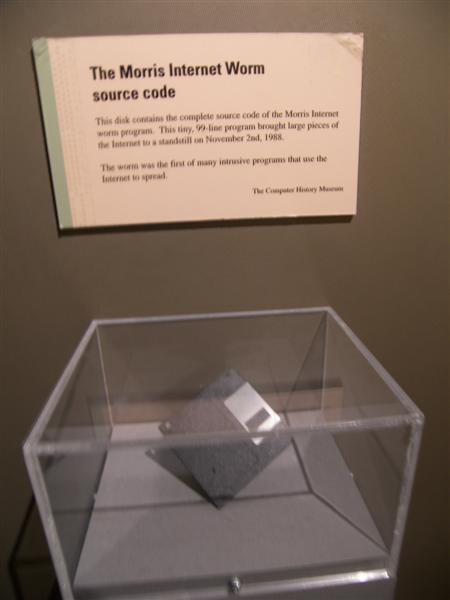
A worm is stand-alone malware that self-replicates. It aims to spread to other computers and corrupt whole networks. Unlike a virus, it does not need an active host and needs no action from the user to spread. It exploits security failures in networks. One person opening an infected attachment can infect a whole network — which makes worms more dangerous than viruses.
3 · Trojan horse
A Trojan horse is a program disguised as legitimate software with malicious instructions hidden inside. It replaces all or part of the genuine software. The user must run it, so it arrives as an email attachment or a download from an infected website.
A common trick is a fake anti-virus pop-up: "Your computer is infected — run our free trial now!". Once installed, a Trojan gives criminals access to personal data such as IP addresses and passwords. It often installs spyware (including key loggers) or ransomware. Firewalls are often useless against it, because the user chooses to run it.
4 · Spyware
Spyware gathers information by monitoring a user's activities and sends it back to the cybercriminal. It captures browsing activity and personal data such as bank account numbers, passwords and card details. Spyware that records key presses is called key-logging software. Anti-spyware can detect and remove it. Finding spyware is a warning sign: there is a gap in security that more dangerous malware could use.
5 · Adware
Adware floods the user with unwanted advertising. It may redirect the browser to advert-filled websites, show pop-ups, or sit in the browser toolbar redirecting searches. It is not always harmful, but it can highlight weaknesses in security, is hard to remove (anti-malware struggles to decide if it is harmful), and can hijack a browser.
6 · Ransomware
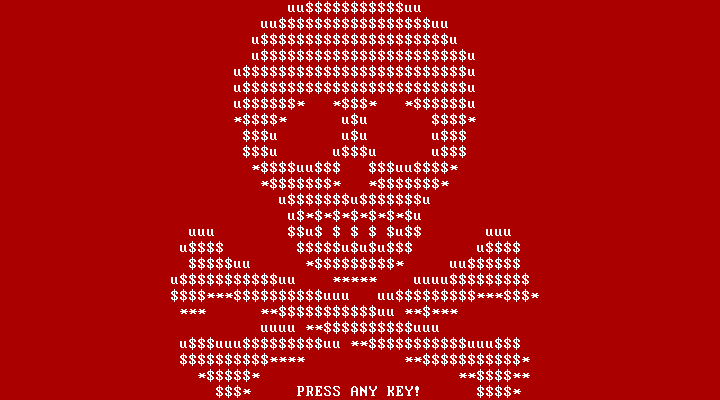
Ransomware encrypts the data on a user's computer and "holds it hostage" until a ransom is paid. Sometimes a decryption key is then sent. It may lock the screen. It often arrives through a Trojan horse or social engineering. It may encrypt at once, or wait to judge how much the victim can afford.
Summary of the six types
| Type | Copies itself? | User must run it? | Main aim / effect |
|---|---|---|---|
| Virus | Yes | Yes — needs an active host | Delete / corrupt files; cause malfunction |
| Worm | Yes | No — stand-alone | Spread through networks; use up resources |
| Trojan horse | No | Yes — disguised as genuine software | Give criminals access; install other malware |
| Spyware | No | Usually installed without the user knowing | Monitor activity; send data (e.g. key presses) back |
| Adware | No | Often bundled with other software | Flood the user with adverts; hijack browser |
| Ransomware | No | Yes — often via a Trojan / social engineering | Encrypt data and demand a ransom |
Worked Example 12 min
(a) Identify the malware with a decision tree
Scenario: "Alex downloads a free photo editor. It works, but every keystroke Alex types is secretly sent to an unknown server." Which malware is involved?
- Does it copy itself? Nothing suggests it spreads — no. rules out virus and worm.
- Disguised as genuine software? A "free photo editor" that hides extra code — yes: the delivery is a Trojan horse. it only got in because Alex chose to run it.
- What does the hidden code do? Records keystrokes and sends them away — spyware (key logger). monitoring and sending data back is the definition of spyware.
- Full answer: a Trojan horse that installed spyware / key-logging software. the textbook notes spyware is often installed via a Trojan — two marks are available for naming both.
(b) Build a 6-mark ransomware answer
Question: a school's files are encrypted and a message demands payment. Explain what has happened, how it probably happened, and how the school could have limited the damage. [6]
- Name it: ransomware (1). the clues are "encrypted" and "demands payment".
- What it did: encrypted the files so they cannot be used (1) and holds them hostage until a ransom is paid (1). two separate facts, two marks.
- How it arrived: probably a Trojan horse / phishing email that a user opened (1). ransomware needs to be run; "how" needs a route in.
- Limit the damage: keep regular back-ups so files can be restored without paying (1). the textbook calls back-ups the best defence.
- Prevent it: staff training to avoid phishing / up-to-date anti-malware (1). prevention and recovery are different points — give one of each.
Try It Yourself 12 min
Goal: match each type to its aim: virus, worm, spyware, adware — (a) floods you with pop-ups; (b) records your passwords; (c) corrupts files after being run; (d) spreads across a network by itself.
Goal: explain two differences between a virus and a worm, and say which is usually more dangerous to a company network and why.
Goal: a pop-up says your computer is infected and offers a free anti-virus trial. Explain why a firewall may not protect you here, which malware types could follow, and what you should do instead.
Hint
Who gives the permission for the program to run? Firewalls filter network traffic, but the user can overrule them. Close the pop-up with its corner cross, not a button inside it.
📝 Exam Practice 10 min
Explain what is meant by each of these: (a) worm (b) ransomware (c) Trojan horse.
Mark scheme
Two marks each:
- (a) Stand-alone malware that self-replicates (1); spreads through a network without a host / user action (1).
- (b) Encrypts data on the user's computer (1); a ransom is demanded before the decryption key is (maybe) given (1).
- (c) Malicious code disguised as / hidden inside legitimate software (1); user runs it, giving criminals access / installing other malware (1).
Describe how spyware is used to obtain data.
Mark scheme
- Spyware is installed without the user's knowledge (1).
- It monitors the user's activity / records key presses (key logger) (1).
- It sends the gathered data (e.g. passwords, card numbers) back to the cybercriminal (1).
Identify the type of malware that fills a user's browser with unwanted pop-up advertisements.
Mark scheme
- Adware (1).
Suggest two actions a small business could take to reduce the impact of a ransomware attack.
Mark scheme
- Keep regular back-ups of key files (stored separately), so data can be restored (1).
- Train staff not to open suspicious emails / attachments; run up-to-date anti-malware (1).
Recap & Key Terms 3 min
Viruses and worms both replicate, but only viruses need a host and a trigger. Trojans hide inside genuine-looking software. Spyware watches and reports; adware floods adverts; ransomware encrypts and demands payment. Back-ups beat ransomware; anti-malware and caution beat the rest.
- Virus
- A program that replicates itself to delete or corrupt files or cause malfunction; needs an active host.
- Worm
- Stand-alone malware that self-replicates and spreads through a network without an active host or user action.
- Trojan horse
- Malware designed to look like legitimate software but containing malicious code.
- Spyware
- Malware that monitors a user's activities and sends the data back to the cybercriminal.
- Adware
- Malware that floods the user with unwanted advertising.
- Ransomware
- Malware that encrypts a user's data and holds it hostage until a ransom is paid.
Homework 1 min
Task (≤ 15 min): make a revision grid for the six malware types with four columns: how it arrives, what it does, one real-world sign, one protection. Then answer: "Explain why worms are often more dangerous than viruses." [2]
Model answer (the 2-mark question)
- Worms do not need an active host program / any user action to spread (1)…
- …so they can spread through a whole network very quickly, whereas each virus must be triggered by a user (1).