Syllabus & Goals 3 min
Cambridge 5.3 · Keeping data safe — access levels, anti-malware, authentication Paper 1 · Computer Systems
By the end of this lesson you can:
- Describe how access levels and anti-malware (anti-virus, anti-spyware) keep data safe.
- Describe authentication by user name and password, and judge password strength.
- Describe biometrics and two-step verification, with benefits and drawbacks.
Textbook: Chapter 5, §5.3.2 — Access levels to two-step verification (pp. 198–204)
Recap / Warm-Up 5 min
Lessons 5–7 covered the threats. Lessons 8–10 cover the solutions. In Unit 4 you met anti-virus software as a utility program.
Quick starter
Your phone unlocks with your fingerprint, and a bank sends you a code by text. Which "proof of identity" is each one?
Reveal the answer
The fingerprint is something unique to you (biometrics). The text code proves you have your phone. Both are forms of authentication.
Key Concept 14 min
1 · Access levels
User accounts control what each person can do. Different people get different levels of access, arranged as a hierarchy. In a hospital, a consultant needs patients' medical records; a cleaner must not see them. Access is usually granted by a user name and password.
In databases, access levels decide who can read, write and delete data. Different views of a table let each user see only certain fields.
Social networks usually offer four access levels, set with privacy settings rather than passwords:
- Public — anyone can see this data.
- Friends — only people the owner has marked as friends.
- Custom — the owner refines what friends see, hiding content from chosen people.
- Data owner — only the owner can see it.
2 · Anti-malware
The two most common types are anti-virus (Unit 4: it checks files against known viruses and quarantines or deletes them) and anti-spyware. Anti-spyware detects and removes spyware using either:
- rules — it looks for typical features of spyware; or
- file structures — certain file structures are linked with spyware.
Features of anti-spyware:
Stop it
- Detect and remove spyware already installed
- Prevent spyware being downloaded
- Block access to the webcam and microphone
Limit the damage
- Encrypt files so "spied" data is useless
- Encrypt keystrokes to defeat key loggers
- Scan for signs personal data has been stolen, and warn the user
Anti-spyware is now often bundled with anti-virus and a personal firewall in one package.
3 · Authentication: proving who you are
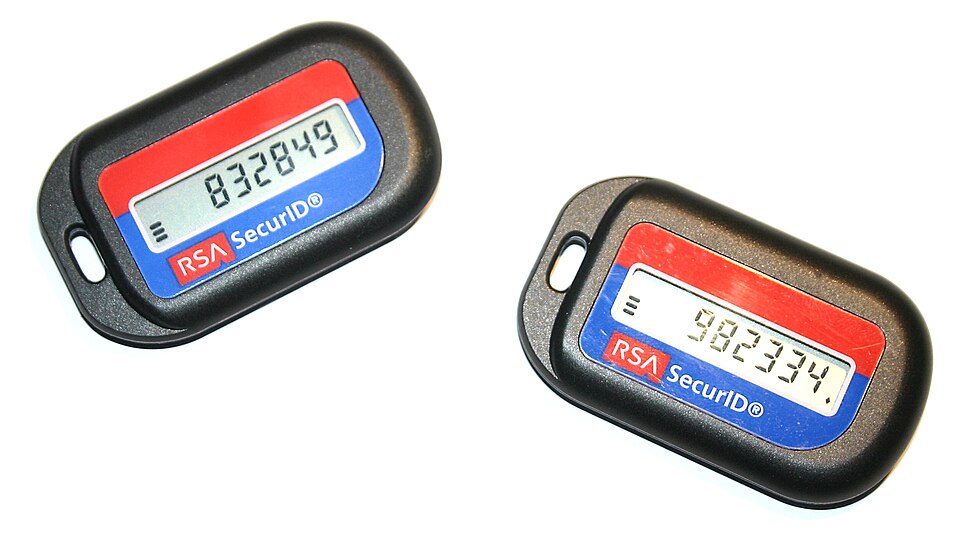
Authentication is a user proving who they are. There are three common factors:
4 · Passwords and user names
Passwords restrict access to data and systems — email, online banking, shopping and social networks. The user name and password must match before access is allowed.
Strong password
- At least one capital letter
- At least one number
- At least one other keyboard character (@, *, &…)
- Long, and not a word or personal fact — e.g.
Vx7#pLm2!qR9
Weak password
- Easy to guess or crack — e.g.
BLUE - A pet's name, favourite colour or band
- A birthday or name plus a number
How systems and users protect passwords:
- The password shows as
********when typed, so nobody can read it over your shoulder. - New passwords are typed twice as a verification check for input errors.
- Only a limited number of attempts is allowed (usually three) before the account locks.
- A forgotten password is reset through a link sent by email, in case someone else tried to change it.
- Users should run anti-spyware and change passwords regularly.
5 · Biometrics
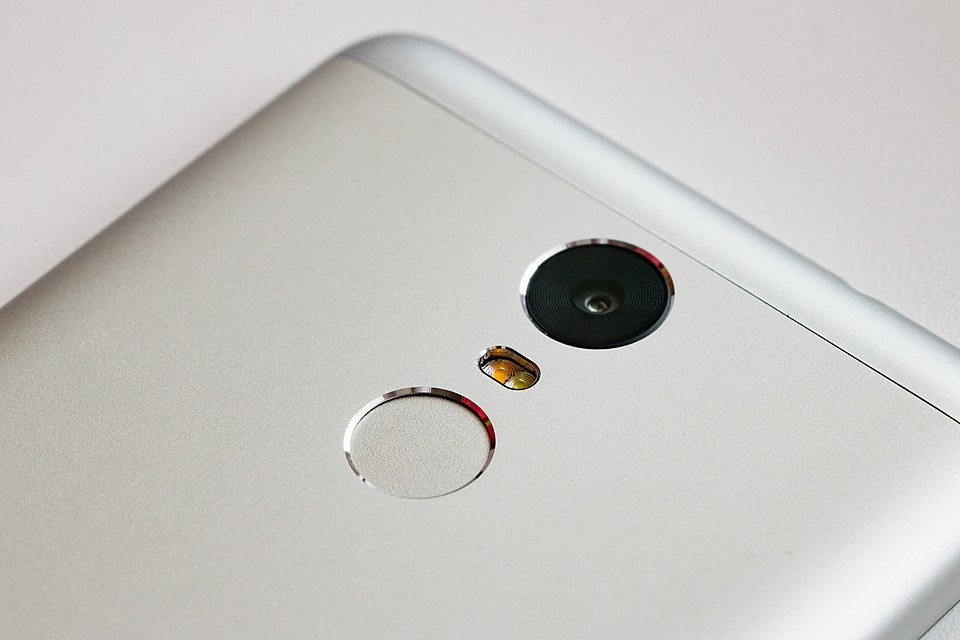
Biometrics uses a unique human characteristic to identify a user: fingerprint scans, retina scans, face recognition and voice recognition.
- Fingerprint scans compare the pattern of ridges and valleys with images stored in a database. A match means the user is recognised.
- Retina scans use infrared light to scan the unique pattern of blood vessels at the back of the eye. The person sits still for 10–15 seconds. There is no known way to copy the pattern.
| Technique | Benefits | Drawbacks |
|---|---|---|
| Fingerprint | Very well developed; easy to use; small storage needed; cannot be lost or lent | Intrusive for some (linked to criminal records); errors if skin is dirty or cut |
| Retina | Very high accuracy; no known way to copy a retina | Very intrusive; slow to verify; very expensive to set up |
| Face | Non-intrusive; relatively cheap | Affected by lighting, hair, ageing, glasses |
| Voice | Non-intrusive; verifies in under 5 seconds; relatively cheap | Can be recorded and replayed; low accuracy; a cold changes the voice |
A biometric door system. A company controls entry to its laboratories with retina scanners:
6 · Two-step verification
Two-step verification needs two methods of authentication. It is used especially for online purchases by card. For example, Kim logs in to a shop with a user name and password (step 1). The site then sends a one-time pass code to Kim's registered phone or email (step 2). Kim types the code and is authorised to buy.
The password is something Kim knows; the phone is something Kim has. A criminal who steals only the password still cannot log in.
Worked Example 12 min
(a) Judge four passwords
Scenario: Jo was born on 4 June 2009 and has a dog called Rover. Jo suggests four passwords.
| Password | Capital? | Number? | Symbol? | Personal / common? | Verdict |
|---|---|---|---|---|---|
Rover2009 | ✓ | ✓ | ✗ | pet + birth year | Weak |
sunshine | ✗ | ✗ | ✗ | common word | Weak |
04-Jun-2009 | ✓ | ✓ | ✓ | date of birth | Weak |
T!gerM0th_83q | ✓ | ✓ | ✓ | no link to Jo | Strong |
- Check the three character rules first. a strong password needs a capital, a number and another keyboard character.
- Then ask: could someone who knows Jo guess it?
04-Jun-2009passes the rules but fails here. rules alone are not enough — personal facts are the first things tried. - Then ask: is it in a common-password list or dictionary?
sunshinewould fall to a word list. recall the brute-force attack order from Lesson 5. - Only
T!gerM0th_83qpasses all three checks. "explain" answers must give the reason for each verdict, not just the verdict.
(b) Put two-step verification in order
Question: five stages are listed in a random order. Arrange them. [4]
- P — the user is authenticated and can place an order
- Q — a one-time code is sent to the user's registered phone
- R — the user enters their user name and password
- S — the user types the one-time code into the website
- T — the user reads the code on their phone
- Everything starts with the first factor: R. the site cannot know where to send a code until it knows who you claim to be.
- The site sends the second factor: Q. the phone was registered earlier, so only the real user should have it.
- The user reads it: T, then enters it: S. reading must come before typing.
- Access last: P. Order: R, Q, T, S, P. typically one mark per correctly placed stage after the first.
Try It Yourself 12 min
Goal: classify each as strong or weak, with a reason: Pa55word, Qz!8rT@2vN, 12345X, ChapTer@06.
Goal: an airport computer system holds security, bookings, passenger lists and duty-free offers. Describe how it could let senior staff see everything while customers see only flight times and offers.
Goal: a car starts only when it recognises its owner's voice. Evaluate this system: give benefits and drawbacks, then suggest a second factor to add.
Hint
Look at the voice row of the biometrics table. For the second factor, pick a different factor type from the three — something the owner has or knows.
📝 Exam Practice 10 min
A sports centre uses fingerprint recognition so that members can enter, and so it knows exactly who is in the building. Describe how the system works.
Mark scheme
Any five from:
- Each member's fingerprint is scanned in advance and stored in a database (1).
- On arrival, the member places their finger on the scanner (1).
- The scanned fingerprint is compared with those stored in the database (1).
- The pattern of ridges and valleys is matched (1).
- If there is a match, the member is identified and the door opens (1).
- The member's entry is recorded with the date / time (1).
- A matching scan when leaving records the exit, so the centre knows who is inside (1).
- If there is no match, entry is refused / an alert is shown (1).
Explain how two-step verification improves security when buying online.
Mark scheme
- Two different methods of authentication are needed (1).
- e.g. a password (something the user knows) and a one-time code sent to a registered phone (something the user has) (1).
- A criminal with only the stolen password cannot log in / complete the purchase (1).
Describe how access levels help to keep data safe in a hospital.
Mark scheme
- Each user has an account with a user name and password (1).
- Different users are given different levels of access / a hierarchy (1).
- e.g. a consultant can read and edit medical records; a cleaner cannot see them / users only see the data they need (1).
- Rights such as read, write and delete can be set separately (1).
Max 3.
Give two features of anti-spyware software.
Mark scheme
Any two from:
- Detects and removes spyware (1).
- Prevents spyware being downloaded (1).
- Encrypts files / keystrokes (1).
- Blocks access to the webcam and microphone (1).
- Scans for signs that personal data has been stolen (1).
Recap & Key Terms 3 min
Access levels give each user only the rights they need. Anti-malware finds and removes viruses and spyware. Authentication uses what you know, have or are: passwords, tokens and biometrics. Two-step verification combines two of them.
- Access levels
- Different levels of access in a computer system, forming a hierarchy that depends on a user's level of security.
- Anti-spyware
- Software that detects and removes spyware, based on typical spyware rules or known file structures.
- Authentication
- Proving a user's identity using something they know, something they have or something unique to them.
- Biometrics
- Authentication using a unique human characteristic, such as fingerprints, voice or retina blood-vessel pattern.
- Two-step verification
- Authentication that requires two methods of verification to prove a user's identity.
Homework 1 min
Task (≤ 15 min): a research company is choosing between fingerprint scanners and retina scanners for its laboratory doors. Compare the two, and recommend one with a reason. [5]
Model answer
- Both compare a scan with stored data in a database and open the door only on a match (1).
- Retina scans are more accurate / there is no known way to copy a retina (1).
- Fingerprint scanners are cheaper, quicker and easier to use (1).
- Retina scans are more intrusive / the person must keep still for 10–15 seconds (1).
- Recommendation, e.g. retina for a high-security laboratory, because accuracy matters more than cost / speed (1).