Syllabus & Goals 3 min
Cambridge 5.3 · Keeping data safe — proxy servers, privacy settings, SSL Paper 1 · Computer Systems
By the end of this lesson you can:
- Describe how a proxy server works and list its security and speed benefits.
- Give examples of privacy settings and explain how they protect a user.
- Describe the SSL process step by step, and the role of the SSL certificate.
Textbook: Chapter 5, §5.3.2 — Proxy servers to SSL, and the TLS extension (pp. 208–211)
Recap / Warm-Up 5 min
Last lesson: a firewall filters traffic between a computer and the internet. A proxy server also sits in the middle — but as a server that makes requests on your behalf. And Lesson 1 promised to explain the "S" in HTTPS.
Quick starter
You ask a friend to buy a ticket for you, so the seller never learns your name. How is that like a proxy server?
Reveal the answer
The friend is an intermediary. A proxy server makes web requests for you, so the web server sees the proxy's IP address, not yours.
Key Concept 14 min
1 · Proxy servers
A proxy server acts as an intermediary between the user and a web server. The browser sends its request to the proxy. The proxy forwards it to the web server. The server's response comes back to the proxy, is filtered, and is passed on to the user.
Security features
- Filters internet traffic; can block websites
- Keeps users' IP addresses secret
- Valid traffic is allowed; invalid traffic is denied
- Blocks requests from certain IP addresses
- Prevents direct access to the web server
- An attack hits the proxy instead — helps against hacking and DoS
- Can also act as a firewall
Speed feature: the cache
- The first time a website is visited, its home page is stored on the proxy
- On the next visit, the page comes from the proxy's cache
- Access is much faster, and less internet traffic is used
2 · Privacy settings
Privacy settings are controls on browsers, social networks and other websites. They limit who can access and see a user's personal profile (as in the social-network access levels of Lesson 8).
Settings › Privacy and security (mock-up)
● ON Send a “Do Not Track” request to websites
○ OFF Save payment methods on websites
● ON Safe browsing: warn me about dangerous sites
○ OFF Keep browsing history / allow third-party cookies
○ OFF Personalised advertising
○ OFF Maps app: share my location
- "Do not track" — asks websites not to collect and use your browsing data.
- Saved payment methods — check which sites store card details. Saving avoids retyping them, and every retype is a chance for interception.
- Safer browsing — a warning appears for sites on a stored blacklist of dangerous websites.
- Browser privacy options — whether history and cookies are stored.
- Advertising opt-outs — stop third parties gathering your browsing behaviour for adverts.
- Apps — e.g. switch off location sharing in a map app.
3 · Secure sockets layer (SSL)
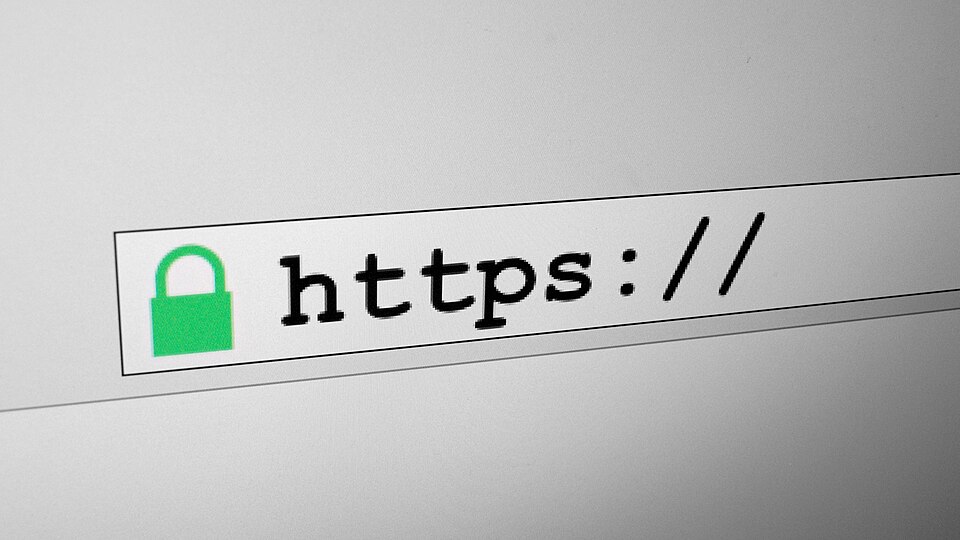
SSL is a protocol — a set of rules computers use to communicate. It lets data be sent and received securely over the internet. SSL encrypts the data, so only the user's computer and the web server can make sense of it. The user sees https and a padlock in the address bar.
How a browser sets up an SSL connection:
An SSL certificate is a type of digital certificate used to authenticate a website. If the browser can authenticate it, communication with that website is secure.
Worked Example 12 min
(a) Build the 6-mark SSL answer
Question: a charity's website takes online donations and uses SSL. Describe the process of SSL and how it provides a secure connection. [6]
- The user's browser sends a message to connect to the charity's SSL-secured website. the process always starts with the browser.
- The browser requests that the web server identifies itself. authentication before any secret data moves.
- The web server sends a copy of its SSL certificate. the certificate is the proof of identity — name it.
- The browser checks / authenticates the certificate. If it is valid, the browser tells the server it can begin. this is why a fake site fails: it has no valid certificate for that domain.
- The server acknowledges, and SSL-encrypted two-way data transfer begins. now card details travel encrypted.
- Security gained: intercepted data cannot be understood, and the donor knows the site is genuine (https / padlock shown). the question asks "how it provides a secure connection" — end with that link.
(b) Trace requests through a school proxy
Scenario: a school routes all web traffic through a proxy server with a cache and a block list.
| Request | At the proxy | Result | Feature shown |
|---|---|---|---|
| Alex opens a science site for the first time today | Not blocked; not in the cache → forwarded to the web server | Page returned; home page stored in the cache | Intermediary + caching |
| Sam opens the same site ten minutes later | Found in the cache | Returned at once from the proxy | Faster access |
| A student tries a gaming site on the block list | Matches the block list | Request denied | Filtering |
| An outside attacker floods the school's address | The attack hits the proxy, not internal machines | Internal servers stay reachable to staff | Protection against hacking / DoS |
Also note: in every row, the web server sees the proxy's IP address, so students' IP addresses stay secret.
Try It Yourself 12 min
Goal: name the security measure: (a) hides the user's IP address from web servers; (b) shows a padlock in the address bar; (c) lets you stop a map app sharing your location.
Goal: draw the SSL process as five numbered arrows between a browser and a web server, from memory. Label which steps authenticate and which step starts encryption.
Goal: compare a proxy server and a firewall. Give two similarities and two differences, and say why a company might use both.
Hint
Both sit between users and the internet and can filter or block. Only one keeps a cache and hides users' IP addresses; the other can be hardware or software on a single computer and watches every kind of traffic.
📝 Exam Practice 10 min
An online art shop uses Secure Sockets Layer (SSL). Describe the process of SSL and how it provides a secure connection.
Mark scheme
Any six from:
- The browser sends a request to connect to the secure website / server (1).
- The browser requests that the server identifies itself (1).
- The server sends a copy of its SSL certificate (1).
- The browser checks / authenticates the certificate (1).
- If authentic, the browser sends a message to the server to begin communication (1).
- The server sends an acknowledgement (1).
- SSL-encrypted two-way data transfer begins / data is encrypted (1).
- Intercepted data cannot be understood; the website is shown to be genuine (1).
Describe three benefits of a proxy server for a school.
Mark scheme
Any three from:
- Filters traffic / blocks access to unsuitable websites (1).
- Keeps users' IP addresses secret (1).
- Prevents direct access to the web server / attacks hit the proxy instead (1).
- Blocks requests from certain IP addresses (1).
- Caches web pages so frequently used pages load faster (1).
Give two examples of privacy settings a user could change in a web browser.
Mark scheme
Any two from:
- "Do not track" setting (1).
- Whether payment methods are saved (1).
- Safer browsing / warnings about dangerous sites (1).
- Whether browsing history / cookies are stored (1).
- Advertising opt-outs (1).
Identify the term described by each statement.
(a) Two pieces of evidence are needed before access is granted. (b) Uses a cache to speed up access to web pages. (c) A protocol that allows data to be sent securely over the internet. (d) Supplies the IP address for a domain name.
Mark scheme
- (a) Two-step verification (1)
- (b) Proxy server (1)
- (c) SSL / Secure Sockets Layer (accept TLS) (1)
- (d) DNS / domain name server (1)
Recap & Key Terms 3 min
A proxy server stands between users and web servers: it filters, hides IP addresses, absorbs attacks and caches pages. Privacy settings limit what sites and people can see. SSL authenticates the website with its certificate, then encrypts all traffic — shown by https and the padlock.
- Proxy server
- A server that acts as an intermediary through which internet requests are processed; often uses a cache to speed up access.
- Privacy settings
- Controls on social networks and other websites that let users limit who can access their profile or what they can see.
- Secure sockets layer (SSL)
- A security protocol used when sending data over a network such as the internet.
- SSL certificate
- A digital certificate used to authenticate a website, so data exchange between browser and website is secure.
Homework 1 min
Task (≤ 15 min): an online shop wants to protect its customers' payment details. Describe three different security methods from Unit 5 it could use, and explain how each helps. [6]
Model answer
- SSL / HTTPS: authenticates the shop's website with a certificate (1)…
- …and encrypts payment data so intercepted data cannot be understood (1).
- Firewall: filters traffic in and out of the shop's servers against rules (1)…
- …blocking unauthorised access / hackers (1).
- Two-step verification: a one-time code sent to the customer's phone as well as a password (1)…
- …so a stolen password alone cannot be used to buy goods (1).
Also creditable: proxy server, access levels, anti-malware, automatic updates.