- Learnt28 min · camera x, pans, easing, follow, zoom
- Basic25 min · Pip walks to Kitty
- Challenge 1–327 min · parallax, a shake, a close-up
- Extrabonus · a two-shot that frames itself
Review — Cartoon Studio II 5 min
- Four mouth shapes, chosen from a dope sheet in two lists.
(timer) - (start)is how far into the song you are. Each cue waits for its time.- Waits add up their lateness — about 1.4 s by the end of one song. The timer does not.
- One Speaker plays any sound you put the name of in a variable.
Quick-fire
In Level 3’s Scroll World, Pico stayed in the middle while the world moved. What one sum told every screen of ground where to stand?
Reveal the answer
(my x) - (scroll x) — its place in the world, minus how far the world had scrolled. Today the same sum is a camera. A game moved it to keep up with the player; a film moves it on purpose, to tell the story.
Today’s Topic 3 min
- A
camera x: every actor draws itself at its world x minus the camera’s - A pan on the clock, and easing — slow in, slow out
- A camera that follows, a little behind
- Zoom: distances and sizes, multiplied together
Learning outcome
By the end of this lesson you will be able to:
- Keep a world bigger than the Stage, and show part of it.
- Move a value from one number to another in a set time, with easing.
- Scale a whole scene about one point.
Learnt — holding the camera 28 min
1 · The camera is a number
The road is four screens wide — Scroll World’s road from Level 3. Every actor has a world x: where it lives on the road. camera x is the world x at the middle of the Stage. So an actor stands at (my x) - (camera x).
when flag clicked
set [my x v] to (380)
forever
  go to x: ((my x) - (camera x)) y: (-30)
  if <([abs v] of ((my x) - (camera x))) > (300)> then
    hide
  else
    show
  end
end
Pip lives in the world too. The Body works out where on the Stage it belongs from pip x, and posts it for the pieces as before:
when flag clicked
set [pip x v] to (120)
forever
  set [body x v] to ((pip x) - (camera x))
  set [body y v] to (-75)
  go to x: (body x) y: (body y)
  if <([abs v] of (body x)) > (300)> then
    hide
  else
    show
  end
end
if … hide on body x, so the whole puppet leaves the shot together.A pan is just the camera number going up:
when flag clicked
set [camera x v] to (0)
wait (1) seconds
repeat (240)
  change [camera x v] by (6)
end
How to use this: Click the green flag to start it. Nothing else to press — watch the camera x monitor and the world slide by.
2 · A pan on the clock, with easing
A director says “pan to Kitty in three seconds”, not “240 steps of 6”. So work it out from the timer, like the lip sync: p goes from 0 to 1 over the time, and the camera is that far along.
A real camera does not start and stop with a jolt. It speeds up, then slows down. That is easing, and ([cos v] of (…)) does it: as p goes from 0 to 1, (1 − cos (180 × p)) ÷ 2 also goes from 0 to 1 — slowly at both ends.
define ease (from) (to) (secs)
set [t0 v] to (timer)
set [p v] to (0)
repeat until <(p) = (1)>
  set [p v] to (((timer) - (t0)) / (secs))
  if <(p) > (1)> then
    set [p v] to (1)
  end
  set [e v] to (((1) - ([cos v] of ((180) * (p)))) / (2))
  set [camera x v] to ((from) + (((to) - (from)) * (e)))
end
pan block is the same with set [e v] to (p) — no easing.How to use this: Click the green flag to start it. Nothing else to press — the first pan is linear, the second is eased. Watch how each one starts and stops.
3 · A camera that follows
Now let Pip walk, and the camera keep up. Each frame, the camera closes one tenth of the gap to Pip. Far behind, it hurries; close, it eases.
when flag clicked
set [camera x v] to (0)
forever
  change [camera x v] by (((pip x) - (camera x)) / (10))
end
repeat (25)
  next costume
  repeat (6)
    change [pip x v] by (5)
  end
end
switch costume to [stand v]
pip x, not x.How to use this: Click the green flag to start it. Nothing else to press — watch Pip walk and the camera keep up.
4 · Zoom
Zooming in makes everything bigger and further from the middle. Multiply both by zoom. We zoom about the bottom of the Stage (y −180), so the ground never lifts off the bottom edge:
go to x: (((my x) - (camera x)) * (zoom)) y: ((((-30) + (180)) * (zoom)) - (180))
set size to ((100) * (zoom)) %
Pip’s pieces need one more thing. Their offsets are distances too, so they grow with the zoom:
forever
  go to x: ((body x) + ((21) * (zoom))) y: ((body y) + ((34) * (zoom)))
  set size to ((100) * (zoom)) %
end
How to use this: Click the green flag to start it. Nothing else to press — watch Pip as the zoom goes up.
How to use this: Click the green flag to start it. Nothing else to press — watch Pip as the zoom goes up.
Basic — Pip walks to Kitty 25 min
Open last lesson’s Pip. You will put Pip on a long road with a camera.
Step 1 — the set
- Upload the backdrop scroll-day.
- Make a
Groundsprite with four costumes: road 1, road 2, road 3, road 4. Like Scroll World, it makes three clones, each with its ownmy x(0, 480, 960) and costume, and becomes screen 4 at 1440 itself. - Add the
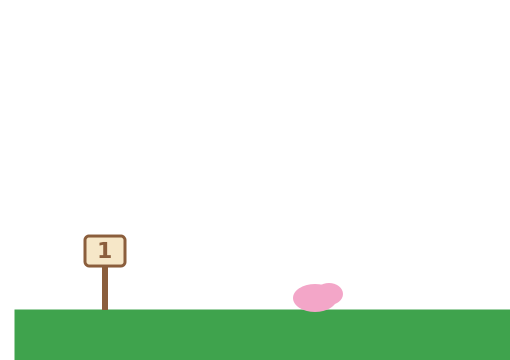
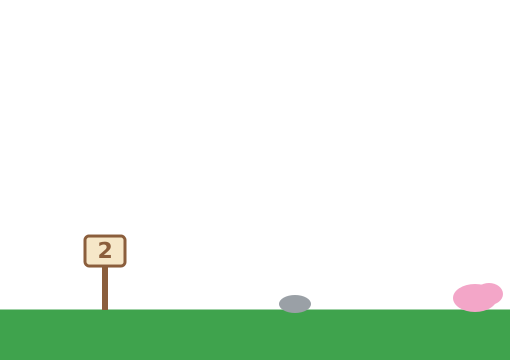
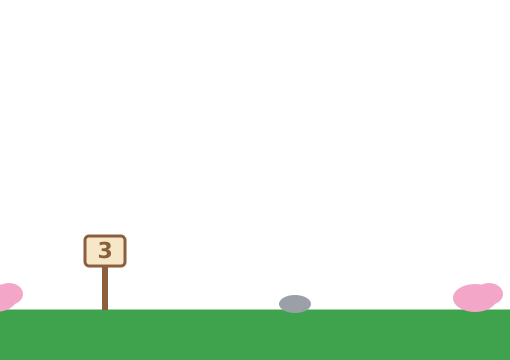
Tree1sprite (world x 380, y −30) and theCat(size 80, world x 1300, y −90, facing left).


Step 2 — everyone draws from the camera
- Make
camera xandpip x, For all sprites. Give the Ground, Tree and Cat the draw loop from Learnt part 1. - Change the Body’s loop to the world version, with
pip xstarting at0. - Add the
if … hideonbody xto every piece’s follow loop.
Step 3 — walk, and follow
- Give the Stage the follow loop from Learnt part 3, and stop it at the end of the road: an
ifthat setscamera xback to 1440 when it goes past. - Make Pip walk 39 steps of six moves of 5 — that is 1170, just in front of Kitty.
- When Pip stops, Kitty says “Hi Pip!” and meows, and Pip waves back: “Hi Kitty!”
How to use this: Click the green flag to start it. Nothing else to press — the camera follows Pip down the road.
The tree waits at the edge of the Stage.
Its if … hide is missing. Scratch will not let a sprite leave the Stage completely, so a far-away tree sits at the edge until it hides.
Pip’s pieces stay on the Stage after the body has gone.
The pieces need the same hide test as the body — on body x, which is the worked-out position.
The ground has a gap in it.
Two clones have the same my x. Change screen before each clone, and work my x out from it: 480 × (screen − 1).
Parallax
From a train, the hills move slowly and the fence flies past. Make the world feel deep.
- Add four clouds high in the sky, 400 apart in the world.
- The clouds move at half the camera’s speed.
- When the ground has moved 1440, the clouds have moved 720.
How to use this: Click the green flag to start it. Nothing else to press — compare the clouds with the ground.
Teacher reveal
forever
  set x to ((my x) - ((camera x) / (2)))
  if <([abs v] of ((my x) - ((camera x) / (2)))) > (330)> then
    hide
  else
    show
  end
end
Divide the camera by more, and the layer looks further away. Send the Clouds to the back layer, behind the ground.
Camera shake
Pip walks straight into the tree. Make the bump hurt.
- Pip walks until the tree, then stops with a “Bonk” sound and says “Ouch!”
- The camera shakes 12 times, a few pixels each way.
- Then it settles exactly where it was.
How to use this: Click the green flag to start it. Nothing else to press — watch the tree as well as Pip.
Teacher reveal
when I receive [bump v]
repeat (12)
  set [camera x v] to (pick random (-8) to (8))
  wait (0.03) seconds
end
set [camera x v] to (0)
On the Stage. Shaking the camera moves everything that draws from it — which is everything. In this demo the camera rests at 0; if yours follows Pip, remember the value first and put it back.
A close-up
Pip reaches Kitty. Move in for the big moment.
- The camera glides to the middle of the two of them: x 1240.
- At the same time it zooms from 1 to 1.4, eased, in 1.5 seconds.
- Then Pip says “Happy birthday!”
How to use this: Click the green flag to start it. Nothing else to press — watch the camera move in.
Teacher reveal
define shot (to x) (to zoom) (secs)
set [from x v] to (camera x)
set [from z v] to (zoom)
set [t0 v] to (timer)
set [p v] to (0)
repeat until <(p) = (1)>
  set [p v] to (((timer) - (t0)) / (secs))
  if <(p) > (1)> then
    set [p v] to (1)
  end
  set [e v] to (((1) - ([cos v] of ((180) * (p)))) / (2))
  set [camera x v] to ((from x) + (((to x) - (from x)) * (e)))
  set [zoom v] to ((from z) + (((to zoom) - (from z)) * (e)))
end
One clock, two values. Call it with shot (1240) (1.4) (1.5) :: custom. Every actor, Kitty included, needs the zoomed draw from Learnt part 4.
A two-shot
Pip and Kitty walk apart, then come back together. The camera keeps them both in shot by itself.
- The camera always sits halfway between them.
- The further apart they are, the more it zooms out.
- The zoom never goes below 0.6 or above 1.4.
How to use this: Click the green flag to start it. Nothing else to press — watch the zoom as they walk apart and back.
Teacher reveal
when flag clicked
forever
  set [camera x v] to (((pip x) + (cat x)) / (2))
  set [gap v] to ([abs v] of ((cat x) - (pip x)))
  set [zoom v] to ((400) / ((gap) + (200)))
  if <(zoom) < (0.6)> then
    set [zoom v] to (0.6)
  end
  if <(zoom) > (1.4)> then
    set [zoom v] to (1.4)
  end
end
On the Stage. Kitty now walks too, so Kitty’s world x lives in a variable, cat x, like Pip’s.
Summary 5 min
- Every actor stands at
(my x) - (camera x), and hides when that is far off the Stage. - A pan worked out from the timer always takes the time you asked for.
- Easing with cos makes a camera move start and stop gently.
- Zoom multiplies distances, sizes and offsets — and Scratch stops it at 141 %.
- Camera
- The part of the world the Stage is showing.
- Pan
- Moving the camera sideways.
- Easing
- Starting a move slowly and ending it slowly.
- Parallax
- Far things moving slower than near ones, which makes a picture look deep.
Hand in
Save the road with its camera. Next lesson you become the director: one cue sheet runs the whole film — puppet, song, camera and credits.