The Gyro Sensor
The Gyro Sensor measures how far the robot has turned, in degrees. Wheels slip and floors vary, so counting wheel rotations is a poor way to turn accurately — the gyro measures the turn itself rather than inferring it.
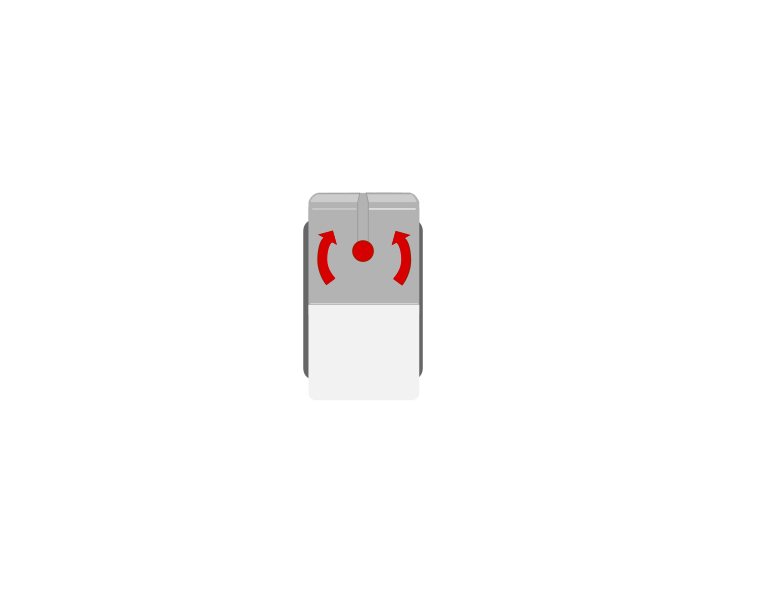 from above
 front
frontBlocks reference
| Block | What it does |
|---|---|
([2 v] angle :: sensors) | Reports how far the robot has turned since the angle was last reset. |
[2 v] reset angle :: sensors | Sets the current heading as zero. |
Always reset before you turn
The angle is measured from wherever it was last zeroed — not from where this turn started. Here are two robots given the same instruction, one with a reset block and one without.
reset first
no reset
Both programs are correct about what they asked for. Only the left one asked the question from a known starting point.
Both programs did exactly what they said. Both gyros stopped at 90. But the robot on the right had 34 degrees already on the clock, so it only turned 55 — and nothing about the program looks wrong. Watch the first step too: neither robot is moving and the reading is still climbing. That is drift, and it is why the reset belongs immediately before the turn.
Reset with the robot completely still, as late as you can.
when program starts :: events hat
[2 v] reset angle :: sensors
start moving [straight: 0] :: movement
wait until <([2 v] angle :: sensors) > (90)>
stop moving :: movement
That program is the obvious one to write, and it will not give you a 90 degree turn. The next section is why.
Stop before you get there
Asking to stop at 90 does not stop the robot at 90. Between the gyro reaching 90 and the wheels actually standing still there is a delay — the sensor has to be read, the next block has to run, and the motors have to physically brake. The robot is still turning through all of it, so it ends up past where you asked.
The fix is to ask for less than you want. Aim for a 90 degree turn by waiting for 86: the robot coasts the last few degrees on its own and settles at roughly 89 to 91.
ask for exactly 90
stop 4° early
The tolerance has to match the speed. At 50°/s the number that lands this turn on 90° is 86 — let it loop, and watch that number change when the speed does.
The size of that gap is not a fixed property of the robot — it is the delay multiplied by how fast you are turning. The delay stays about the same whatever you do, so a turn at double the speed carries you about double the distance past the mark.
| Turn speed | Carried past the stop | Wait for | Ends up at |
|---|---|---|---|
| slow | about 4° | 86 | about 90° |
| fast | about 10° | 80 | about 90° |
So the tolerance and the speed have to be chosen together. Turn faster and you must give up more; if you speed a turn up and forget to lower the number, the robot starts overshooting every corner and the program that worked last week no longer does.
when program starts :: events hat
[2 v] reset angle :: sensors
start moving [right: 30] :: movement
wait until <([2 v] angle :: sensors) > (86)>
stop moving :: movement
Find your own number rather than copying this one — it depends on your robot’s weight, its wheels and the speed you turn at. Run the turn, measure where it actually stops, and move the number by however far it missed. Two or three tries is usually enough.
The other half of the answer is to slow down. A slower turn overshoots less, so it needs less guessing and repeats more reliably — which is why a turn worth getting right is rarely worth rushing.
Drift — the thing that catches everyone
A gyro slowly loses its zero even when nothing is moving. Leave a robot sitting still for a minute and the angle may have wandered several degrees all by itself. That is drift, and it is a property of the hardware, not a bug in your program.
Two habits deal with it: reset the angle as late as possible before a turn, and keep the robot dead still while the reset happens. Resetting while the robot is rolling bakes the error in permanently.
Why it matters
Aircraft, ships and phones all use gyros to know their orientation — it is how a phone knows you have turned it sideways. A robot that can turn exactly 90 degrees on any surface is far more reliable than one that guesses with wheel rotations.
More sensing tutorials
- The Touch Sensor — Tell when the red button is pressed, released or bumped.
- The Ultrasonic Sensor — Measure how far away something is.
- The Colour Sensor — Read a colour, or read how bright a surface is.
- The Brick buttons — Use the five buttons on the Brick itself as an input.
- Reading a motor's position — Every motor is also a sensor — read how far it has actually turned.