Driving with two motors
A driving base has two Large Motors, one per wheel. You could drive them with two separate motor blocks — but they would never start at quite the same instant, and the robot would curve away. EV3 has a separate family of Movement blocks that treat the pair as a single driving base.
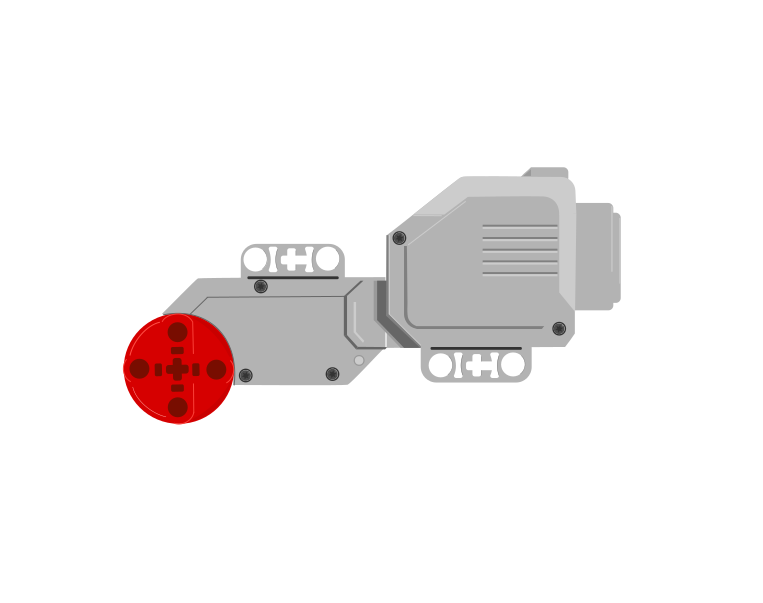 port Bport C
Blocks reference
| Block | What it does |
|---|---|
set movement motors to [B v] and [C v] :: movement | Tells the Movement blocks which two ports are the driving wheels. Put it at the top of the program, before any movement. |
move [forward v] for (2) [rotations v] :: movement | Drives both wheels together, so the robot travels in a straight line. |
move for (1) [rotations v] at (75) (25) % speed :: movement | Drives the two wheels at different speeds, which makes the robot curve. |
set movement speed to (50) % :: movement | Sets how fast the driving base travels from now on. |
The letters must match the sockets
set movement motors to [B] and [C] is the block that decides which two motors every Movement block after it will drive. It does not look at the robot. It drives the two ports you name, whether or not there is a motor in them — so those two letters have to be the two sockets the cables are actually in.
This is the single commonest reason a driving base does nothing, and it is invisible in the program: every block is spelled correctly and the robot still will not go.
the same program on both robots
The yellow outline marks the two ports the block is driving. A robot only goes straight when both of them have a motor in them.
Both robots run the identical program. The left one has its motors in B and C, so both named ports have a motor and the robot drives straight. The right one is plugged into A and B: the block drives B, finds nothing in C, and never mentions the motor in A at all — so one wheel turns, one wheel sits there, and the robot swings round the dead one instead of driving.
If neither named port has a motor in it — cables in A and D, say, with the block still set to B and C — the robot does not move at all. The program runs happily to the end and the Brick reports nothing wrong, because as far as it is concerned it did exactly what it was told.
So before you look for a bug in the program, look at the cables: read the port letters off the Brick, then make the block say those two. B and C are only the usual choice, not a rule — if your build has the driving motors in A and D, set the block to A and D and everything works.
Straight, curved, and on the spot
Everything a driving base can do comes from those two speed numbers. Try each button below and watch the trail the robot leaves.
The path is worked out from the two wheel speeds in the block, not drawn by hand — so changing the preset changes the numbers and the shape together.
- Both wheels the same speed — the robot goes straight.
- One wheel faster than the other — it curves towards the slower side. The bigger the difference, the tighter the curve.
- One wheel forward, the other backward — it spins on the spot, which is how a robot turns in a space no wider than itself.
Notice there is no steering block anywhere in that program, and no steering part anywhere on the robot. The turn is made entirely by driving the two wheels different amounts.
when program starts :: events hat
set movement motors to [B v] and [C v] :: movement
move [forward v] for (2) [rotations v] :: movement
move for (1) [rotations v] at (50) (-50) % speed :: movement
How far is one rotation?
“Move forward 2 rotations” says nothing about the floor — it says how many times the wheels go round. How far the robot actually travels depends on how big the wheels are, and once round a standard EV3 driving wheel is about 17.5 cm.
Before doing any sums, get a feel for it. Drag the robot along and watch both scales at once — rotations on top, centimetres underneath, the same line. Land on the half marks: there is a number between 1 and 2, and it is 1.5.
Drag the robot, or use the arrow keys — it moves in half rotations. Rotations above the line, centimetres below.
1.5 — a half rotation past 1. Half a turn of the wheels is 8.75 cm, so halves matter.
35 ÷ 17.5 = 2. That is a number you can type straight into the block.
- 1 rotation = 17.5 cm. Two rotations is 35, three is 52.5.
- Halves are real. 1.5 rotations is a perfectly good thing to type into the block, and it is 26.25 cm — right between the 1 and the 2 you already tried.
- To go a distance you have chosen, divide by 17.5. The calculator does it, but do a few by hand first — 35 ÷ 17.5 = 2 is worth seeing.
- Measure your own wheels before trusting the number. A base built with different wheels travels a different distance per rotation, and every calculation on this page moves with it.
set movement motors to [B v] and [C v] :: movement
set movement speed to (30) % :: movement
move [forward v] for (2) [rotations v] :: movement
Turning on the spot
Steering at right 100 or left 100 drives the two wheels in opposite directions, so the base stops travelling and pivots where it stands. The angle it sweeps is a simple doubling of the rotations:
Half a rotation is the one worth remembering: a square corner, 90°.
| Rotations | The robot turns |
|---|---|
| 0.25 | 45° — half a corner |
| 0.5 | 90° — a square corner |
| 1 | 180° — turn round and face back |
| 2 | 360° — all the way round |
The one to memorise is 0.5 rotations = 90°. Everything else follows from doubling or halving it.
set movement speed to (20) % :: movement
move [right: 100] for (0.5) [rotations v] :: movement
Turn slowly. The wheels on a driving base are big and the robot carries a lot of weight, so at full speed it keeps going after the motors stop and lands past the angle you asked for. Somewhere between 15% and 30% speed is where turns become repeatable. A turn that overshoots is almost always a turn taken too fast, not a wrong number.
These figures belong to your robot. The distance depends on the wheels and the angle depends on how far apart they are, so a wider base needs a different number for 90°. Test it, measure what actually happened, and adjust — the same discipline as the Gyro Sensor tolerance.
Why it matters
Every wheeled vehicle steers this way — a tank, a digger, an office chair with two driven castors. Cars use a steering rack instead, but a robot that turns by driving its wheels at different speeds needs no steering mechanism at all.
More motion tutorials
- One motor, on and off — Start one motor, let it run, and stop it again.
- The Medium Motor — The small, fast motor that drives arms, gates, jaws and winches.
- The Large Motor — The big, strong motor used for wheels and heavy lifting.
- Rotations and degrees — Measure how far a motor turns, so the same movement repeats exactly.
- Speed and power — Make a motor go faster or slower.
- Brake or coast — Stop a motor dead, or let it roll to a halt.
- Moving to an exact angle — Send a motor to an exact position instead of a distance from here.